
DRSFlashCry - Minecraft Skins & Skin History
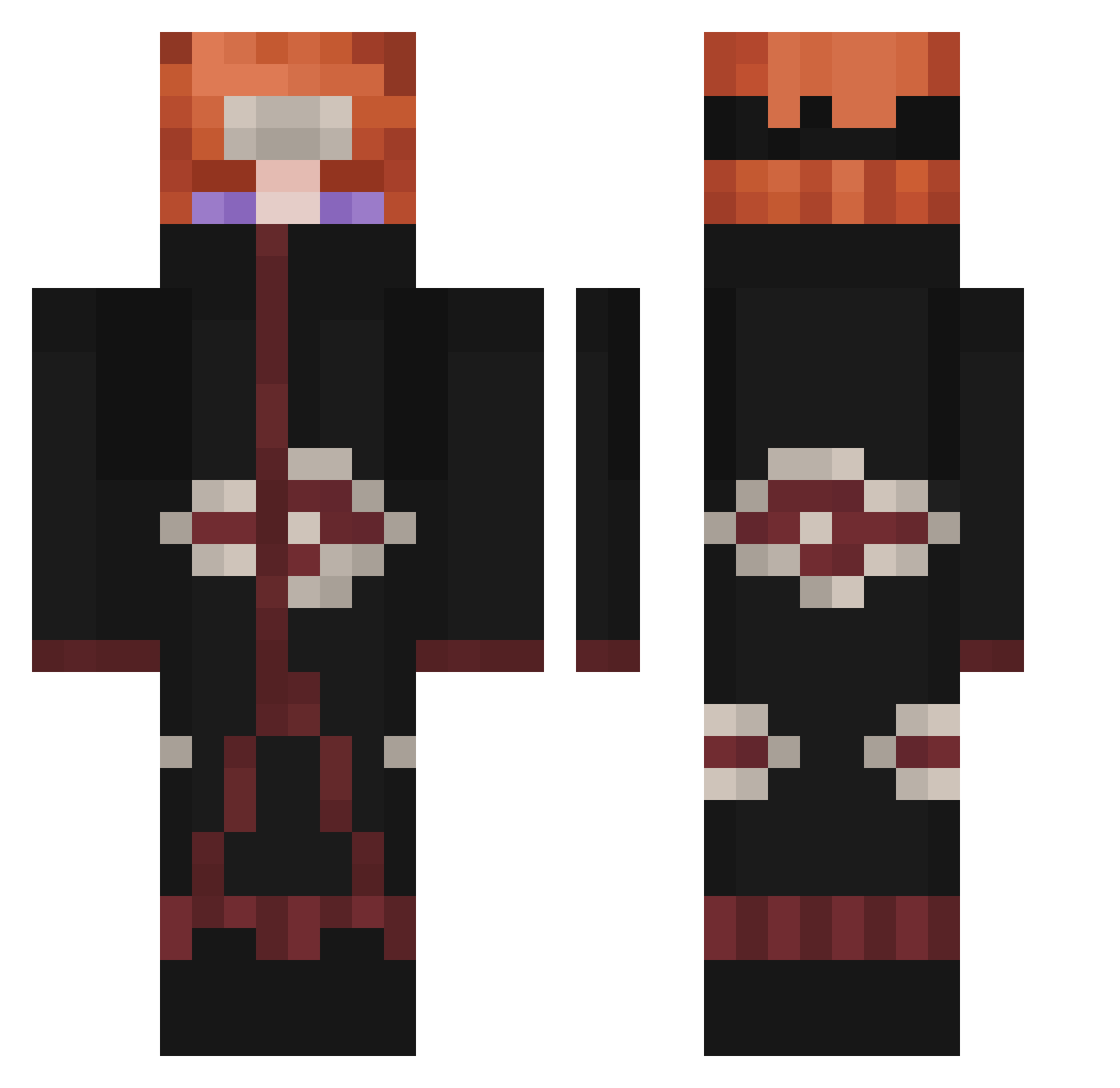
Current Minecraft skin of the player DRSFlashCry, loaded from the official Mojang API. Rotate the 3D model with your mouse or finger, then download the skin as a PNG file and use it in Minecraft: Bedrock Edition or Java Edition for free. When DRSFlashCry changes their skin, this page updates automatically and the old skin stays in the history below.
Other players with this skin (338)
DRSFlashCry was the 151st player we have seen with this skin, first spotted on 11.09.2026. The same skin was seen on these players. Open a nickname to see their current skin and skin history.
 DerpyMrMoomoo jonnmorphia sideandblack d9ny artemka203 White_cece zR4iN AzzenX izukupou metanon68_pl Apollomon8 Vergil_1 NaraKing Kiyoske niekbiitz Cristian_NS kidMarss lloging10 JONHzzZzz HoseArmando AGENT_lelecraft kevin900216 Nomontogorda ilFeffo sam90326 Pro_MixHD hydroxybutyrates Joseacoyf NWMatt StakeRebuy Chaos_blades16 Tichbaba calebbi127 ForestalBaker81 ragame27 Nugtella Ya_arrrs MentalDamaged __Pain__ Struggled AleFraCraft GreenWas WaavyDaavy bjorane Robi4684 CritXR35 Pauta Alfa610 dariogb2 lightshot88 ManeldasFormigas SMARTYPANTS87 ReformedEcis HYDRAxDARK Oweeezzz Capo5 AlbanianDeluXe zkluith RenaultClio1998 nkomlp
More Pain Minecraft skins
How to install the DRSFlashCry skin
- Press the Download button above to save the skin as a PNG file.
- Minecraft: Bedrock Edition (PE): open the Dressing Room from the main menu (or tap your character → Edit Character), go to Classic Skins → Owned, press the + (new skin) button, choose the downloaded PNG and pick the Classic (Steve) model. Works on PC and mobile; consoles cannot import custom skins.
- Minecraft: Java Edition: open the Minecraft Launcher, go to the Skins tab, click New Skin, load the PNG, pick the Classic (Steve) model and press Save & Use. You can also upload it at minecraft.net → Profile → Change Skin.
The skin does not show up after import - what should I do?
Restart Minecraft and open the Dressing Room again - imported skins sometimes appear only after a restart. Also make sure you selected the imported skin and picked the Classic (Steve) model.
Which model should I choose, Classic or Slim?
This skin is designed for the Classic (Steve) model. If you pick the wrong model, the arms of the skin will look stretched or squeezed.
Is the skin of DRSFlashCry free to download?
Yes. Press Download, save the PNG file and use it in Minecraft: Bedrock Edition or Java Edition - no payment or registration needed. The skin also works on multiplayer servers and Realms.
More skins
Looking for more? Go back to all Minecraft skins and check the top skins of the week, month and all time, or find any player's skin by nickname.