
DRAF9 - Minecraft Skins & Skin History
Current Minecraft skin of the player DRAF9, loaded from the official Mojang API. Rotate the 3D model with your mouse or finger, then download the skin as a PNG file and use it in Minecraft: Bedrock Edition or Java Edition for free. When DRAF9 changes their skin, this page updates automatically and the old skin stays in the history below.
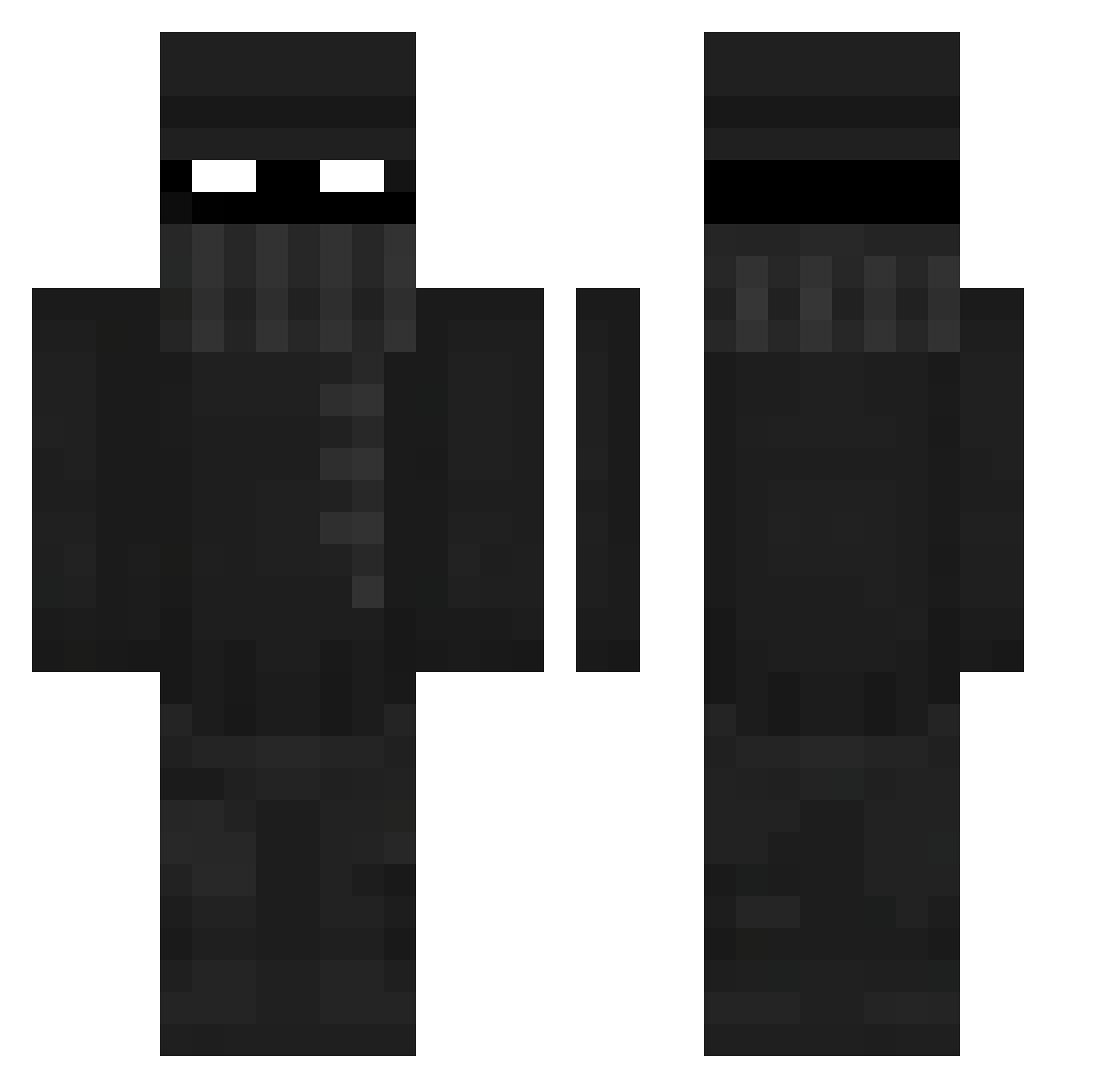
Other players with this skin (329)
DRAF9 was the 76th player we have seen with this skin, first spotted on 16.08.2026. The same skin was seen on these players. Open a nickname to see their current skin and skin history.
 spomgebeb fadinglightx cfaith907 MasterCraft44 The_Rian Sleepyjoe3564 JustJerHere CraftRocket Monk2Funky bcotcamp
 Pads77 DiamondAhmed05 TheSamo292 N1khaa zakkory XImKyleX hayden145 kr4zzhy Rodo2 nejsemmoon surfy42 Majin_Cypher PierogVendor djtripp20 CantBeAsked_ BIGCHUNGES1416 Cowmisty taylor72836 JaxxDK Fafnir_Tundra Nyxzs
 Loveboiii lemminoyo Haberino Buddhabirne EfterEmil snepshroom Linecloth21 Svehlon juicee561 ballsasgna trufl3_monk3 Ciocaboca1 VoidRoc UltraLushTTV The_Minority skibidislicerses BeeO08 OneShotz16 imabottom4L SwitchyUK HiuTTung Icy_Not epitqvist Ace97804 BigPoooky mukii3 Flacko01 FranK19739 CruzKilla98
More Robber Minecraft skins
How to install the DRAF9 skin
- Press the Download button above to save the skin as a PNG file.
- Minecraft: Bedrock Edition (PE): open the Dressing Room from the main menu (or tap your character → Edit Character), go to Classic Skins → Owned, press the + (new skin) button, choose the downloaded PNG and pick the Classic (Steve) model. Works on PC and mobile; consoles cannot import custom skins.
- Minecraft: Java Edition: open the Minecraft Launcher, go to the Skins tab, click New Skin, load the PNG, pick the Classic (Steve) model and press Save & Use. You can also upload it at minecraft.net → Profile → Change Skin.
The skin does not show up after import - what should I do?
Restart Minecraft and open the Dressing Room again - imported skins sometimes appear only after a restart. Also make sure you selected the imported skin and picked the Classic (Steve) model.
Which model should I choose, Classic or Slim?
This skin is designed for the Classic (Steve) model. If you pick the wrong model, the arms of the skin will look stretched or squeezed.
Is the skin of DRAF9 free to download?
Yes. Press Download, save the PNG file and use it in Minecraft: Bedrock Edition or Java Edition - no payment or registration needed. The skin also works on multiplayer servers and Realms.
More skins
Looking for more? Go back to all Minecraft skins and check the top skins of the week, month and all time, or find any player's skin by nickname.