
DOGLang - Minecraft Skins & Skin History
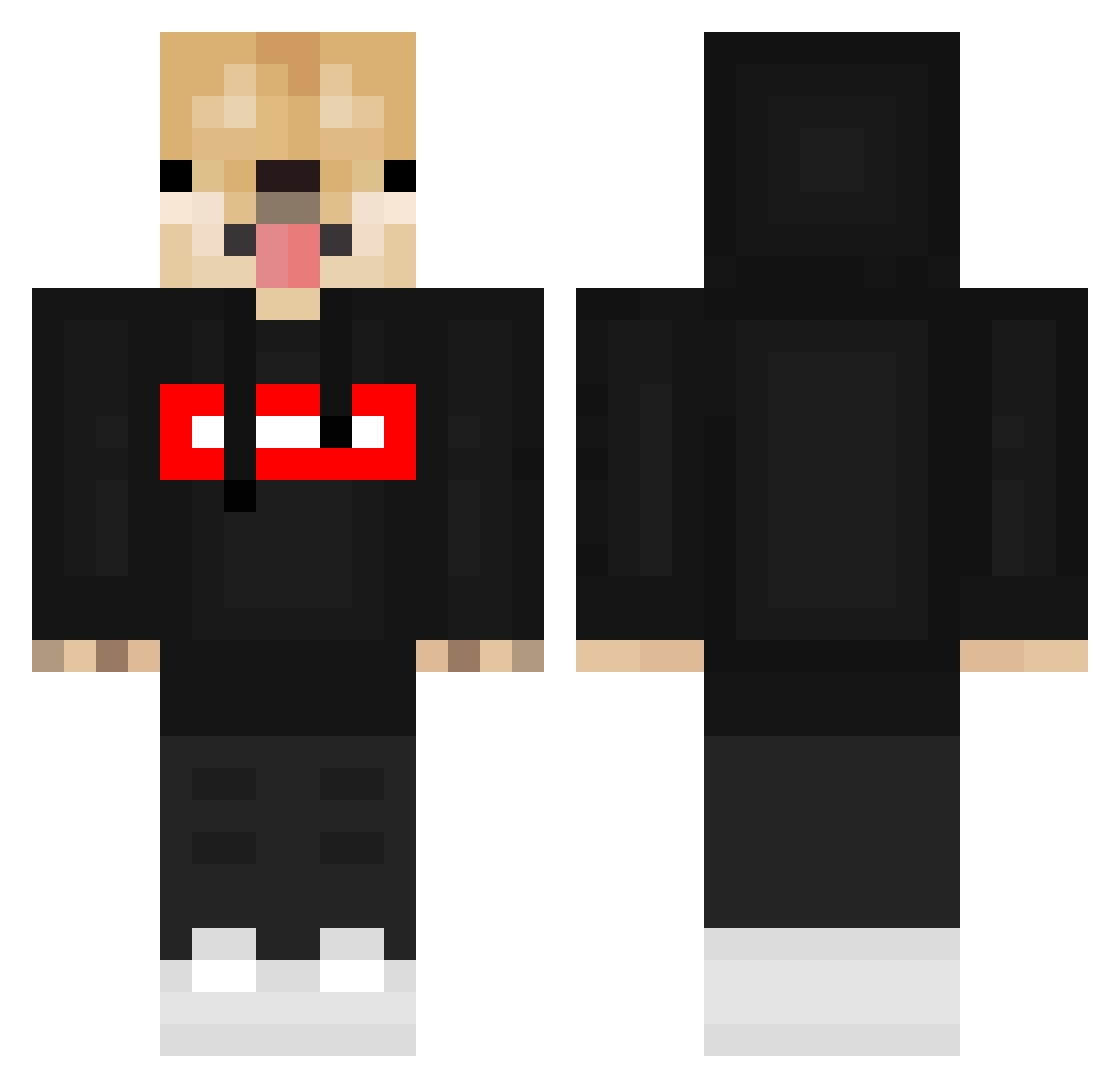
Current Minecraft skin of the player DOGLang, loaded from the official Mojang API. Rotate the 3D model with your mouse or finger, then download the skin as a PNG file and use it in Minecraft: Bedrock Edition or Java Edition for free. When DOGLang changes their skin, this page updates automatically and the old skin stays in the history below.
Other players with this skin (549)
DOGLang was the 85th player we have seen with this skin, first spotted on 11.08.2026. The same skin was seen on these players. Open a nickname to see their current skin and skin history.
 Bartek_Game iEgnava FaTaL_HaDeSx Progeimer09 ReadySleeps Browniei002 SteakLife _SummerYeeet Legogamer10 KingCreole1935 KANADEM Hopex1 PepsiBottle123 BusBroom g1doggo pooch1111 Apround Osher_GG FishFlap DrPlasma MrBIGjopa AndreDarkBr7 RomelAlexis123 yutakun1123 darkgodss2 oCheaTeer PolsePusher dubzuo Kawaiirezo supremeshiba Abuled RailTG DejMixx 123132123 Da_viiiid ploopier hgyfff andreauf pan_memedog yu_b1n KingExtreme177 Bac4rdi guccibandit BartoszD2012 JAMEST7DF ttny Gourmet_Ice NestorBer123 SAGRE2011 banisan8 D0glas_ Tetsu1287 Guichans Storm07701 vaughnonmarz Gumball9835 moded123 Veiqoh LgH_0601 Coss_ta
More Doge Minecraft skins
How to install the DOGLang skin
- Press the Download button above to save the skin as a PNG file.
- Minecraft: Bedrock Edition (PE): open the Dressing Room from the main menu (or tap your character → Edit Character), go to Classic Skins → Owned, press the + (new skin) button, choose the downloaded PNG and pick the Classic (Steve) model. Works on PC and mobile; consoles cannot import custom skins.
- Minecraft: Java Edition: open the Minecraft Launcher, go to the Skins tab, click New Skin, load the PNG, pick the Classic (Steve) model and press Save & Use. You can also upload it at minecraft.net → Profile → Change Skin.
The skin does not show up after import - what should I do?
Restart Minecraft and open the Dressing Room again - imported skins sometimes appear only after a restart. Also make sure you selected the imported skin and picked the Classic (Steve) model.
Which model should I choose, Classic or Slim?
This skin is designed for the Classic (Steve) model. If you pick the wrong model, the arms of the skin will look stretched or squeezed.
Is the skin of DOGLang free to download?
Yes. Press Download, save the PNG file and use it in Minecraft: Bedrock Edition or Java Edition - no payment or registration needed. The skin also works on multiplayer servers and Realms.
More skins
Looking for more? Go back to all Minecraft skins and check the top skins of the week, month and all time, or find any player's skin by nickname.