
DMAN399 - Minecraft Skins & Skin History
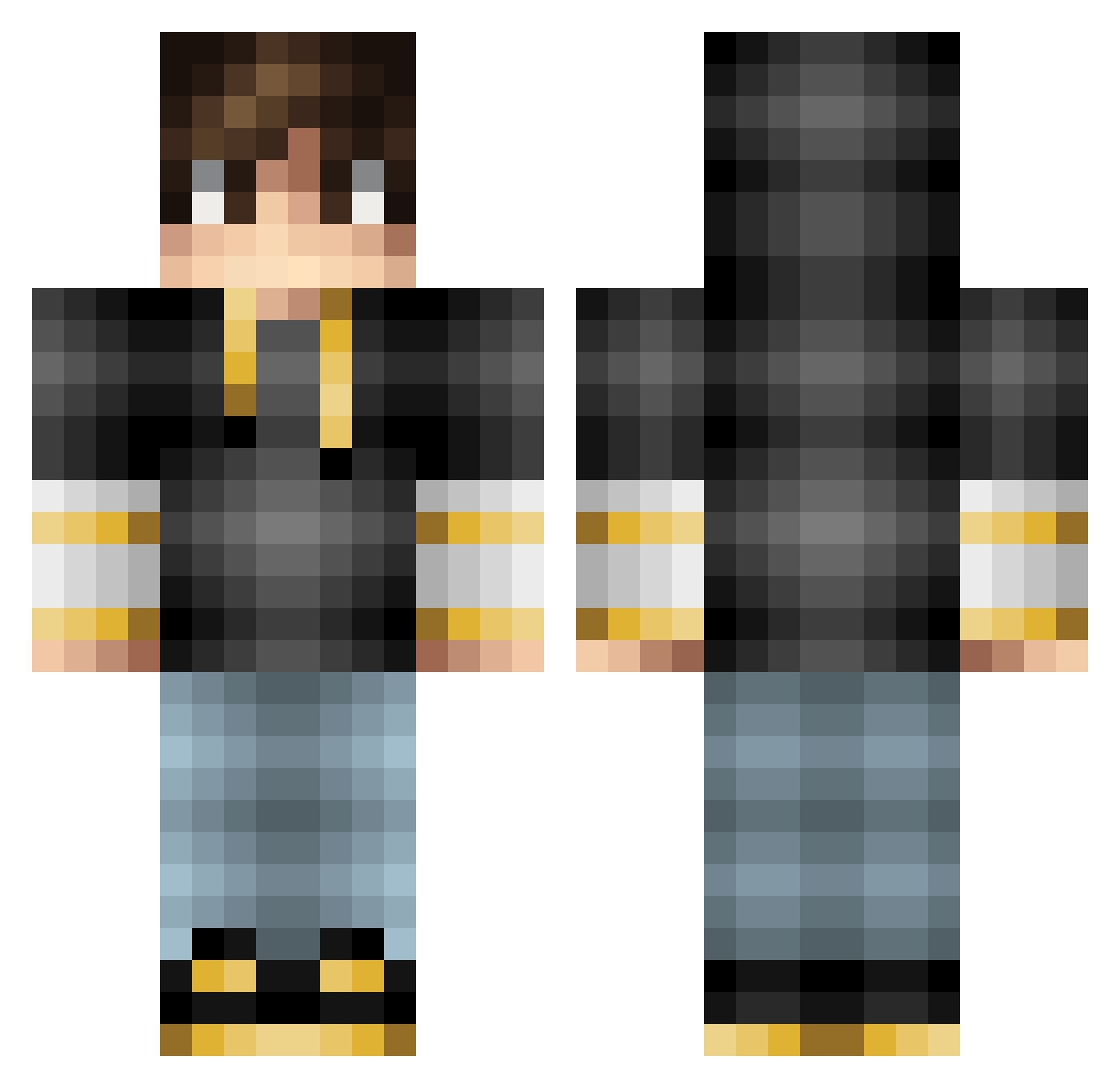
Current Minecraft skin of the player DMAN399, loaded from the official Mojang API. Rotate the 3D model with your mouse or finger, then download the skin as a PNG file and use it in Minecraft: Bedrock Edition or Java Edition for free. When DMAN399 changes their skin, this page updates automatically and the old skin stays in the history below.
Other players with this skin (104)
DMAN399 was the 45th player we have seen with this skin, first spotted on 11.09.2026. The same skin was seen on these players. Open a nickname to see their current skin and skin history.
 Enablezero Keitaizim MrPerfectShot MrInkNote GoodFlatfish ALSette TroubleHD HAYATO0730 malagonix JapaneseDev Namdbeast First_salt Atishay Dark_Gamer_RG D4chus HasuneMiku KoppyZ Luizedu26 nekomagur0 RangaRage_ St3pp3n MightyHedge Greeliz IroncladUser Yankme Block_Zzy Nehrine01 Guillomchik Kayzel_ Darklord2509 SHIHE1 TOSHI1123 elnoob6767 MMarcXD Shurow Leone13 ExtinctArchr AdrianT1 ballerforlllife KryptonZone ptaszysko2 ArcaneTears ySnakee Danny881212 RealJakeBoyd Patze2107 Draganouth Kgame64 Betamesz jonhnez optimum0783 M4troshiro squishyfern Gabriel_Roque Booxystv allahoyundaxD Booorkk Amos70 Zumoshikato benaytu
How to install the DMAN399 skin
- Press the Download button above to save the skin as a PNG file.
- Minecraft: Bedrock Edition (PE): open the Dressing Room from the main menu (or tap your character → Edit Character), go to Classic Skins → Owned, press the + (new skin) button, choose the downloaded PNG and pick the Classic (Steve) model. Works on PC and mobile; consoles cannot import custom skins.
- Minecraft: Java Edition: open the Minecraft Launcher, go to the Skins tab, click New Skin, load the PNG, pick the Classic (Steve) model and press Save & Use. You can also upload it at minecraft.net → Profile → Change Skin.
The skin does not show up after import - what should I do?
Restart Minecraft and open the Dressing Room again - imported skins sometimes appear only after a restart. Also make sure you selected the imported skin and picked the Classic (Steve) model.
Which model should I choose, Classic or Slim?
This skin is designed for the Classic (Steve) model. If you pick the wrong model, the arms of the skin will look stretched or squeezed.
Is the skin of DMAN399 free to download?
Yes. Press Download, save the PNG file and use it in Minecraft: Bedrock Edition or Java Edition - no payment or registration needed. The skin also works on multiplayer servers and Realms.
More skins
Looking for more? Go back to all Minecraft skins and check the top skins of the week, month and all time, or find any player's skin by nickname.