
DJINNBANTER - Minecraft Skins & Skin History
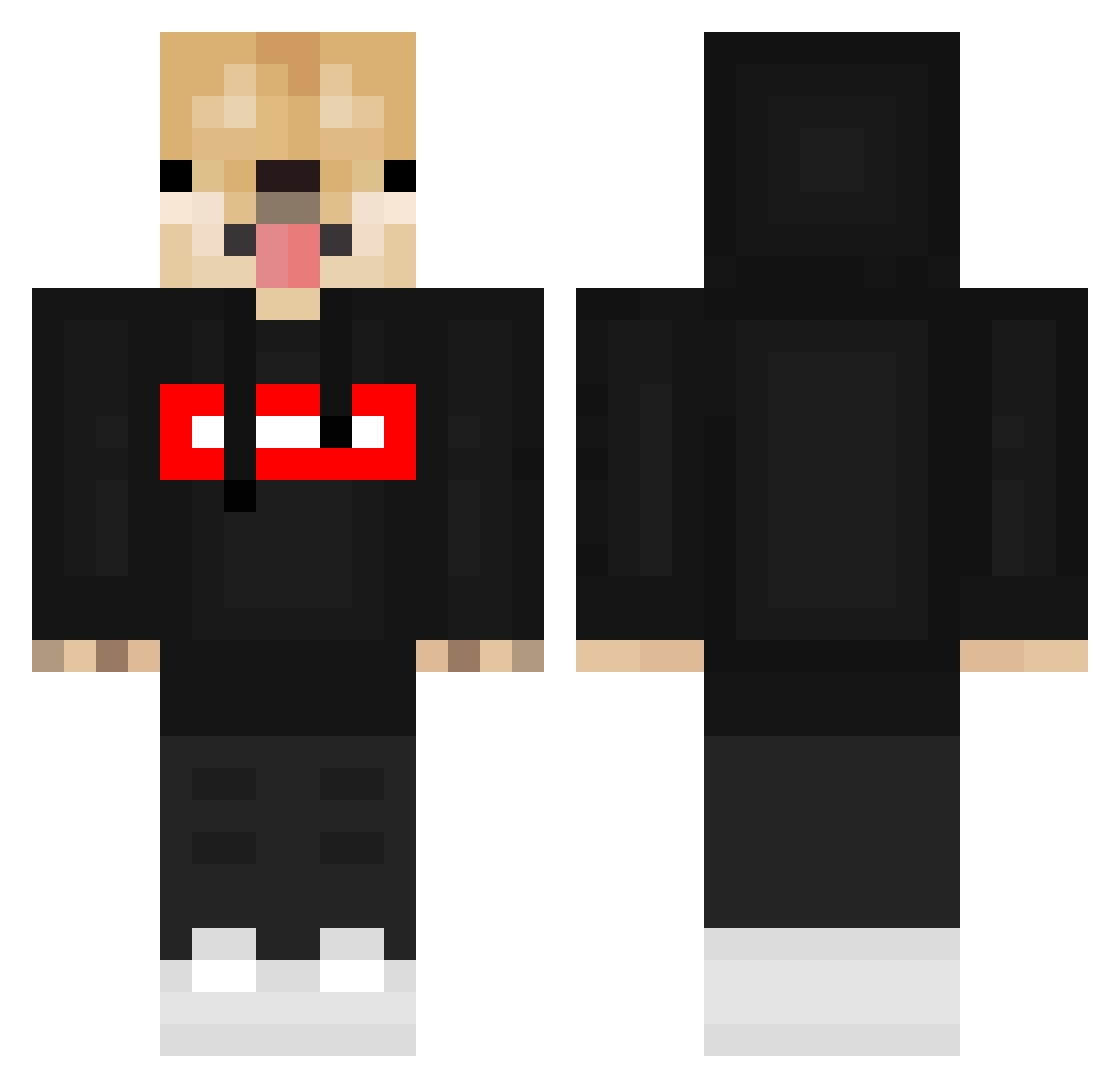
Current Minecraft skin of the player DJINNBANTER, loaded from the official Mojang API. Rotate the 3D model with your mouse or finger, then download the skin as a PNG file and use it in Minecraft: Bedrock Edition or Java Edition for free. When DJINNBANTER changes their skin, this page updates automatically and the old skin stays in the history below.
Other players with this skin (548)
DJINNBANTER was the 8th player we have seen with this skin, first spotted on 23.07.2026. The same skin was seen on these players. Open a nickname to see their current skin and skin history.
 Frexzy_YT STeKoo filipbagar weerdant Phqenixz G1us3pp32004 Kodz1ma That9to5Guy _TheKillerOreo_ AmaruOTW PITBULI01 KumaTheTanker nadswagon ChickenKouhai WINNlE CaneConFelpa13 inu234 Ronaldo223 MR_Kacpero Netyx_cz XenoDraco Rambizzle 123SpaghettiNood Bet_Bax EddieXander Chazena_ IdZI69 MonkeyMonday_ Gangaji18 LucklessChunk Stepniak__x JxstZuchi gudetama04 II_ZAPPA_II Pandabeer3000 Ioes kouro_chan DogeVEV0 Sammyli10 KEN_SUZUKI
 Kahramantarz IchBinNichtJakob TheSeen115 Iloveice43 DOG_USB3368 JamTimeJames biggestcookie sa2king SGV_5 MrGeck0 zxc13241324 nasralvsunduk XkamienX__ PEPEXD456 FleZzi Labud147 JDGAMESSS Kranczips Coss_ta LgH_0601
More Doge Minecraft skins
How to install the DJINNBANTER skin
- Press the Download button above to save the skin as a PNG file.
- Minecraft: Bedrock Edition (PE): open the Dressing Room from the main menu (or tap your character → Edit Character), go to Classic Skins → Owned, press the + (new skin) button, choose the downloaded PNG and pick the Classic (Steve) model. Works on PC and mobile; consoles cannot import custom skins.
- Minecraft: Java Edition: open the Minecraft Launcher, go to the Skins tab, click New Skin, load the PNG, pick the Classic (Steve) model and press Save & Use. You can also upload it at minecraft.net → Profile → Change Skin.
The skin does not show up after import - what should I do?
Restart Minecraft and open the Dressing Room again - imported skins sometimes appear only after a restart. Also make sure you selected the imported skin and picked the Classic (Steve) model.
Which model should I choose, Classic or Slim?
This skin is designed for the Classic (Steve) model. If you pick the wrong model, the arms of the skin will look stretched or squeezed.
Is the skin of DJINNBANTER free to download?
Yes. Press Download, save the PNG file and use it in Minecraft: Bedrock Edition or Java Edition - no payment or registration needed. The skin also works on multiplayer servers and Realms.
More skins
Looking for more? Go back to all Minecraft skins and check the top skins of the week, month and all time, or find any player's skin by nickname.