
DJBchimeraGoD96 - Minecraft Skins & Skin History
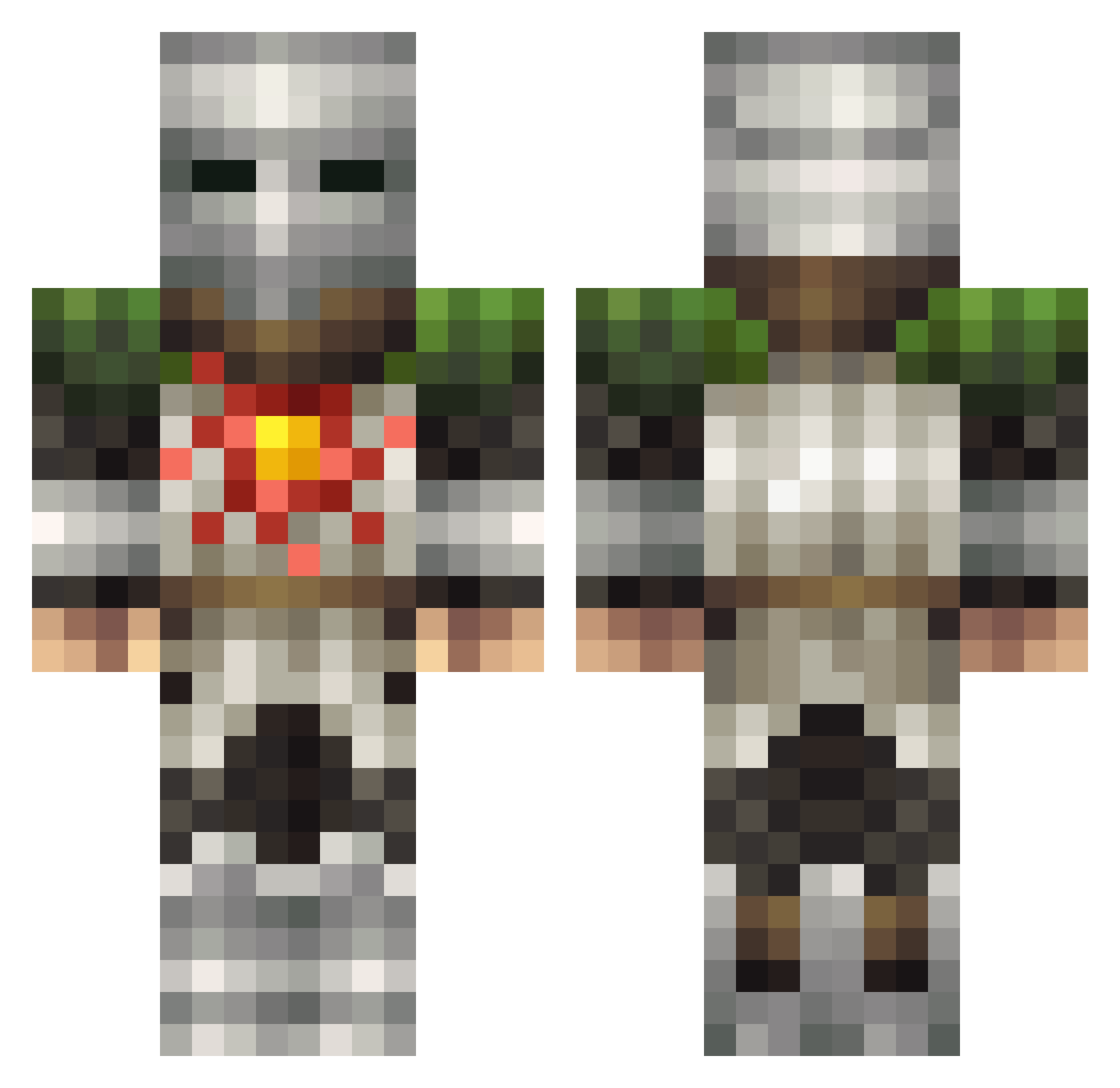
Current Minecraft skin of the player DJBchimeraGoD96, loaded from the official Mojang API. Rotate the 3D model with your mouse or finger, then download the skin as a PNG file and use it in Minecraft: Bedrock Edition or Java Edition for free. When DJBchimeraGoD96 changes their skin, this page updates automatically and the old skin stays in the history below.
Other players with this skin (129)
DJBchimeraGoD96 was the 96th player we have seen with this skin, first spotted on 03.10.2026. The same skin was seen on these players. Open a nickname to see their current skin and skin history.
 Elenvar xInfinityxYT King_Kong24 Al3xander120 SrLeve BicoBoo Hand_Of_Dark5000 IronAdicas TNTCatz PeterRoyLaFleur ArracK jezali KingsBai KCTong tuhhsuny CSGKeven RobbleZ N0X344 MrLawfee PokFPS 1xe_ FriedCornball Mewton ElliottCoolDude mathsnoww Bucian ArdenCross Khal_Ragam xShadowZzZ SchluckSchnecken Thinosaurus NicroPhilia Leithz6 dench1kc SIKARIO_50 antuciampi SolaireKnight595 Huuini Chilliwen boemullins Techymode No_Land_ Greensterr Clownetti LCFireFox VirtualDad DosonoS_ tenkej Myrosinth BigRigSalvador CanadianJesuss kracaddict T0byF0x Zulu1809 ImTorrent ZockerMecky Kurt_Mc_Gurt lower_back MAX50050 BoomBroom
More Solaire Minecraft skins
How to install the DJBchimeraGoD96 skin
- Press the Download button above to save the skin as a PNG file.
- Minecraft: Bedrock Edition (PE): open the Dressing Room from the main menu (or tap your character → Edit Character), go to Classic Skins → Owned, press the + (new skin) button, choose the downloaded PNG and pick the Classic (Steve) model. Works on PC and mobile; consoles cannot import custom skins.
- Minecraft: Java Edition: open the Minecraft Launcher, go to the Skins tab, click New Skin, load the PNG, pick the Classic (Steve) model and press Save & Use. You can also upload it at minecraft.net → Profile → Change Skin.
The skin does not show up after import - what should I do?
Restart Minecraft and open the Dressing Room again - imported skins sometimes appear only after a restart. Also make sure you selected the imported skin and picked the Classic (Steve) model.
Which model should I choose, Classic or Slim?
This skin is designed for the Classic (Steve) model. If you pick the wrong model, the arms of the skin will look stretched or squeezed.
Is the skin of DJBchimeraGoD96 free to download?
Yes. Press Download, save the PNG file and use it in Minecraft: Bedrock Edition or Java Edition - no payment or registration needed. The skin also works on multiplayer servers and Realms.
More skins
Looking for more? Go back to all Minecraft skins and check the top skins of the week, month and all time, or find any player's skin by nickname.