
DISAGREEEMENT - Minecraft Skins & Skin History
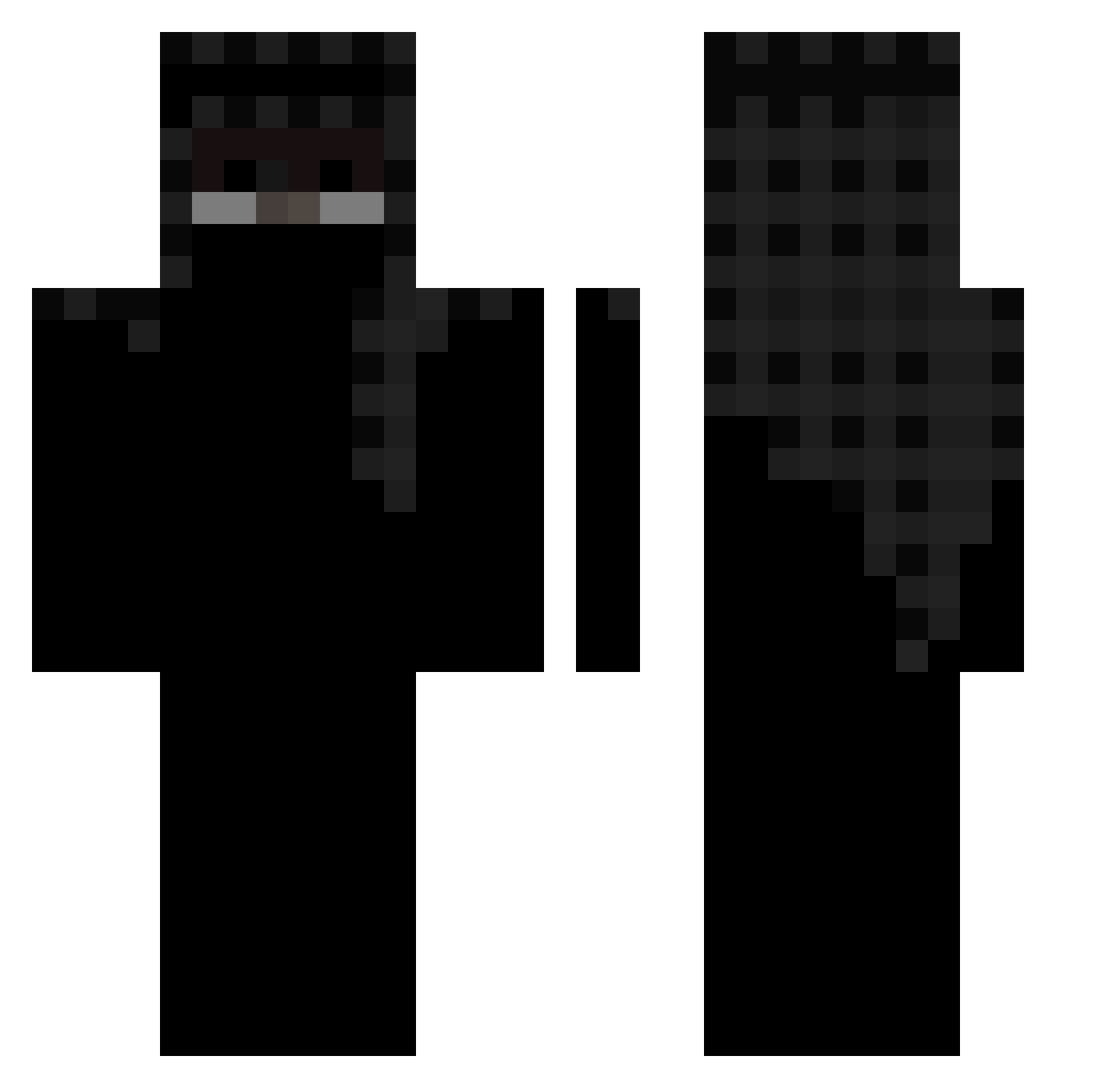
Current Minecraft skin of the player DISAGREEEMENT, loaded from the official Mojang API. Rotate the 3D model with your mouse or finger, then download the skin as a PNG file and use it in Minecraft: Bedrock Edition or Java Edition for free. When DISAGREEEMENT changes their skin, this page updates automatically and the old skin stays in the history below.
Other players with this skin (453)
DISAGREEEMENT was the 52nd player we have seen with this skin, first spotted on 07.08.2026. The same skin was seen on these players. Open a nickname to see their current skin and skin history.
 trqkstr sara69000 A3ROOO iusemooze Indiaum AishGaming25 alizade20 zeta8 TerrorGod22 Chugunbek Mato1MC Nightfallvader Zwi_0 nerdiphobia64 abuhajaar6969 q4ik WELOVEPIZZA bitroaster99 ehfaaa 13ml ASTEFOOGIS HYPOZ3S SenpaiSatoru Kosmonaut323 Janek078945 neeyshi
 e2k Ar3ph_ bedrohungen notswety Servy
 Pepandaa darkneo_20 ixpetin Justtsukii ItsRanger558515 HumaidXB ScheY_Y IceCoffee__ tx8mc_ Aresffs Tequzi2115 GucciTop
 orxechxddx _stozz Verify Puck3los DortHit_dbc12e1b Straight12 buko777 PhilTheGamer0315 NoweCZ ale2k21 Ph0enix_29 airqy NathanGreneaux 1337faye jimmyjuggler BakaLakaDaka_ST nitroziomek
More Headscarf Minecraft skins
How to install the DISAGREEEMENT skin
- Press the Download button above to save the skin as a PNG file.
- Minecraft: Bedrock Edition (PE): open the Dressing Room from the main menu (or tap your character → Edit Character), go to Classic Skins → Owned, press the + (new skin) button, choose the downloaded PNG and pick the Classic (Steve) model. Works on PC and mobile; consoles cannot import custom skins.
- Minecraft: Java Edition: open the Minecraft Launcher, go to the Skins tab, click New Skin, load the PNG, pick the Classic (Steve) model and press Save & Use. You can also upload it at minecraft.net → Profile → Change Skin.
The skin does not show up after import - what should I do?
Restart Minecraft and open the Dressing Room again - imported skins sometimes appear only after a restart. Also make sure you selected the imported skin and picked the Classic (Steve) model.
Which model should I choose, Classic or Slim?
This skin is designed for the Classic (Steve) model. If you pick the wrong model, the arms of the skin will look stretched or squeezed.
Is the skin of DISAGREEEMENT free to download?
Yes. Press Download, save the PNG file and use it in Minecraft: Bedrock Edition or Java Edition - no payment or registration needed. The skin also works on multiplayer servers and Realms.
More skins
Looking for more? Go back to all Minecraft skins and check the top skins of the week, month and all time, or find any player's skin by nickname.