
DEVIN0905 - Minecraft Skins & Skin History
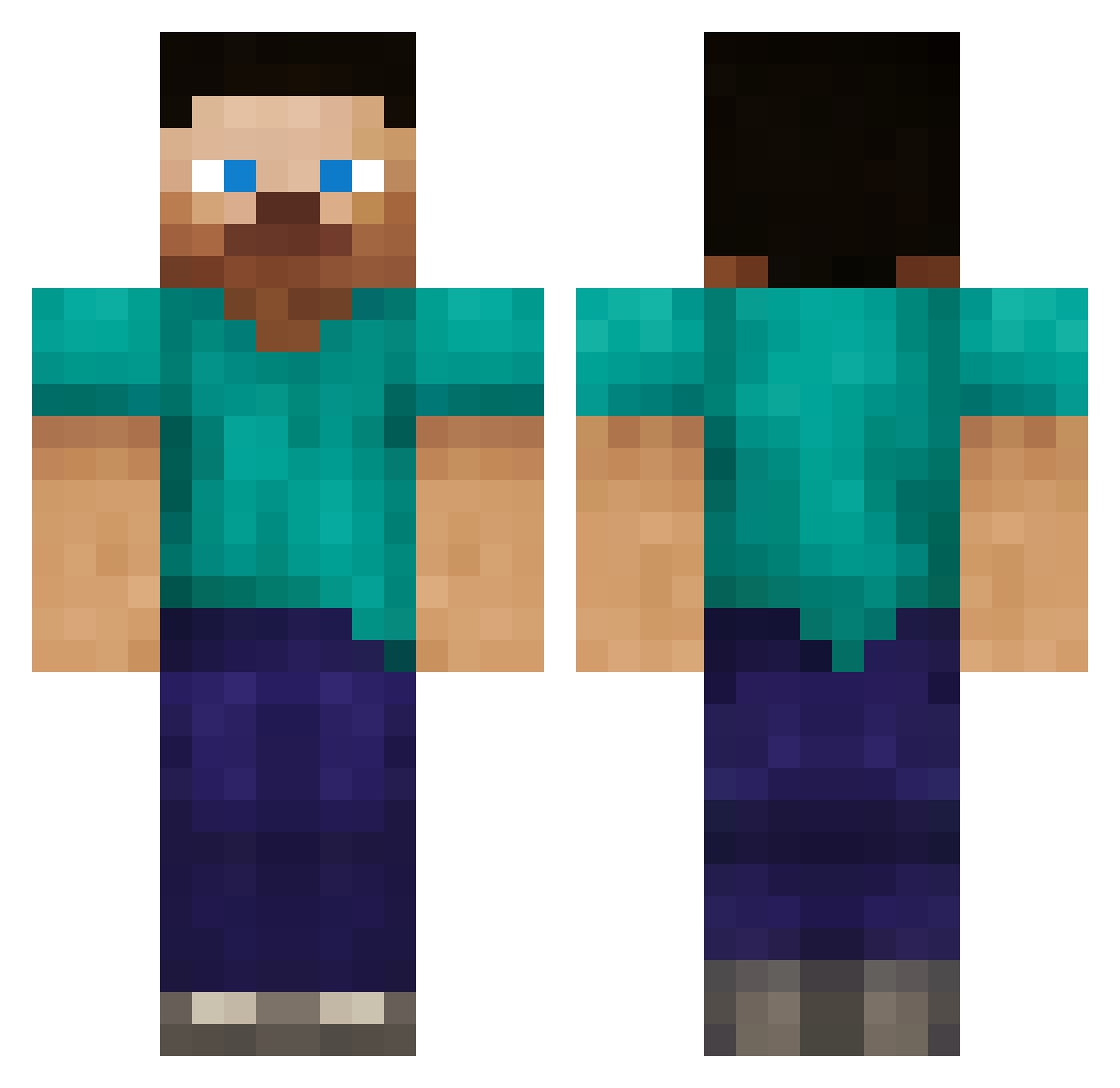
Current Minecraft skin of the player DEVIN0905, loaded from the official Mojang API. Rotate the 3D model with your mouse or finger, then download the skin as a PNG file and use it in Minecraft: Bedrock Edition or Java Edition for free. When DEVIN0905 changes their skin, this page updates automatically and the old skin stays in the history below.
Other players with this skin (387)
DEVIN0905 was the 116th player we have seen with this skin, first spotted on 04.09.2026. The same skin was seen on these players. Open a nickname to see their current skin and skin history.
 arizona39701 orangekitty2000 Scrotoplasty ThatMage shja cuthbert007 linux_linux k0j347 Robottnik otteetto ZbobSmith ASFMacky jurassicspit creeperd126 jkbros27 Snitzig MisterMollusk DZAVALA xXMLG_DOGEXxDDDD sonickreeper dhks1 King_American321 kool0123 _CHO_ 03djman adlerguest gangs74 F4br1c3 Qwirk1997 Darkninjastar1 Joshy1002 Ember750 bankkeez Chicken_Nom IMHE Anioop ProjectJ95 creepertrainer35 andrvas ChaKani7 Zugill Antho500 jordanrocks321 troels7 King_Khan mattpoke1 Elemental747 vpdewit lewisbrown123 bkkkkk RogueWavez andrewvib austin91011 franksie jackblox Tyler799 Hermanator18 desesestupid1 Asfarn daggernight
How to install the DEVIN0905 skin
- Press the Download button above to save the skin as a PNG file.
- Minecraft: Bedrock Edition (PE): open the Dressing Room from the main menu (or tap your character → Edit Character), go to Classic Skins → Owned, press the + (new skin) button, choose the downloaded PNG and pick the Classic (Steve) model. Works on PC and mobile; consoles cannot import custom skins.
- Minecraft: Java Edition: open the Minecraft Launcher, go to the Skins tab, click New Skin, load the PNG, pick the Classic (Steve) model and press Save & Use. You can also upload it at minecraft.net → Profile → Change Skin.
The skin does not show up after import - what should I do?
Restart Minecraft and open the Dressing Room again - imported skins sometimes appear only after a restart. Also make sure you selected the imported skin and picked the Classic (Steve) model.
Which model should I choose, Classic or Slim?
This skin is designed for the Classic (Steve) model. If you pick the wrong model, the arms of the skin will look stretched or squeezed.
Is the skin of DEVIN0905 free to download?
Yes. Press Download, save the PNG file and use it in Minecraft: Bedrock Edition or Java Edition - no payment or registration needed. The skin also works on multiplayer servers and Realms.
More skins
Looking for more? Go back to all Minecraft skins and check the top skins of the week, month and all time, or find any player's skin by nickname.