
DERMERKEL23 - Minecraft Skins & Skin History
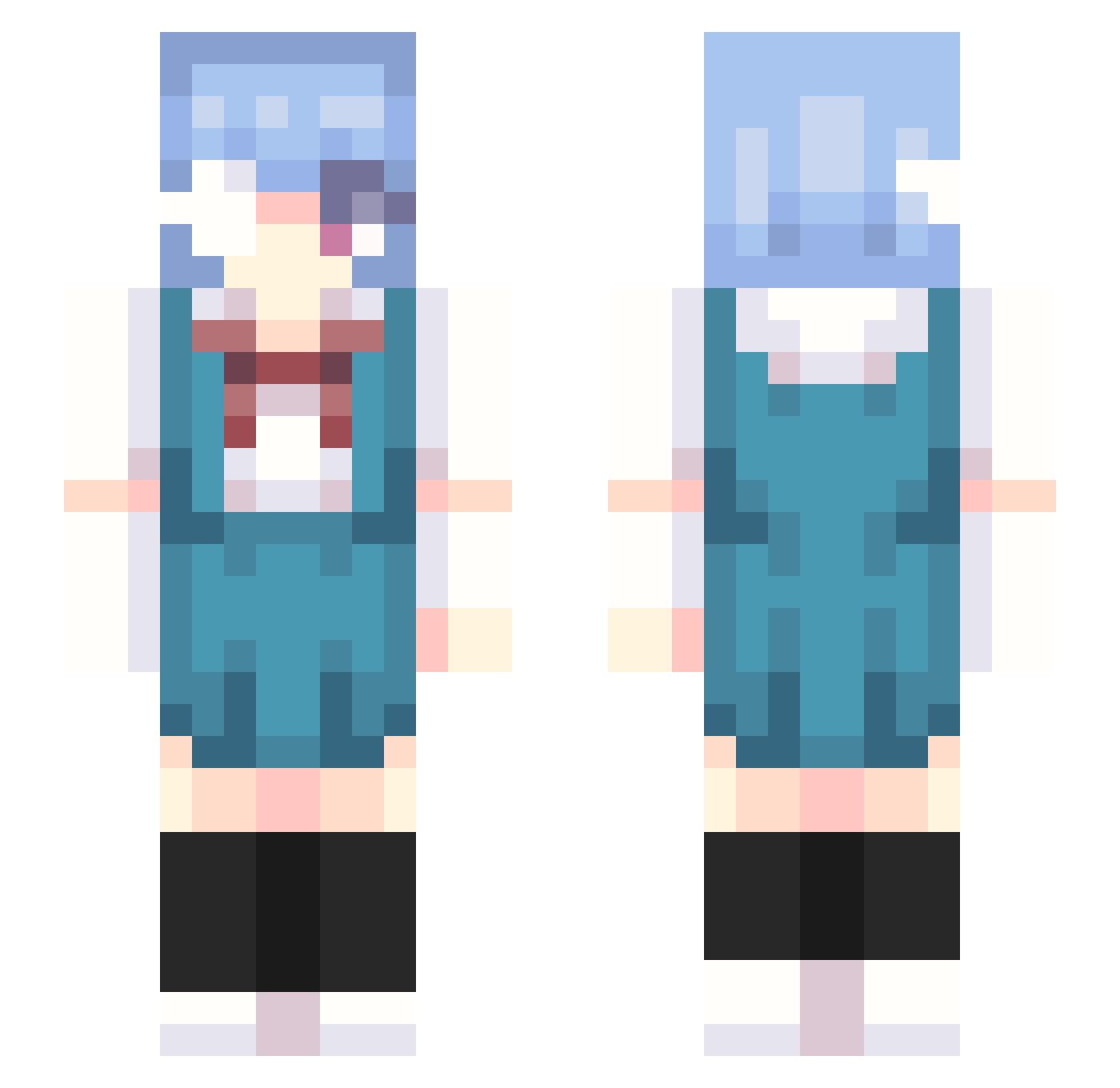
Current Minecraft skin of the player DERMERKEL23, loaded from the official Mojang API. Rotate the 3D model with your mouse or finger, then download the skin as a PNG file and use it in Minecraft: Bedrock Edition or Java Edition for free. When DERMERKEL23 changes their skin, this page updates automatically and the old skin stays in the history below.
Other players with this skin (302)
DERMERKEL23 was the 275th player we have seen with this skin, first spotted on 26.10.2026. The same skin was seen on these players. Open a nickname to see their current skin and skin history.
 Chillingwood Nathan_Taki rawfishrice 1murritaer1 isnotsb oCheckmate samays Maresith Venerka1 SpaceXVll venetorexGHG Nonamese ShinjiNik BluwuTheSniper ninjaminji mxonique h4fsv cirsezz Mofu9961 kepe03 CraxyAless vlvke SammyWalkEmDown kobenyy Chaosshiva MasnyDlugiogon KittyToTheKat kira111111 KKXHI phio_kyu86 ShinobuMei levfield sjauwn Corwin_1200 Fushiawaffles chmyxs proviamoci S1ro_Yuk1 MSKOMICA Fluffy_car613 Zxiy69 9ivk GeckoSyrupp Eric940921 Halabe su_ao _Ranny gem444 Cupcakedino KEENE__ monv986 mushromei CoitoBW aprimdal ying05071 ELUCIDATOR2331 NemoRamenn alpenglow0721 LVKSH9 nareira
More Rei Ayanami Minecraft skins
How to install the DERMERKEL23 skin
- Press the Download button above to save the skin as a PNG file.
- Minecraft: Bedrock Edition (PE): open the Dressing Room from the main menu (or tap your character → Edit Character), go to Classic Skins → Owned, press the + (new skin) button, choose the downloaded PNG and pick the Slim (Alex) model. Works on PC and mobile; consoles cannot import custom skins.
- Minecraft: Java Edition: open the Minecraft Launcher, go to the Skins tab, click New Skin, load the PNG, pick the Slim (Alex) model and press Save & Use. You can also upload it at minecraft.net → Profile → Change Skin.
The skin does not show up after import - what should I do?
Restart Minecraft and open the Dressing Room again - imported skins sometimes appear only after a restart. Also make sure you selected the imported skin and picked the Slim (Alex) model.
Which model should I choose, Classic or Slim?
This skin is designed for the Slim (Alex) model. If you pick the wrong model, the arms of the skin will look stretched or squeezed.
Is the skin of DERMERKEL23 free to download?
Yes. Press Download, save the PNG file and use it in Minecraft: Bedrock Edition or Java Edition - no payment or registration needed. The skin also works on multiplayer servers and Realms.
More skins
Looking for more? Go back to all Minecraft skins and check the top skins of the week, month and all time, or find any player's skin by nickname.