
DELERIOUS_69 - Minecraft Skins & Skin History
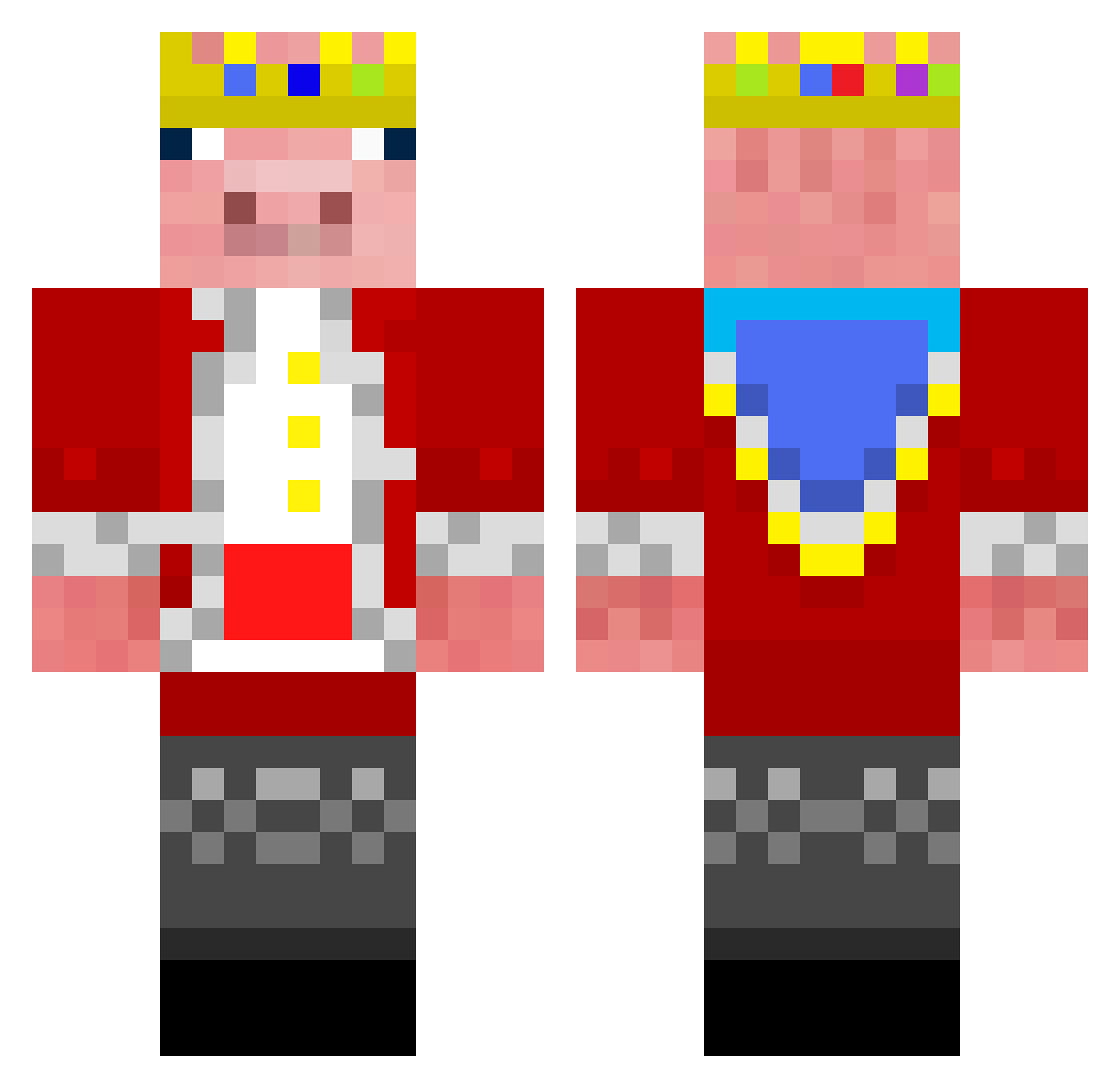
Current Minecraft skin of the player DELERIOUS_69, loaded from the official Mojang API. Rotate the 3D model with your mouse or finger, then download the skin as a PNG file and use it in Minecraft: Bedrock Edition or Java Edition for free. When DELERIOUS_69 changes their skin, this page updates automatically and the old skin stays in the history below.
Other players with this skin (193)
DELERIOUS_69 was the 134th player we have seen with this skin, first spotted on 09.10.2026. The same skin was seen on these players. Open a nickname to see their current skin and skin history.
 manpeeps2k redbull289 KJD20_ SirEgman GhostxReaper007 ImperialGam310 InloadingsFan1 Thehaxyaxew D335NUTZ BobbytotheB luk1010 orklilach MikoPiko133 Big_Cheece RedstoneMstr121 SamGoldman bam2533 ExodusFang Mysteryman2333 gumeringjefe et3t jjsaiko MONSTR_999 886888 jamps34pro The_Storm131 Arda_0 Rian4002 jaystar7736579 6tha Kwand_ NovelKnight6049 BestGamer2556 OWO_Alone Daynew_YT1 Starityyy Ezmike52 51616 EiTozi OGGOPNIK kyphii GrizzyBear44 777Barney Technoblade06_30 234567891011sjei Alphalex42 Cheekclapper618 ThatStupido TaleSans KA_BAND Jayshgamer OldAndBalding Mammoth2025 FurtureBrine PeaceRain_ Esmin74 Salty_Pig antinousiseasy Serjuc123 xnap
More Pig King Minecraft skins
How to install the DELERIOUS_69 skin
- Press the Download button above to save the skin as a PNG file.
- Minecraft: Bedrock Edition (PE): open the Dressing Room from the main menu (or tap your character → Edit Character), go to Classic Skins → Owned, press the + (new skin) button, choose the downloaded PNG and pick the Classic (Steve) model. Works on PC and mobile; consoles cannot import custom skins.
- Minecraft: Java Edition: open the Minecraft Launcher, go to the Skins tab, click New Skin, load the PNG, pick the Classic (Steve) model and press Save & Use. You can also upload it at minecraft.net → Profile → Change Skin.
The skin does not show up after import - what should I do?
Restart Minecraft and open the Dressing Room again - imported skins sometimes appear only after a restart. Also make sure you selected the imported skin and picked the Classic (Steve) model.
Which model should I choose, Classic or Slim?
This skin is designed for the Classic (Steve) model. If you pick the wrong model, the arms of the skin will look stretched or squeezed.
Is the skin of DELERIOUS_69 free to download?
Yes. Press Download, save the PNG file and use it in Minecraft: Bedrock Edition or Java Edition - no payment or registration needed. The skin also works on multiplayer servers and Realms.
More skins
Looking for more? Go back to all Minecraft skins and check the top skins of the week, month and all time, or find any player's skin by nickname.