
DEIN_VATER009 - Minecraft Skins & Skin History
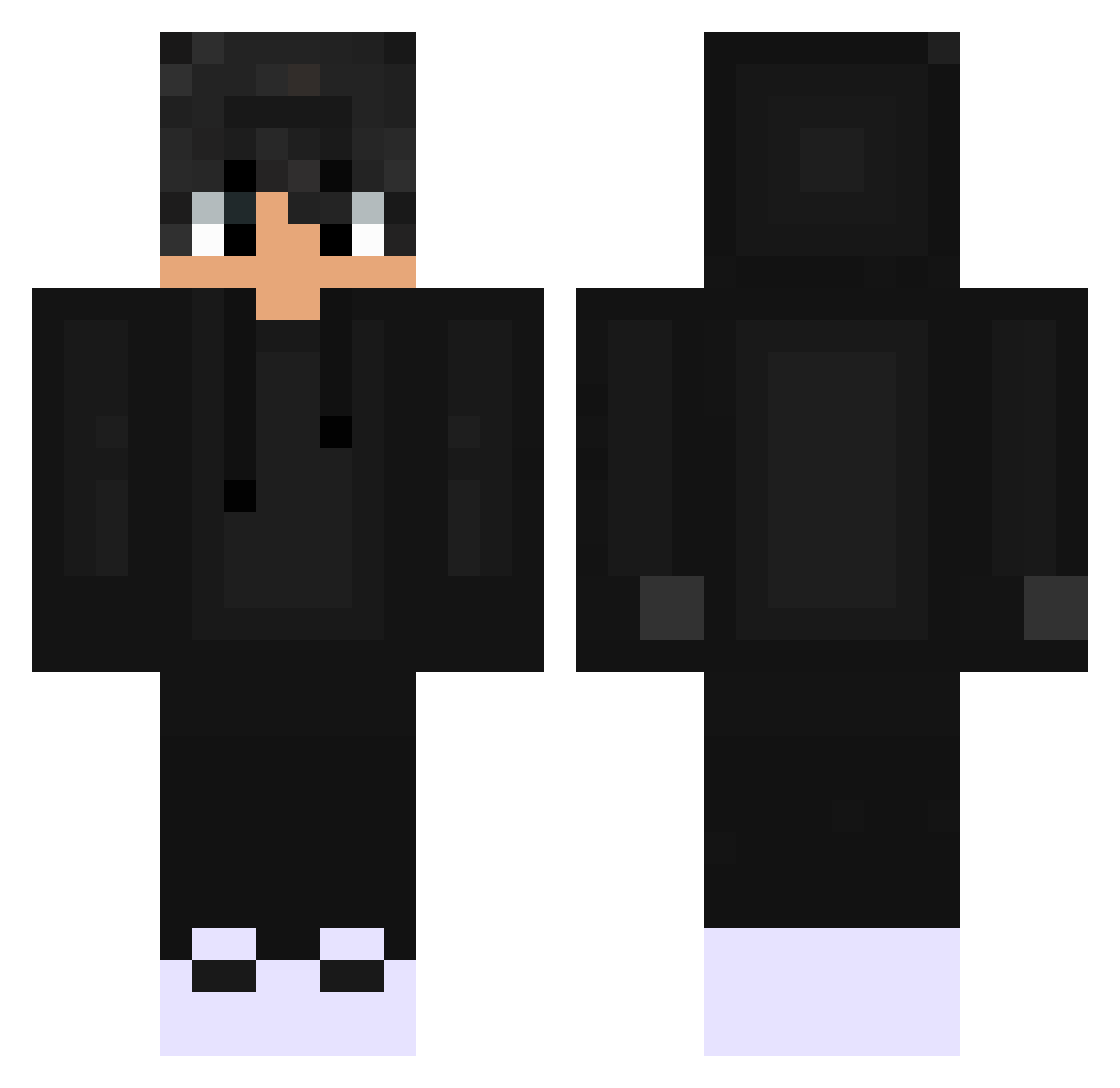
Current Minecraft skin of the player DEIN_VATER009, loaded from the official Mojang API. Rotate the 3D model with your mouse or finger, then download the skin as a PNG file and use it in Minecraft: Bedrock Edition or Java Edition for free. When DEIN_VATER009 changes their skin, this page updates automatically and the old skin stays in the history below.
Other players with this skin (529)
DEIN_VATER009 was the 84th player we have seen with this skin, first spotted on 11.08.2026. The same skin was seen on these players. Open a nickname to see their current skin and skin history.
 WellPolar yond4ime Demonic_Player44 RedEscrowedMe kinga8888 GD2135 Kubirrooo mxrcus2 ILikeRiceMore Dominik0109 TheGhost_69 Zeptay AdenHammer BocianeQQ _Tageslicht_ Herr_Bomberpilot Jashan6373 csokiuwu R_mirza_G Querti__ SayofiAN Olly_x0 Przemo__ Soern420 YoTeSG AFFANMIRZA918 NotThatRich CalvodeCria jglopesxz0 Kimchilll HunBeni
 drops430 Puntigamer22 Minus_34 Sebiinator Tunya_ Pietro_just X4A_X4E Cuzimlxquit LetsTony nqozhere Fuller6969 Endur_boy Suptreax TheMaster3955 Asclepius_ Venatorr61 H3yJiimmy noyokim Rurineide siema_34 xenox_gnt axristo omizu34567 TarikLox ErayBeylik stepaaaa BIxnkss Smilo14 lsaac559
How to install the DEIN_VATER009 skin
- Press the Download button above to save the skin as a PNG file.
- Minecraft: Bedrock Edition (PE): open the Dressing Room from the main menu (or tap your character → Edit Character), go to Classic Skins → Owned, press the + (new skin) button, choose the downloaded PNG and pick the Classic (Steve) model. Works on PC and mobile; consoles cannot import custom skins.
- Minecraft: Java Edition: open the Minecraft Launcher, go to the Skins tab, click New Skin, load the PNG, pick the Classic (Steve) model and press Save & Use. You can also upload it at minecraft.net → Profile → Change Skin.
The skin does not show up after import - what should I do?
Restart Minecraft and open the Dressing Room again - imported skins sometimes appear only after a restart. Also make sure you selected the imported skin and picked the Classic (Steve) model.
Which model should I choose, Classic or Slim?
This skin is designed for the Classic (Steve) model. If you pick the wrong model, the arms of the skin will look stretched or squeezed.
Is the skin of DEIN_VATER009 free to download?
Yes. Press Download, save the PNG file and use it in Minecraft: Bedrock Edition or Java Edition - no payment or registration needed. The skin also works on multiplayer servers and Realms.
More skins
Looking for more? Go back to all Minecraft skins and check the top skins of the week, month and all time, or find any player's skin by nickname.