
DEEYYY - Minecraft Skins & Skin History
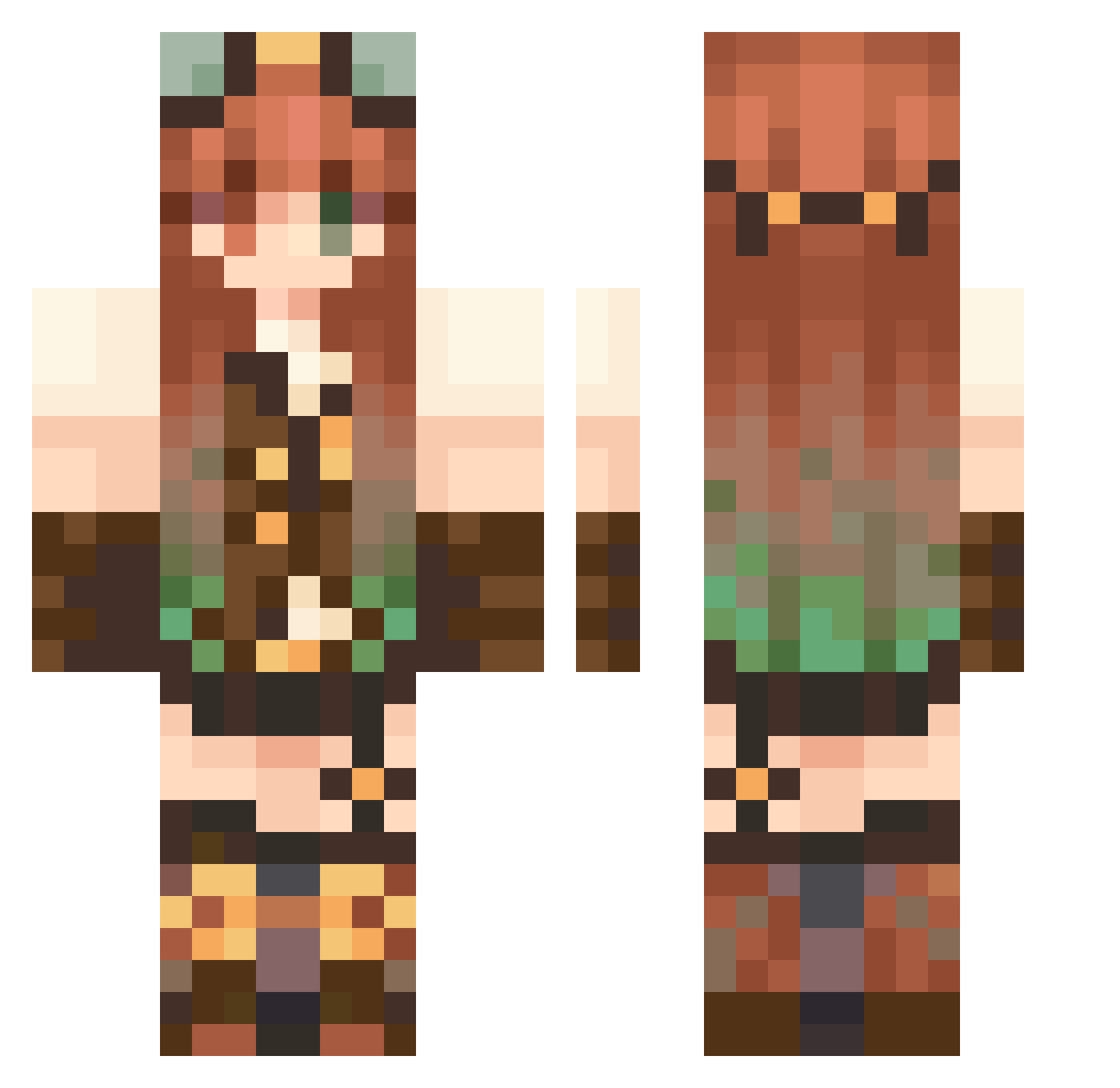
Current Minecraft skin of the player DEEYYY, loaded from the official Mojang API. Rotate the 3D model with your mouse or finger, then download the skin as a PNG file and use it in Minecraft: Bedrock Edition or Java Edition for free. When DEEYYY changes their skin, this page updates automatically and the old skin stays in the history below.
Other players with this skin (108)
DEEYYY was the 25th player we have seen with this skin, first spotted on 12.08.2026. The same skin was seen on these players. Open a nickname to see their current skin and skin history.
 MushEyes beachxnn Dedrg
 FrankyTaquitos 8Febreze2 lisiotokoks ChulssJ Noroyru eryaliatic GhostyGiulia
 v1v13n_1 qing_66 Nebularaty Kennywilkinson Leviathanovi4 prinzxss CmrdPixel cqsngdg weeping_vines natsok6
 Raven77nl AnimeIzzy100 Ghosty_54 Dinosaurose Noah0204 andawson5479 EvaPllrs02 LuluPaupau dudutheweak
 apple_fish Ninouchettee
 thattys
 amillityy cutetuti javykul Mangomelon007 _zMarian0ID maivhing AlexAlv42 ctrlaltlexi dpreioxx falaserinho Nikitf
 NanicoSkills Junkoxa Farolito67
 Kashtlin09
 Xanechir luv4mer sunsetyoke Natyfail aingbang_ Haniao2 24k_minecraft Lucresiaa charzibear Anjle sarbear2_ yirin TTV________ATLAS
More Steampunk Minecraft skins
How to install the DEEYYY skin
- Press the Download button above to save the skin as a PNG file.
- Minecraft: Bedrock Edition (PE): open the Dressing Room from the main menu (or tap your character → Edit Character), go to Classic Skins → Owned, press the + (new skin) button, choose the downloaded PNG and pick the Classic (Steve) model. Works on PC and mobile; consoles cannot import custom skins.
- Minecraft: Java Edition: open the Minecraft Launcher, go to the Skins tab, click New Skin, load the PNG, pick the Classic (Steve) model and press Save & Use. You can also upload it at minecraft.net → Profile → Change Skin.
The skin does not show up after import - what should I do?
Restart Minecraft and open the Dressing Room again - imported skins sometimes appear only after a restart. Also make sure you selected the imported skin and picked the Classic (Steve) model.
Which model should I choose, Classic or Slim?
This skin is designed for the Classic (Steve) model. If you pick the wrong model, the arms of the skin will look stretched or squeezed.
Is the skin of DEEYYY free to download?
Yes. Press Download, save the PNG file and use it in Minecraft: Bedrock Edition or Java Edition - no payment or registration needed. The skin also works on multiplayer servers and Realms.
More skins
Looking for more? Go back to all Minecraft skins and check the top skins of the week, month and all time, or find any player's skin by nickname.