
DEC4ST - Minecraft Skins & Skin History
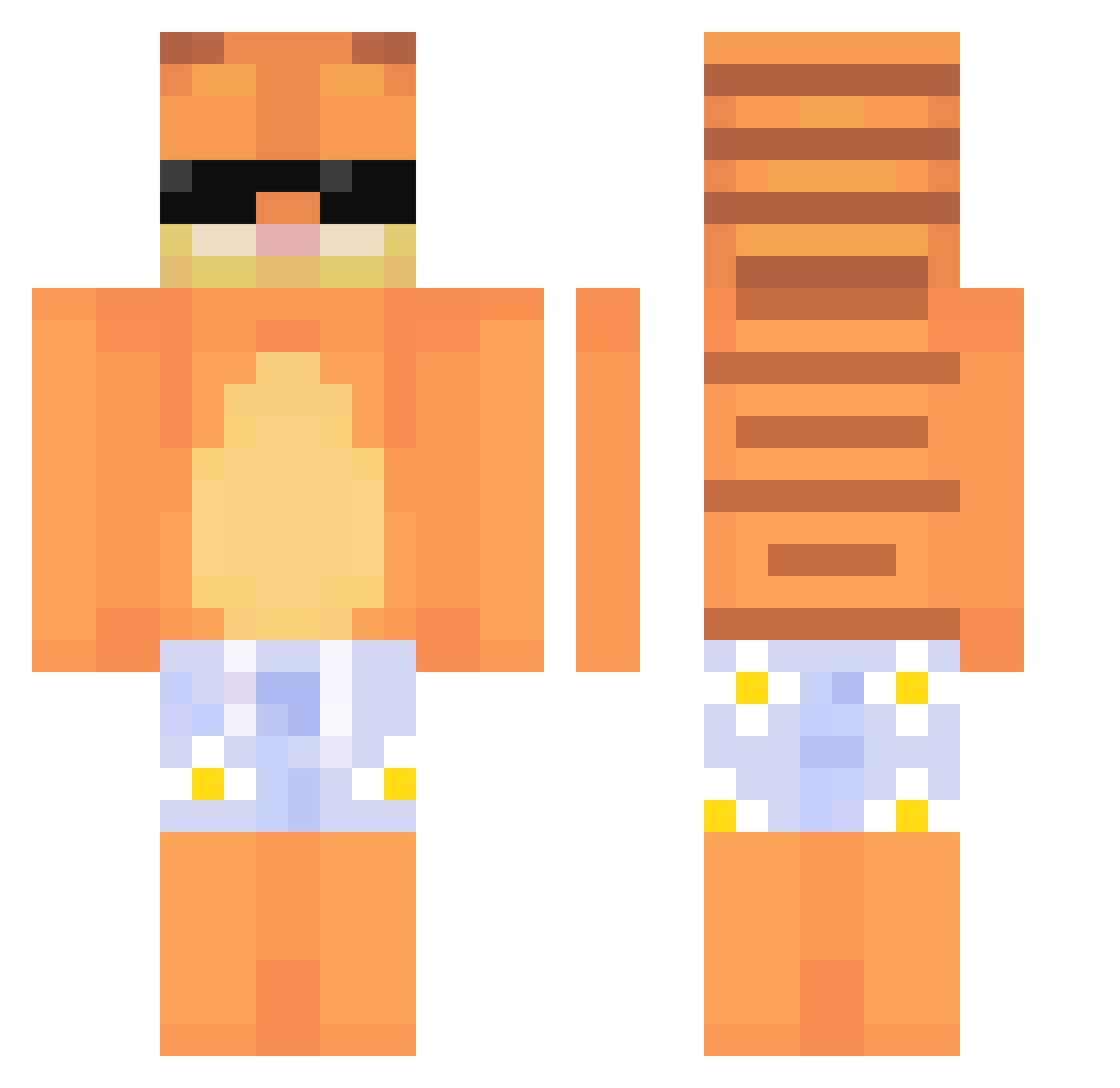
Current Minecraft skin of the player DEC4ST, loaded from the official Mojang API. Rotate the 3D model with your mouse or finger, then download the skin as a PNG file and use it in Minecraft: Bedrock Edition or Java Edition for free. When DEC4ST changes their skin, this page updates automatically and the old skin stays in the history below.
Other players with this skin (639)
DEC4ST was the 424th player we have seen with this skin, first spotted on 05.10.2026. The same skin was seen on these players. Open a nickname to see their current skin and skin history.
 Feli1k Gamerdu54n KR_HARU13 Luandu20 WestOfTheEastCat Hmcal04 lagatitauwu Gothamleader chukudu vayn7 ynuyun BBreezy4 xanzilla1 slodkakotka777 dannemedgaffeln HoscarPeland ohhbears Cookeddawg Xipual Natalief52 pitulaa billiz Sxvakorn StarrySky0222 Koqx longchili1 noblefrr minikoffi EnbyCuTea whlthdgkqslek otvri Rxven1 _VIXZA_ RakeEMonday thevillag3r 225500 GREGVENUS JimboBuck Bobitio oLassitude Jfse Megamind223 Holmes_On_Homes_ Gleebb Jaguardu59 localplug Sbeeven Stxypoo Aidalatros SisterSunset000 i_7ussein Bertokya Minisupra_76 xxvxvxxvxn wegguckn ysh8853 sBBBBBBBBB ghostxxie Annagayle_ WasitabatisaW
More Garfield Minecraft skins
How to install the DEC4ST skin
- Press the Download button above to save the skin as a PNG file.
- Minecraft: Bedrock Edition (PE): open the Dressing Room from the main menu (or tap your character → Edit Character), go to Classic Skins → Owned, press the + (new skin) button, choose the downloaded PNG and pick the Classic (Steve) model. Works on PC and mobile; consoles cannot import custom skins.
- Minecraft: Java Edition: open the Minecraft Launcher, go to the Skins tab, click New Skin, load the PNG, pick the Classic (Steve) model and press Save & Use. You can also upload it at minecraft.net → Profile → Change Skin.
The skin does not show up after import - what should I do?
Restart Minecraft and open the Dressing Room again - imported skins sometimes appear only after a restart. Also make sure you selected the imported skin and picked the Classic (Steve) model.
Which model should I choose, Classic or Slim?
This skin is designed for the Classic (Steve) model. If you pick the wrong model, the arms of the skin will look stretched or squeezed.
Is the skin of DEC4ST free to download?
Yes. Press Download, save the PNG file and use it in Minecraft: Bedrock Edition or Java Edition - no payment or registration needed. The skin also works on multiplayer servers and Realms.
More skins
Looking for more? Go back to all Minecraft skins and check the top skins of the week, month and all time, or find any player's skin by nickname.