
DAVID_MV15 - Minecraft Skins & Skin History
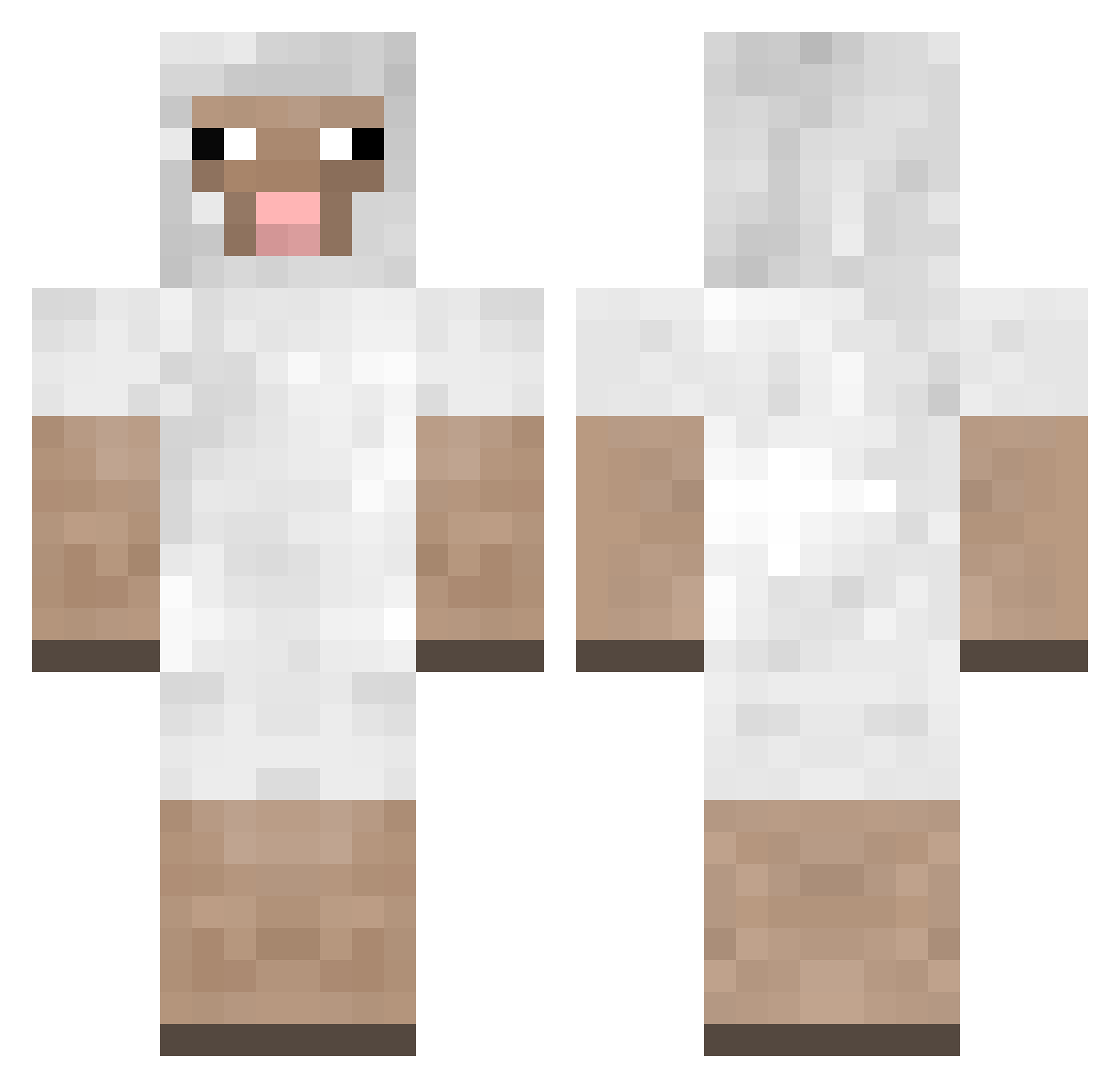
Current Minecraft skin of the player DAVID_MV15, loaded from the official Mojang API. Rotate the 3D model with your mouse or finger, then download the skin as a PNG file and use it in Minecraft: Bedrock Edition or Java Edition for free. When DAVID_MV15 changes their skin, this page updates automatically and the old skin stays in the history below.
Other players with this skin (242)
DAVID_MV15 was the 126th player we have seen with this skin, first spotted on 20.09.2026. The same skin was seen on these players. Open a nickname to see their current skin and skin history.
 124aleks GrantplayzMC maxmons GiraffeCrafter7 hector23 Lamb_St1ck annemarietje jdy1203 sammyslamma BigPhilly _Vista7_ XxZayFirexX Cheepmen lrene3 Sheep_Go_MOOOOOO phunkjp Ead177 Caityw lobsterman20 StynvL meet9544 Leatta MoutonRazer xoFlarez Schapenmelk darbray Michael_2007 VinnyCakes Rummy123 ZitronenW tomborox Deltanic RGuiskate PlanesWalker72 gegg Recit ApeRider Woolleybag city_sheep KMPGAMES matte459 DanethePain badboy_hogan haleyjoe dannybhoy13 Jclown526 Romymas envieeed Henryjo8095 EHazeK sheeeepsy ShiningRaven Arualsmalls THEchase Vindic Wolfsnap eeeykay WashyRules EmiratesA380 2O20
More Sheep Minecraft skins
How to install the DAVID_MV15 skin
- Press the Download button above to save the skin as a PNG file.
- Minecraft: Bedrock Edition (PE): open the Dressing Room from the main menu (or tap your character → Edit Character), go to Classic Skins → Owned, press the + (new skin) button, choose the downloaded PNG and pick the Classic (Steve) model. Works on PC and mobile; consoles cannot import custom skins.
- Minecraft: Java Edition: open the Minecraft Launcher, go to the Skins tab, click New Skin, load the PNG, pick the Classic (Steve) model and press Save & Use. You can also upload it at minecraft.net → Profile → Change Skin.
The skin does not show up after import - what should I do?
Restart Minecraft and open the Dressing Room again - imported skins sometimes appear only after a restart. Also make sure you selected the imported skin and picked the Classic (Steve) model.
Which model should I choose, Classic or Slim?
This skin is designed for the Classic (Steve) model. If you pick the wrong model, the arms of the skin will look stretched or squeezed.
Is the skin of DAVID_MV15 free to download?
Yes. Press Download, save the PNG file and use it in Minecraft: Bedrock Edition or Java Edition - no payment or registration needed. The skin also works on multiplayer servers and Realms.
More skins
Looking for more? Go back to all Minecraft skins and check the top skins of the week, month and all time, or find any player's skin by nickname.