
DANGO4ik - Minecraft Skins & Skin History
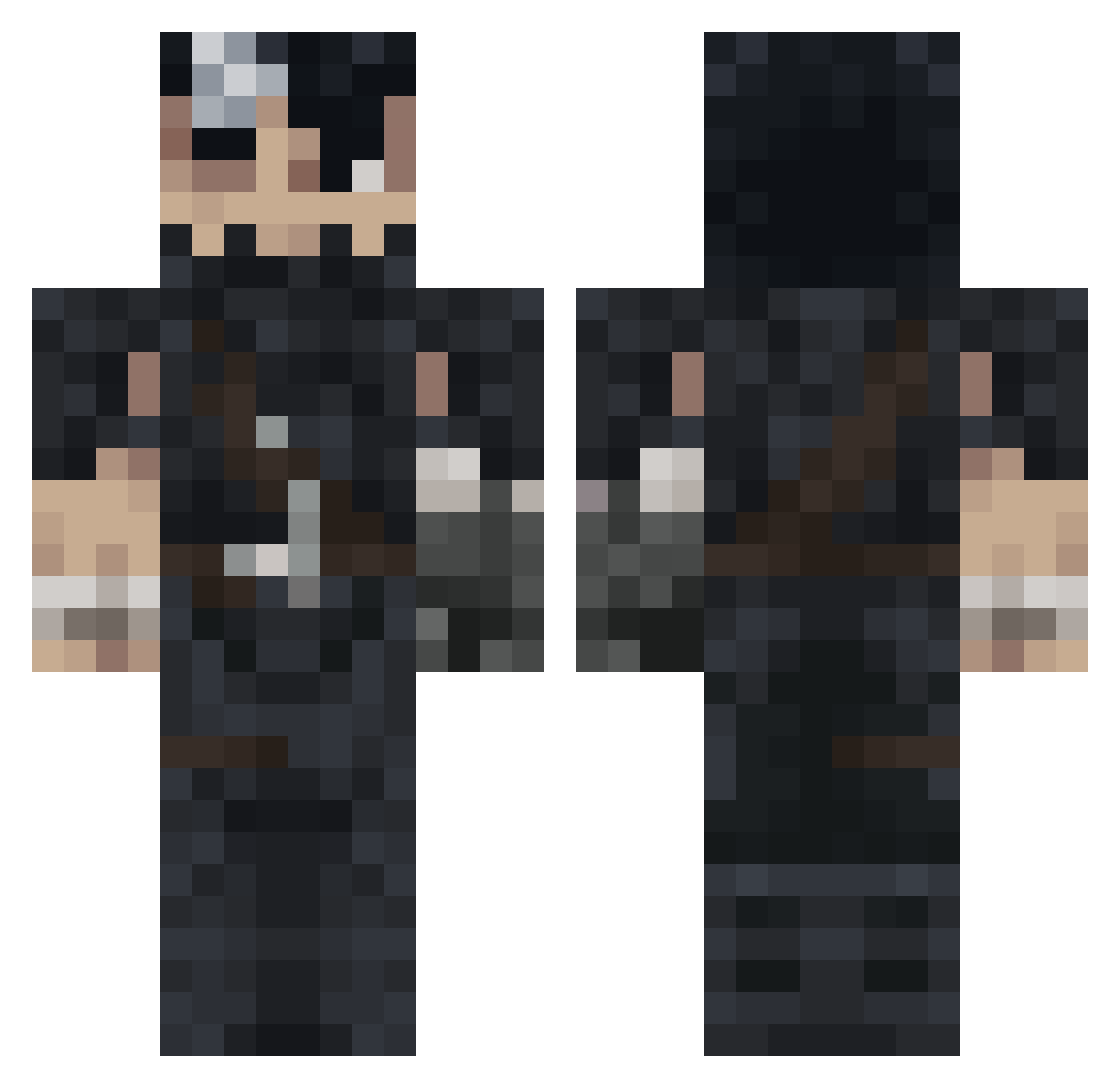
Current Minecraft skin of the player DANGO4ik, loaded from the official Mojang API. Rotate the 3D model with your mouse or finger, then download the skin as a PNG file and use it in Minecraft: Bedrock Edition or Java Edition for free. When DANGO4ik changes their skin, this page updates automatically and the old skin stays in the history below.
Other players with this skin (991)
DANGO4ik was the 93rd player we have seen with this skin, first spotted on 03.08.2026. The same skin was seen on these players. Open a nickname to see their current skin and skin history.
 FrenchysZn BluScrn0 FOCAs2
 bebece_ Serdo53 PolluxLeFlux Bareto420 Basoulsse Honour004 DaniDeb Kayden420_ Kalence t3uchi_moonlight Hs241 wztia N3_V_3R Sourfang22 kauminus62 Drook01 Deadofstar_
 Enygma1001 Lordek02 JLiiii Sinjjid
 00nix bvellaaa
 Flamer_007 manubp Jaaggeer FANBERSERK ImABot2130 Victroll19 EspadachinNegro XayGuapo classicsw TheRealPro_24 l_a_3L Daxt948 dadagrh
 Karma0_0Police Dantan587 VigaVigarista yatogamie V6V7 Jordox89 Lisetho Palelek CareChimbaaa h3ntaiswim Jalolino KuraiTamashi529 Saankhal electricpenguinn DinosaurOwO Variablelist234 morphilou Ktakit0 Zaghreus Dobryy_Vanek Joswey
More Guts Minecraft skins
How to install the DANGO4ik skin
- Press the Download button above to save the skin as a PNG file.
- Minecraft: Bedrock Edition (PE): open the Dressing Room from the main menu (or tap your character → Edit Character), go to Classic Skins → Owned, press the + (new skin) button, choose the downloaded PNG and pick the Classic (Steve) model. Works on PC and mobile; consoles cannot import custom skins.
- Minecraft: Java Edition: open the Minecraft Launcher, go to the Skins tab, click New Skin, load the PNG, pick the Classic (Steve) model and press Save & Use. You can also upload it at minecraft.net → Profile → Change Skin.
The skin does not show up after import - what should I do?
Restart Minecraft and open the Dressing Room again - imported skins sometimes appear only after a restart. Also make sure you selected the imported skin and picked the Classic (Steve) model.
Which model should I choose, Classic or Slim?
This skin is designed for the Classic (Steve) model. If you pick the wrong model, the arms of the skin will look stretched or squeezed.
Is the skin of DANGO4ik free to download?
Yes. Press Download, save the PNG file and use it in Minecraft: Bedrock Edition or Java Edition - no payment or registration needed. The skin also works on multiplayer servers and Realms.
More skins
Looking for more? Go back to all Minecraft skins and check the top skins of the week, month and all time, or find any player's skin by nickname.