
D0Mc - Minecraft Skins & Skin History
Current Minecraft skin of the player D0Mc, loaded from the official Mojang API. Rotate the 3D model with your mouse or finger, then download the skin as a PNG file and use it in Minecraft: Bedrock Edition or Java Edition for free. When D0Mc changes their skin, this page updates automatically and the old skin stays in the history below.
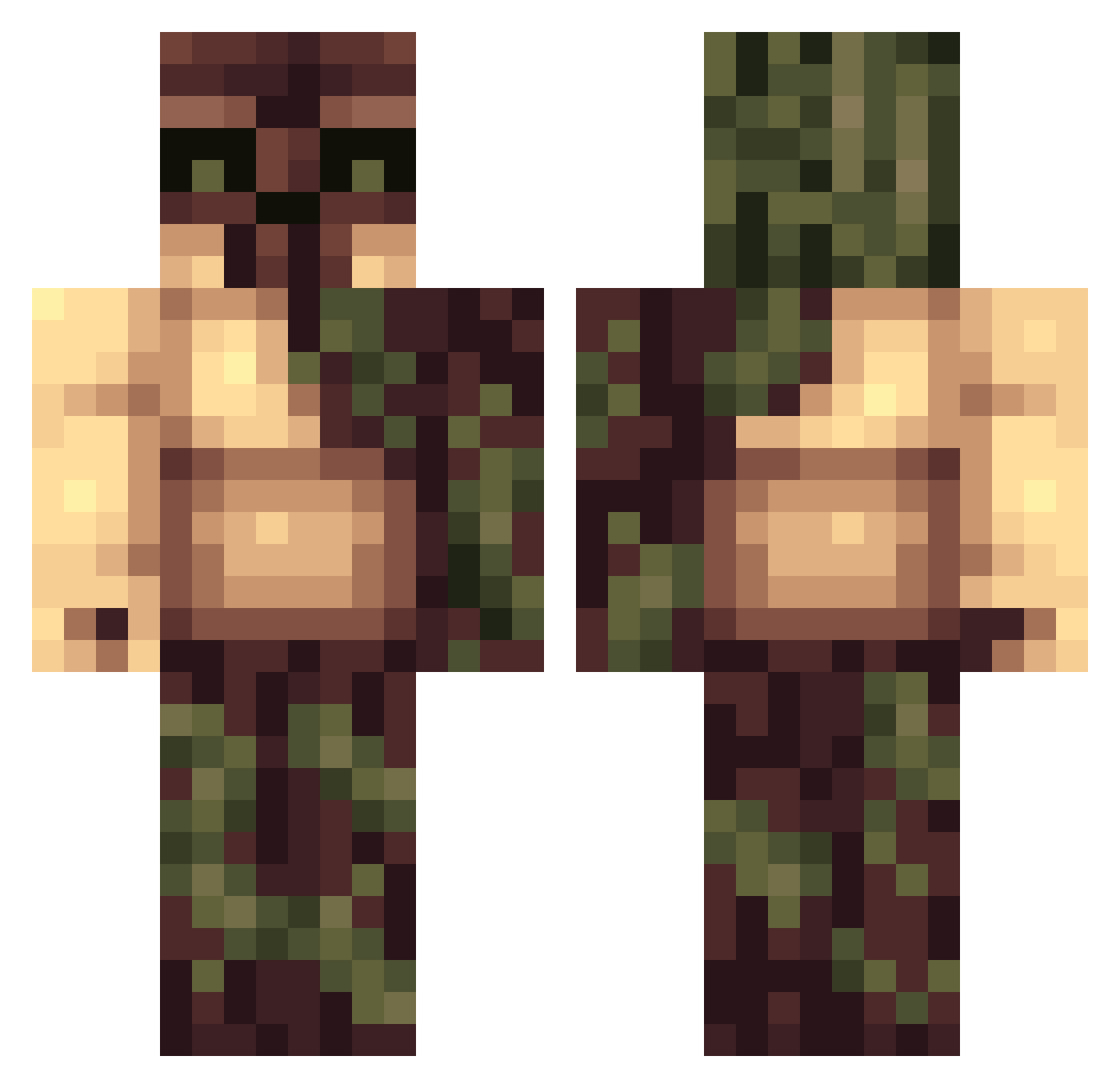
Other players with this skin (140)
D0Mc was the 134th player we have seen with this skin, first spotted on 15.11.2026. The same skin was seen on these players. Open a nickname to see their current skin and skin history.
 Sayther Cpt_AVA Nodified HumbleCleric stillgreyskies iBeeDro bentlit111 Andy322 Ogryn Nigerius Sendara Seeall46 alieness Bierverkoster187 TroedelProfi Teeza78 needlesscape54 Fire_brand sparrow71117 Lewisjai10 Loweria SaskaKepa TheMightyJo KlawRiptide Straytaper bluewinter7 Anakin9899 Bentlit11 CrackACracker Katzrane TheHammer1488 Sodzin GE4N_SN ScorpioX7120 _SIGGMASTER RogueWhisker17 felixlukas17 rx2x YoungHorsey DelirandoVoy Wekesis PiniiiCakmi33 l3oneless RenierJamez CaesarArn JerDNAWithCowSki Pfarting JukPlays Ciabattalin Don_Keedic Tuubuku Skiesoffreedom Fenroll Yeachey Shampoo121212 ShuMr XenonBlue XmarfeyX4 PatrickGrusgaard CangM992
More Tree Monster Minecraft skins
How to install the D0Mc skin
- Press the Download button above to save the skin as a PNG file.
- Minecraft: Bedrock Edition (PE): open the Dressing Room from the main menu (or tap your character → Edit Character), go to Classic Skins → Owned, press the + (new skin) button, choose the downloaded PNG and pick the Classic (Steve) model. Works on PC and mobile; consoles cannot import custom skins.
- Minecraft: Java Edition: open the Minecraft Launcher, go to the Skins tab, click New Skin, load the PNG, pick the Classic (Steve) model and press Save & Use. You can also upload it at minecraft.net → Profile → Change Skin.
The skin does not show up after import - what should I do?
Restart Minecraft and open the Dressing Room again - imported skins sometimes appear only after a restart. Also make sure you selected the imported skin and picked the Classic (Steve) model.
Which model should I choose, Classic or Slim?
This skin is designed for the Classic (Steve) model. If you pick the wrong model, the arms of the skin will look stretched or squeezed.
Is the skin of D0Mc free to download?
Yes. Press Download, save the PNG file and use it in Minecraft: Bedrock Edition or Java Edition - no payment or registration needed. The skin also works on multiplayer servers and Realms.
More skins
Looking for more? Go back to all Minecraft skins and check the top skins of the week, month and all time, or find any player's skin by nickname.