
Czh5 - Minecraft Skins & Skin History
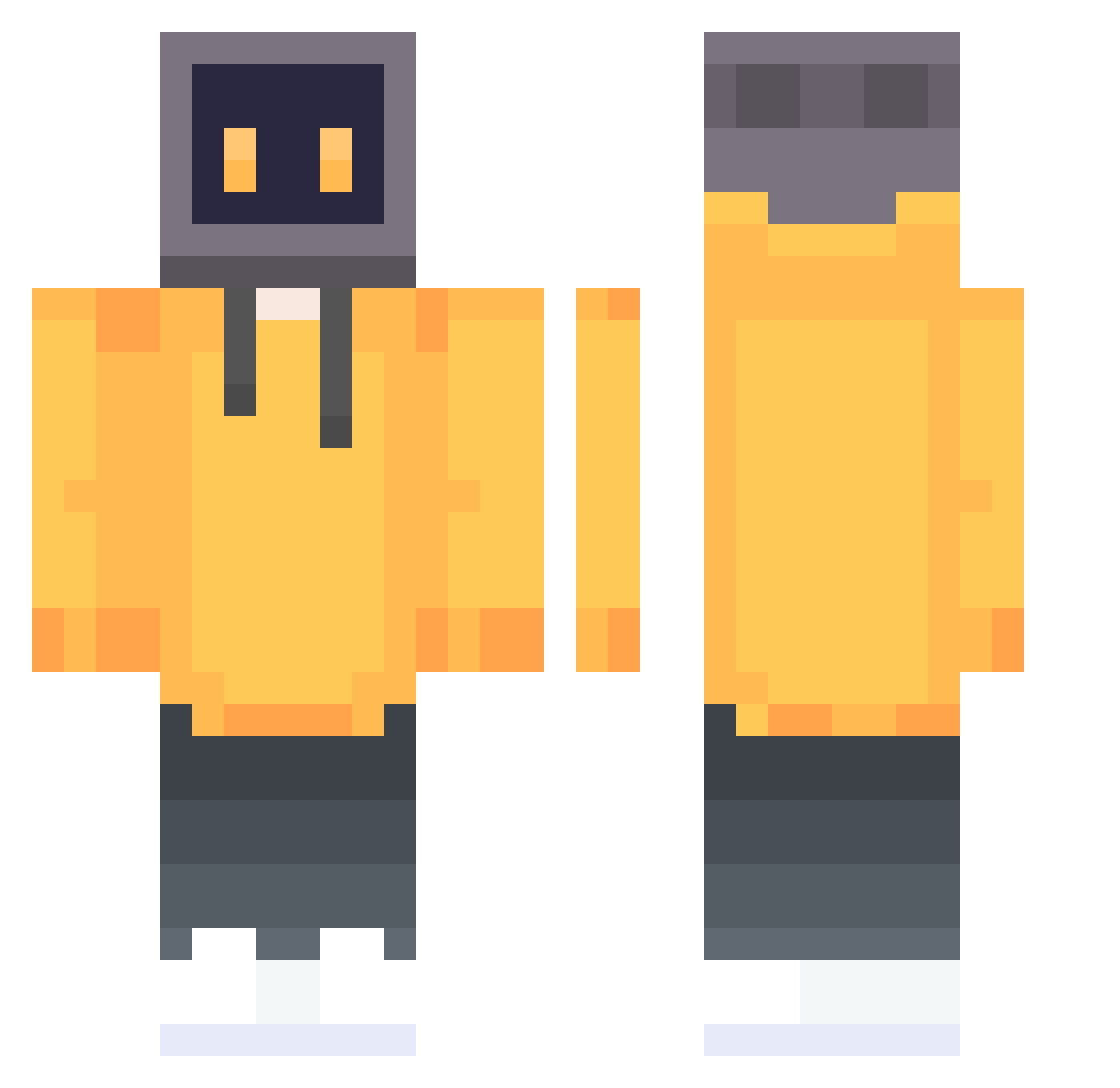
Current Minecraft skin of the player Czh5, loaded from the official Mojang API. Rotate the 3D model with your mouse or finger, then download the skin as a PNG file and use it in Minecraft: Bedrock Edition or Java Edition for free. When Czh5 changes their skin, this page updates automatically and the old skin stays in the history below.
Other players with this skin (647)
Czh5 was the 125th player we have seen with this skin, first spotted on 13.08.2026. The same skin was seen on these players. Open a nickname to see their current skin and skin history.
 kyk___ Erin55303 _GameCheater_ zad233 SoraHu yonaan MuShanOVO DADI8 Matsuyokka MAO911 NebelRehkitz223 EVAkoko ZYOYLL DarkPatriot7 Na1ab qwqw000 LCDor lego99k ChubbyMode redcomet0 XiaoZzzzz Yakitori2XW ni_DY Zermo_ GANDAGUN Kylomet Mazdow SrBielP AcideSpud vinsout Sebby_Soupy Min_park_ wrzka cai_lun NightMareHeir TheShinyMoltres llwzs omddo BrenoParras NIUB0YI MaoYiO TLaisure7 Fate0611 Vgelac bntzbb S11ents KSKCAV Kharats R1chard064 iTzStart victoru15
 KILLNOT XXXJerryXXX XIChen_Li SDGHH seesea356 sadlytimi Fhgem decadefan
 BHWMDMR
More TV Head Minecraft skins
How to install the Czh5 skin
- Press the Download button above to save the skin as a PNG file.
- Minecraft: Bedrock Edition (PE): open the Dressing Room from the main menu (or tap your character → Edit Character), go to Classic Skins → Owned, press the + (new skin) button, choose the downloaded PNG and pick the Classic (Steve) model. Works on PC and mobile; consoles cannot import custom skins.
- Minecraft: Java Edition: open the Minecraft Launcher, go to the Skins tab, click New Skin, load the PNG, pick the Classic (Steve) model and press Save & Use. You can also upload it at minecraft.net → Profile → Change Skin.
The skin does not show up after import - what should I do?
Restart Minecraft and open the Dressing Room again - imported skins sometimes appear only after a restart. Also make sure you selected the imported skin and picked the Classic (Steve) model.
Which model should I choose, Classic or Slim?
This skin is designed for the Classic (Steve) model. If you pick the wrong model, the arms of the skin will look stretched or squeezed.
Is the skin of Czh5 free to download?
Yes. Press Download, save the PNG file and use it in Minecraft: Bedrock Edition or Java Edition - no payment or registration needed. The skin also works on multiplayer servers and Realms.
More skins
Looking for more? Go back to all Minecraft skins and check the top skins of the week, month and all time, or find any player's skin by nickname.