
Czajnikus - Minecraft Skins & Skin History
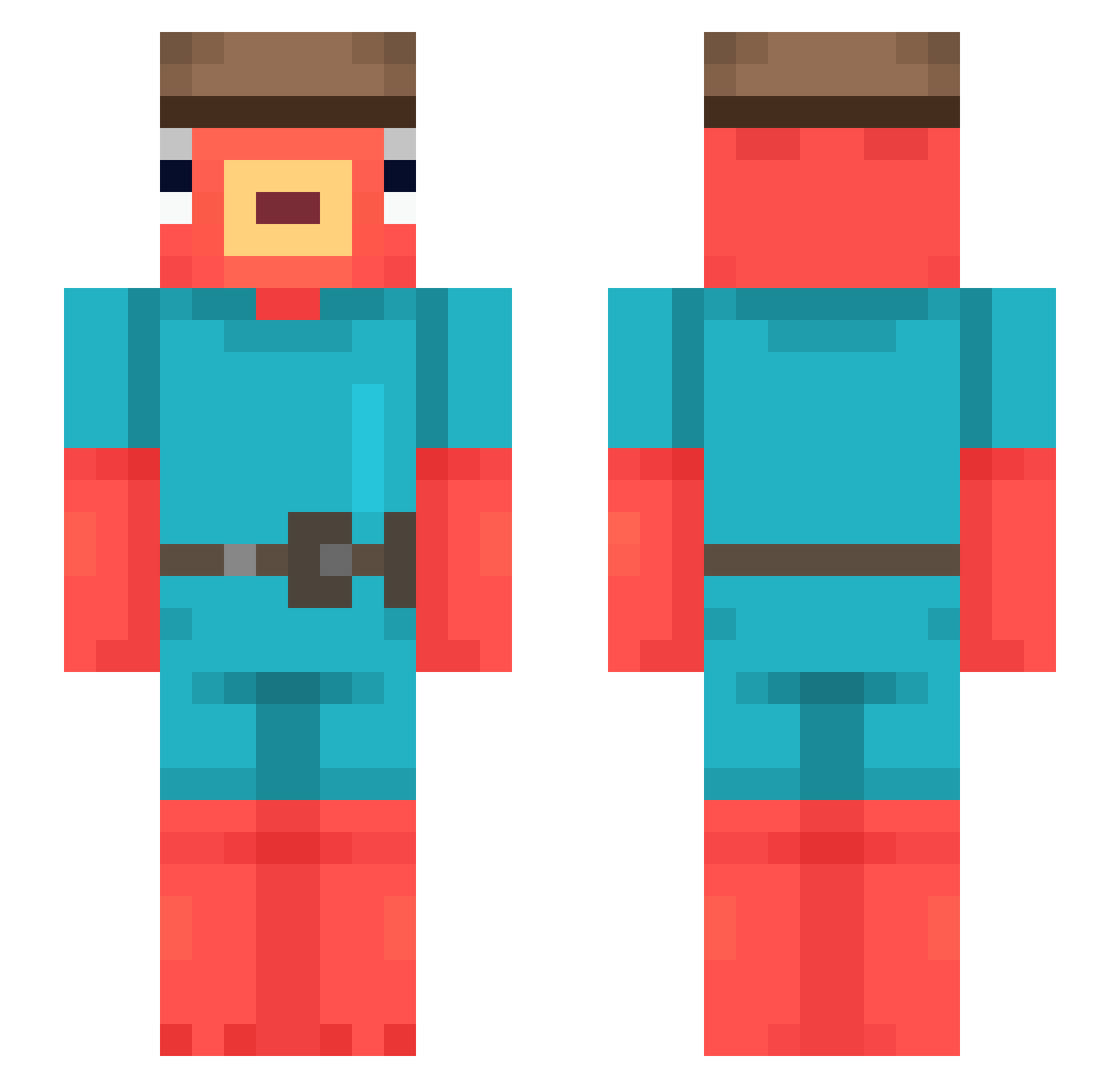
Current Minecraft skin of the player Czajnikus, loaded from the official Mojang API. Rotate the 3D model with your mouse or finger, then download the skin as a PNG file and use it in Minecraft: Bedrock Edition or Java Edition for free. When Czajnikus changes their skin, this page updates automatically and the old skin stays in the history below.
Other players with this skin (544)
Czajnikus was the 448th player we have seen with this skin, first spotted on 14.10.2026. The same skin was seen on these players. Open a nickname to see their current skin and skin history.
 crvmez_ ChimkenFingrs YsMen Fadut Aboykel Remoo039 ryangosslong lax_pinky24 Clafis DGvIPx3 Solo73 Pandidox Minstach Stichedpotato yamisadir Ratatouille09 Henry0703 John_Flasche_GHG ITFC_DUDE Rapteey Inxaditox runfalse ehoking yubaco iTzKlopax_70 EA76S Toucham Reezefy Kirtnite Jaimillo09 Kuzya_31 Wiesel337 SlavChikin lwqop dushayne Noooile skirrax62260 degaan miSo_eu lola1to epicluuk1213 RenatoRSP13 SWELLTIME lrb34 ivanstrax YuriKing BloodT_ pali405 Agama1712 DANOLO777 ImSupl3x cornski08 zsombooor Rrslan345 JukiMINMINEVDDF Bombstriker4044 Bautyy05 Lemon2309 Rainforest_Cafe YoKeDiCu
More Fishstick Minecraft skins
How to install the Czajnikus skin
- Press the Download button above to save the skin as a PNG file.
- Minecraft: Bedrock Edition (PE): open the Dressing Room from the main menu (or tap your character → Edit Character), go to Classic Skins → Owned, press the + (new skin) button, choose the downloaded PNG and pick the Slim (Alex) model. Works on PC and mobile; consoles cannot import custom skins.
- Minecraft: Java Edition: open the Minecraft Launcher, go to the Skins tab, click New Skin, load the PNG, pick the Slim (Alex) model and press Save & Use. You can also upload it at minecraft.net → Profile → Change Skin.
The skin does not show up after import - what should I do?
Restart Minecraft and open the Dressing Room again - imported skins sometimes appear only after a restart. Also make sure you selected the imported skin and picked the Slim (Alex) model.
Which model should I choose, Classic or Slim?
This skin is designed for the Slim (Alex) model. If you pick the wrong model, the arms of the skin will look stretched or squeezed.
Is the skin of Czajnikus free to download?
Yes. Press Download, save the PNG file and use it in Minecraft: Bedrock Edition or Java Edition - no payment or registration needed. The skin also works on multiplayer servers and Realms.
More skins
Looking for more? Go back to all Minecraft skins and check the top skins of the week, month and all time, or find any player's skin by nickname.