
Cyber_Larva - Minecraft Skins & Skin History
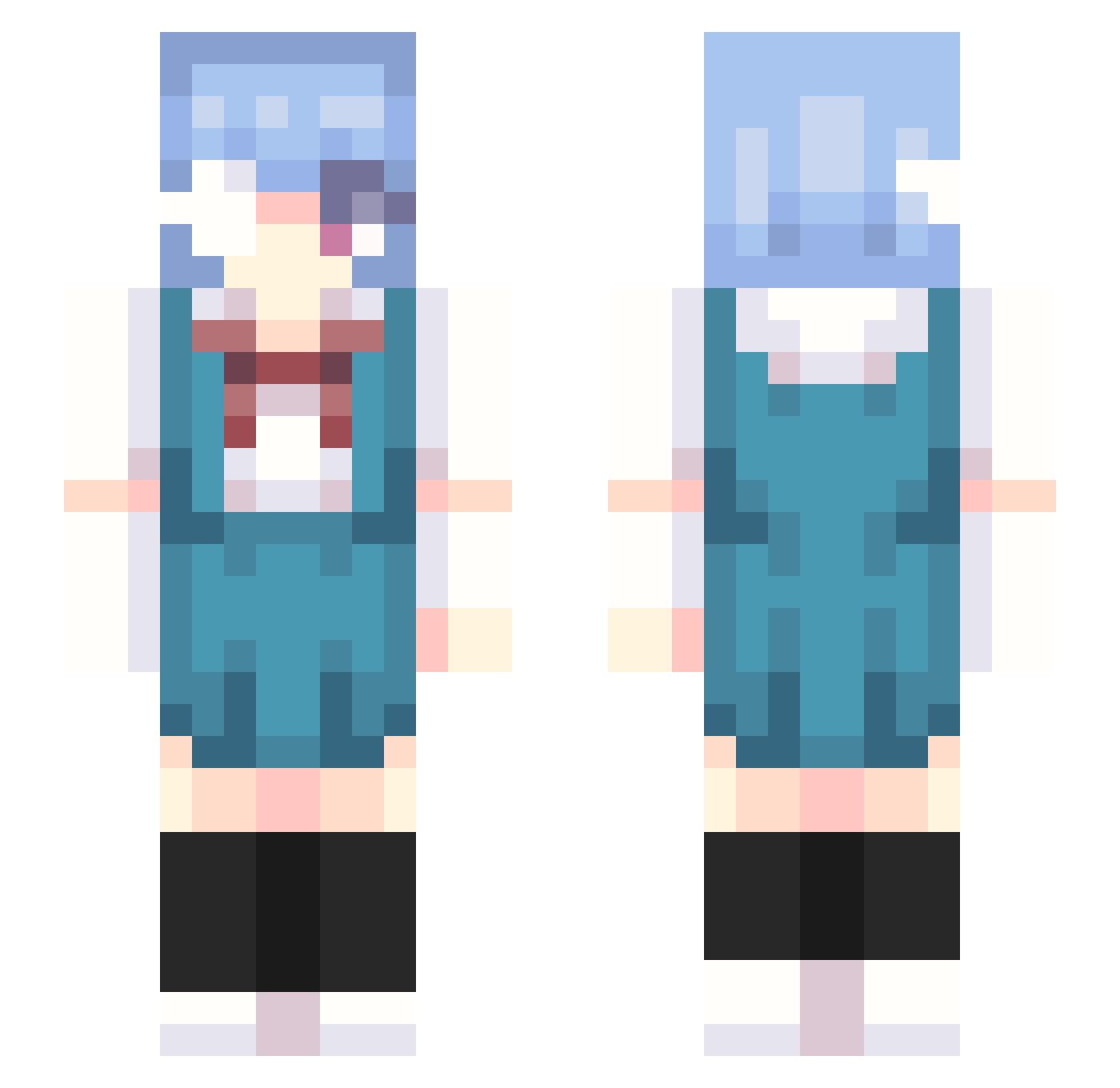
Current Minecraft skin of the player Cyber_Larva, loaded from the official Mojang API. Rotate the 3D model with your mouse or finger, then download the skin as a PNG file and use it in Minecraft: Bedrock Edition or Java Edition for free. When Cyber_Larva changes their skin, this page updates automatically and the old skin stays in the history below.
Other players with this skin (250)
Cyber_Larva was the 128th player we have seen with this skin, first spotted on 08.09.2026. The same skin was seen on these players. Open a nickname to see their current skin and skin history.
 freyhl Milk_jelly mangw0n yomiyorienjoyer 100 kendalin3 S1BB3 Rei_Gaming_Jr The_Wolf_Fighter withship me0ng ooxlk Hystrixi Tukimiya_1006 Percy42 cmy_33 sempar ShekelGoblin420 kokitovv wg_Elegy AllAuE Od4ngo Eilexxx Exiooo quanlose MohawkKiller ClankyKitty nismonomo rgbglow ZEMUDAL Numasaaaan CigaretChristine Da1monn ohimao 5t_x Braziliannas LESENEI he1ho Samurai_Champ1oo LittleFG Crispycrivo Behasgirl Nugg_Bugg Byeol_io Z________z vanrip
 Sarkon1337 walkerung SukiSukiDaisukii dogod22 moobing Bazinga2 pixiwew RexxaChan CryingYuuki Zowy_A_D_ Jocker252 Wachos CocaColaZero BurdenYeah
More Rei Ayanami Minecraft skins
How to install the Cyber_Larva skin
- Press the Download button above to save the skin as a PNG file.
- Minecraft: Bedrock Edition (PE): open the Dressing Room from the main menu (or tap your character → Edit Character), go to Classic Skins → Owned, press the + (new skin) button, choose the downloaded PNG and pick the Slim (Alex) model. Works on PC and mobile; consoles cannot import custom skins.
- Minecraft: Java Edition: open the Minecraft Launcher, go to the Skins tab, click New Skin, load the PNG, pick the Slim (Alex) model and press Save & Use. You can also upload it at minecraft.net → Profile → Change Skin.
The skin does not show up after import - what should I do?
Restart Minecraft and open the Dressing Room again - imported skins sometimes appear only after a restart. Also make sure you selected the imported skin and picked the Slim (Alex) model.
Which model should I choose, Classic or Slim?
This skin is designed for the Slim (Alex) model. If you pick the wrong model, the arms of the skin will look stretched or squeezed.
Is the skin of Cyber_Larva free to download?
Yes. Press Download, save the PNG file and use it in Minecraft: Bedrock Edition or Java Edition - no payment or registration needed. The skin also works on multiplayer servers and Realms.
More skins
Looking for more? Go back to all Minecraft skins and check the top skins of the week, month and all time, or find any player's skin by nickname.