
CxlledLukas - Minecraft Skins & Skin History
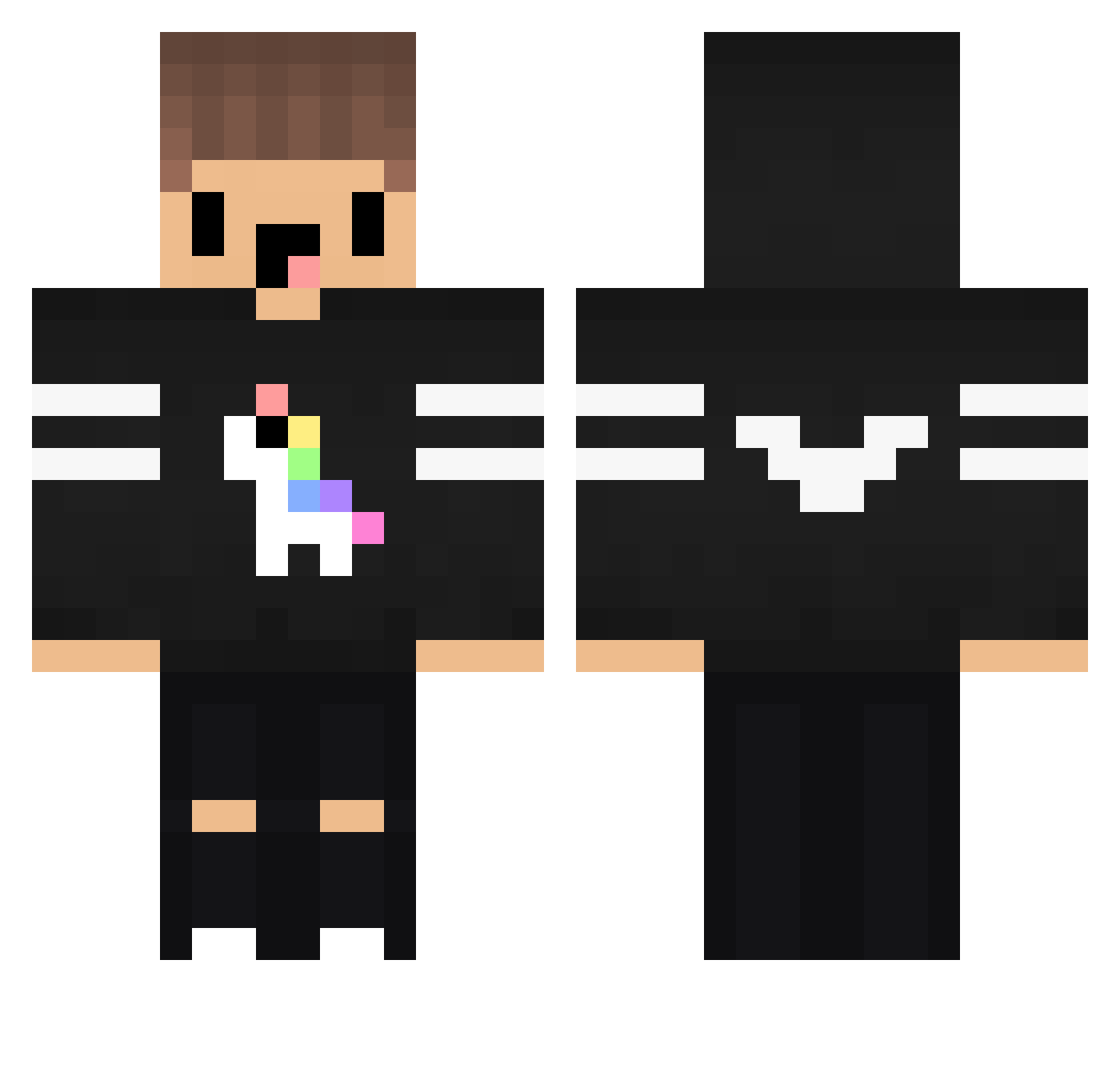
Current Minecraft skin of the player CxlledLukas, loaded from the official Mojang API. Rotate the 3D model with your mouse or finger, then download the skin as a PNG file and use it in Minecraft: Bedrock Edition or Java Edition for free. When CxlledLukas changes their skin, this page updates automatically and the old skin stays in the history below.
Other players with this skin (76)
CxlledLukas was the 42nd player we have seen with this skin, first spotted on 01.10.2026. The same skin was seen on these players. Open a nickname to see their current skin and skin history.
 Sascha_04 xZleux Star_Lord_RG HairyNibble iLukas_x HitzLikeBoosted KetchupLord GoRilaMC XesaX Illuminatrix10 APTEM4uK_ _Mxrz IchKuschelMitDir WichtigerVertrag xNotyzze End_rr Gandalfderecht WTF2001 Leonardcr2 Happyfartkitten ryzen_5 eZdaT1m yChekeey_ Lp_Beef_HD Washable Chilled_pepper Lydazon zabbo91 RomanStone03 xNACHIx Borgdude Jobdoesplay2 ChinaPowerr_ WEDeBp Xhenos Chardman35 Donnerka fozaqq playerinhate RybsoNN_ Intercy EnesDincer Yuseem_ZA derAbbel32 Rowfy Feli_02 Loxxicedout Grisales GamesTrovam Seniorito1337 _LeNNN_2k19 LukPlays nico_nasa BonezHD BakaChris Fabrissou Vitkill2745 Umut1803 olssonjohannes Azarator
More Unicorn Minecraft skins
How to install the CxlledLukas skin
- Press the Download button above to save the skin as a PNG file.
- Minecraft: Bedrock Edition (PE): open the Dressing Room from the main menu (or tap your character → Edit Character), go to Classic Skins → Owned, press the + (new skin) button, choose the downloaded PNG and pick the Classic (Steve) model. Works on PC and mobile; consoles cannot import custom skins.
- Minecraft: Java Edition: open the Minecraft Launcher, go to the Skins tab, click New Skin, load the PNG, pick the Classic (Steve) model and press Save & Use. You can also upload it at minecraft.net → Profile → Change Skin.
The skin does not show up after import - what should I do?
Restart Minecraft and open the Dressing Room again - imported skins sometimes appear only after a restart. Also make sure you selected the imported skin and picked the Classic (Steve) model.
Which model should I choose, Classic or Slim?
This skin is designed for the Classic (Steve) model. If you pick the wrong model, the arms of the skin will look stretched or squeezed.
Is the skin of CxlledLukas free to download?
Yes. Press Download, save the PNG file and use it in Minecraft: Bedrock Edition or Java Edition - no payment or registration needed. The skin also works on multiplayer servers and Realms.
More skins
Looking for more? Go back to all Minecraft skins and check the top skins of the week, month and all time, or find any player's skin by nickname.