
CupCakeKittenHec - Minecraft Skins & Skin History
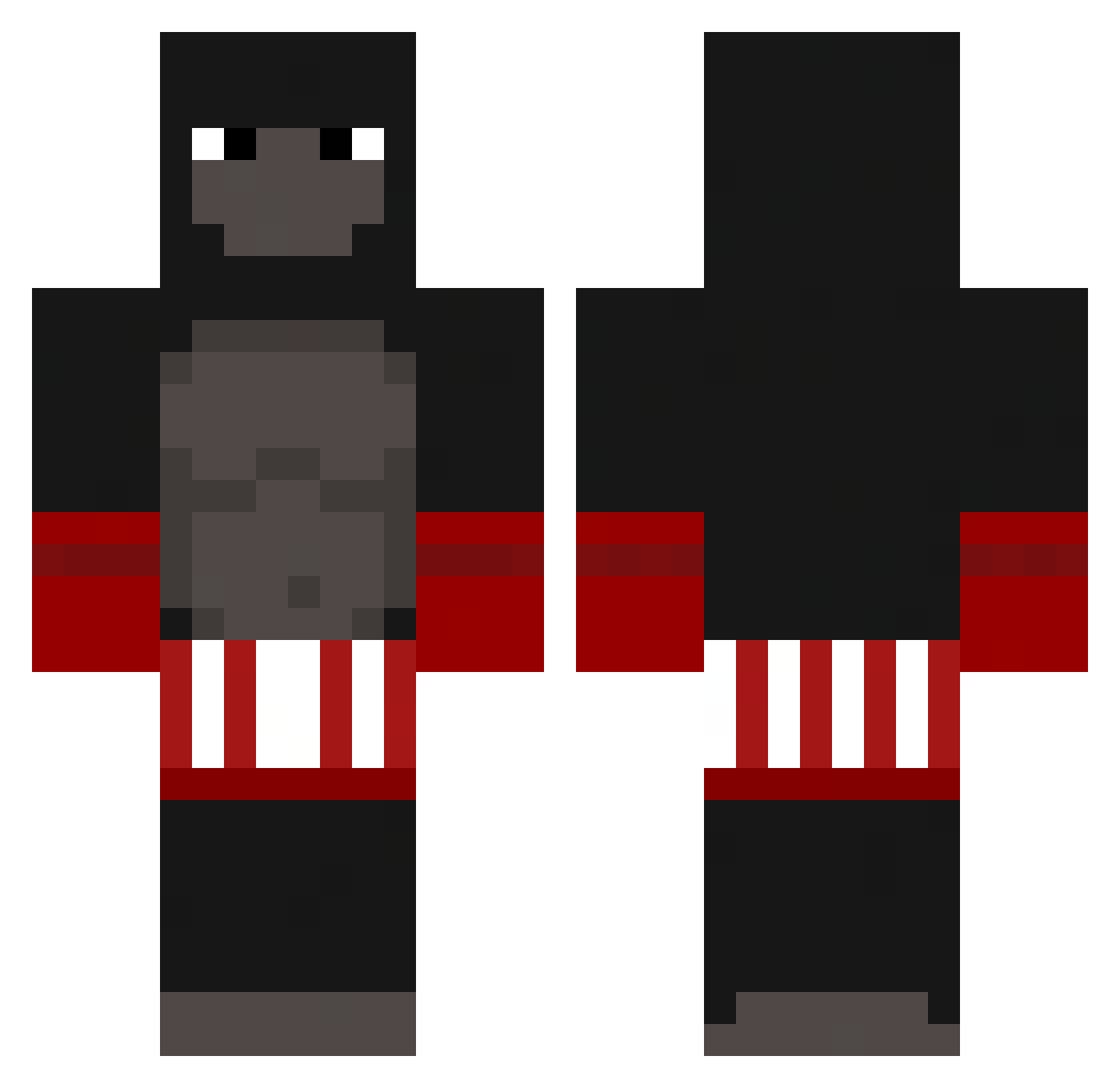
Current Minecraft skin of the player CupCakeKittenHec, loaded from the official Mojang API. Rotate the 3D model with your mouse or finger, then download the skin as a PNG file and use it in Minecraft: Bedrock Edition or Java Edition for free. When CupCakeKittenHec changes their skin, this page updates automatically and the old skin stays in the history below.
Other players with this skin (235)
CupCakeKittenHec was the 126th player we have seen with this skin, first spotted on 25.09.2026. The same skin was seen on these players. Open a nickname to see their current skin and skin history.
 Susawi readh12 ChuiZe3ef BigMonkeyOnTop Blud_06 jstnYBN BaguiWP4Dentu _Katatouille ucraniano Jasiu123456 Mateoo1337 D3bilcio_ 80_Fry bamses_world auslaug Nawrat LaFrite02 FadingGhost9000 _GoldBan_ Number_Twelve Vivian_Vasquez CHICKEN__JOCKEY2 cuffia PecheNkaNyams Lmao15 5400s YvngM OTTOMAN_SOLD1ER Gorilado LuigiGamer_BrYT RyuZapU GamerCheney Flemsefader HulluBaluluMand Sqtary monkeyinter SURGEthe1st Agvania FrostyIsKool unknown_harry Raim3x AndDuarte Callefar Kntb15 George_H24 TigasonMaliki 6scopes NONOOOOOOOOOOOO matthew_otto Slewingo Kalan54321 G0rilla19 714andrew PiscouTOMOU Coconut__Enjoyer OnLukeR Flankie CoolKalle Sadece_Mirac Splixent
More Boxer Minecraft skins
How to install the CupCakeKittenHec skin
- Press the Download button above to save the skin as a PNG file.
- Minecraft: Bedrock Edition (PE): open the Dressing Room from the main menu (or tap your character → Edit Character), go to Classic Skins → Owned, press the + (new skin) button, choose the downloaded PNG and pick the Classic (Steve) model. Works on PC and mobile; consoles cannot import custom skins.
- Minecraft: Java Edition: open the Minecraft Launcher, go to the Skins tab, click New Skin, load the PNG, pick the Classic (Steve) model and press Save & Use. You can also upload it at minecraft.net → Profile → Change Skin.
The skin does not show up after import - what should I do?
Restart Minecraft and open the Dressing Room again - imported skins sometimes appear only after a restart. Also make sure you selected the imported skin and picked the Classic (Steve) model.
Which model should I choose, Classic or Slim?
This skin is designed for the Classic (Steve) model. If you pick the wrong model, the arms of the skin will look stretched or squeezed.
Is the skin of CupCakeKittenHec free to download?
Yes. Press Download, save the PNG file and use it in Minecraft: Bedrock Edition or Java Edition - no payment or registration needed. The skin also works on multiplayer servers and Realms.
More skins
Looking for more? Go back to all Minecraft skins and check the top skins of the week, month and all time, or find any player's skin by nickname.