
Cuddlelingus - Minecraft Skins & Skin History
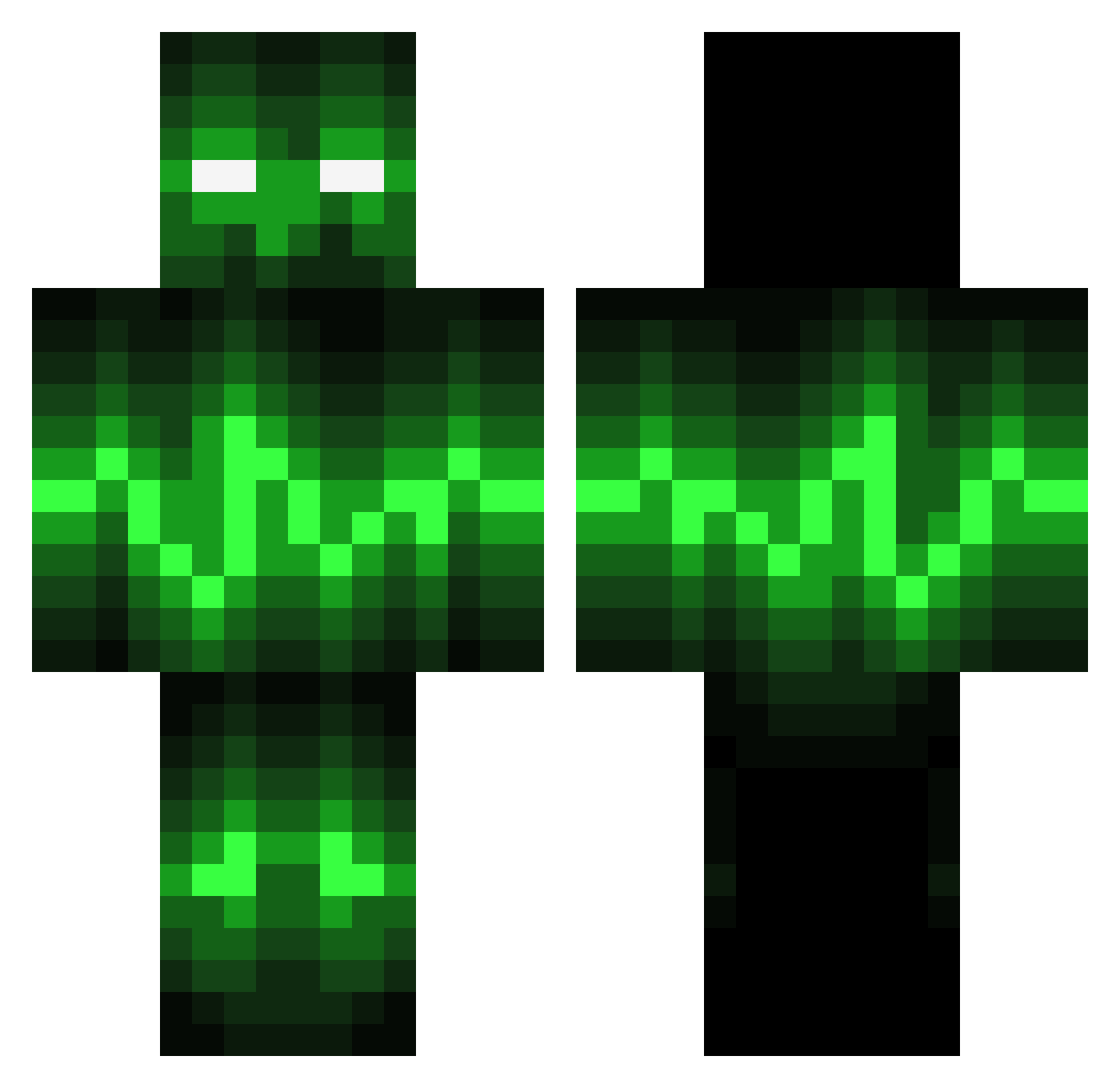
Current Minecraft skin of the player Cuddlelingus, loaded from the official Mojang API. Rotate the 3D model with your mouse or finger, then download the skin as a PNG file and use it in Minecraft: Bedrock Edition or Java Edition for free. When Cuddlelingus changes their skin, this page updates automatically and the old skin stays in the history below.
Other players with this skin (141)
Cuddlelingus was the 71st player we have seen with this skin, first spotted on 14.09.2026. The same skin was seen on these players. Open a nickname to see their current skin and skin history.
 Jitomate33 superseb141 ShadowOfOwl Quaalude50 tdjsv_ Jv_lol SakuraTia Nedyboy FinalBossMan Deathmojo ZebulonDS ULISSSES Uselfless Lunar_Moon14 AWM13 Sasquatch0301 MROnettXD Bertramvn badreaperhemz TPalmer03 Mxddin DeceasedMem GameMaster0226 Bigparker77 DongFengXu hermunn21 BigMike467 RoastedNut54 SixthA2 xKingJay420 HopelessSoul666 xXChaotic_JayXx Sakkrreth ElectricPick Unikitty_18 DevilJohn8699 UnPerfilDeMC a1234267 Kinghydra_082 TheCripNation Fenshii Anes300 TURKEYFLAP101 lokin2024 Xrey64
 Sevyniel senneappeltans asta84 Skwodo_ abborren06 _Rikashiki_ HollowDemise Da_Man_Moore Daking_1236 Zippeyo textwithnospaces LeelaLovesLife SwimmingBimbo ArmertLoffen Raidersf
More Pulse Minecraft skins
How to install the Cuddlelingus skin
- Press the Download button above to save the skin as a PNG file.
- Minecraft: Bedrock Edition (PE): open the Dressing Room from the main menu (or tap your character → Edit Character), go to Classic Skins → Owned, press the + (new skin) button, choose the downloaded PNG and pick the Classic (Steve) model. Works on PC and mobile; consoles cannot import custom skins.
- Minecraft: Java Edition: open the Minecraft Launcher, go to the Skins tab, click New Skin, load the PNG, pick the Classic (Steve) model and press Save & Use. You can also upload it at minecraft.net → Profile → Change Skin.
The skin does not show up after import - what should I do?
Restart Minecraft and open the Dressing Room again - imported skins sometimes appear only after a restart. Also make sure you selected the imported skin and picked the Classic (Steve) model.
Which model should I choose, Classic or Slim?
This skin is designed for the Classic (Steve) model. If you pick the wrong model, the arms of the skin will look stretched or squeezed.
Is the skin of Cuddlelingus free to download?
Yes. Press Download, save the PNG file and use it in Minecraft: Bedrock Edition or Java Edition - no payment or registration needed. The skin also works on multiplayer servers and Realms.
More skins
Looking for more? Go back to all Minecraft skins and check the top skins of the week, month and all time, or find any player's skin by nickname.