
Cubei_ - Minecraft Skins & Skin History
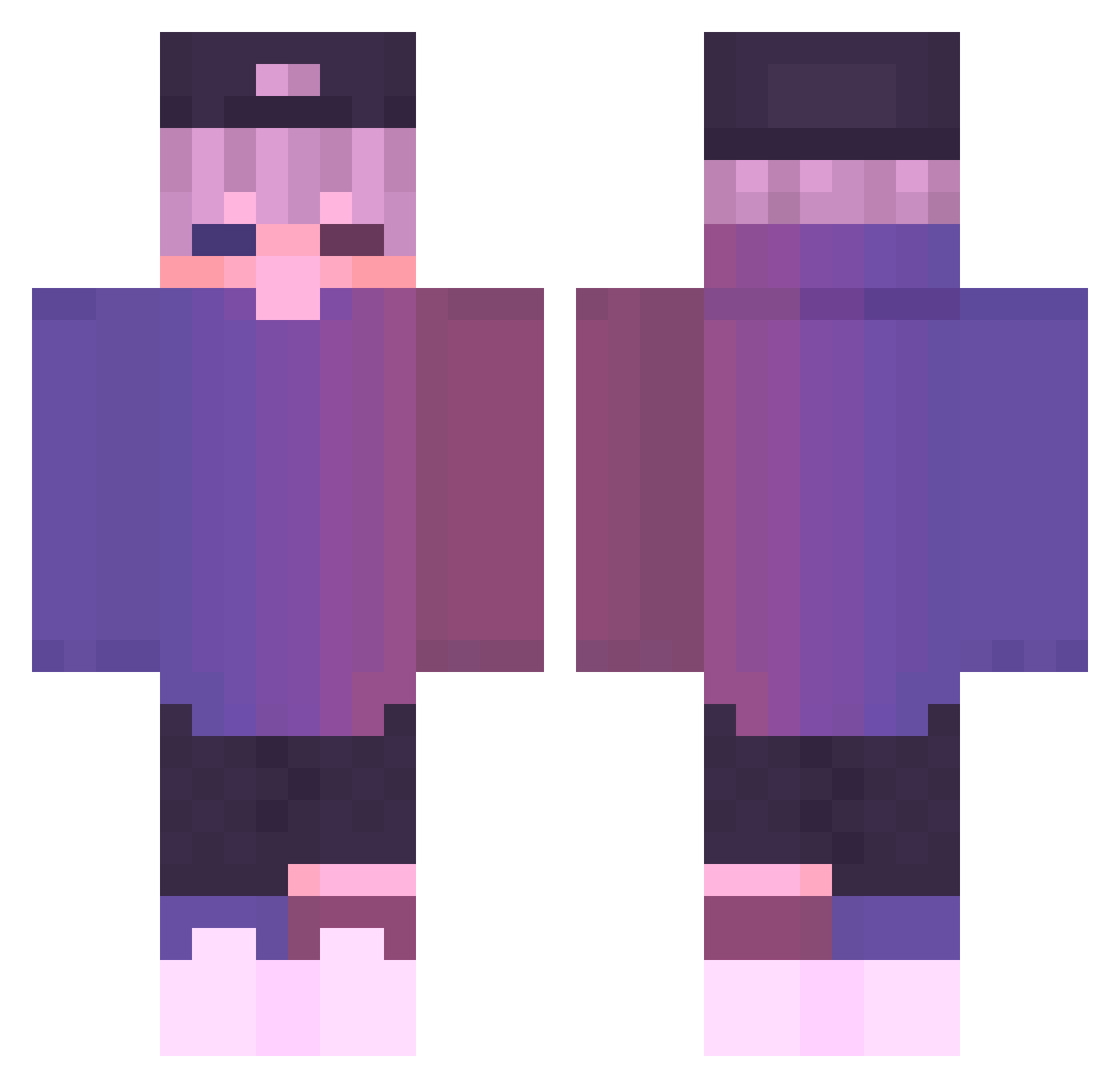
Current Minecraft skin of the player Cubei_, loaded from the official Mojang API. Rotate the 3D model with your mouse or finger, then download the skin as a PNG file and use it in Minecraft: Bedrock Edition or Java Edition for free. When Cubei_ changes their skin, this page updates automatically and the old skin stays in the history below.
Other players with this skin (722)
Cubei_ was the 597th player we have seen with this skin, first spotted on 21.10.2026. The same skin was seen on these players. Open a nickname to see their current skin and skin history.
 Hazlenoot Ju1cifer OhClick __dorothy Kunming00 EditHaven4k Semilet22 Dooojinn Cold4 schoffi23 xdis Ghostnut0w0 armsyyy JasperLittlepaws hw33ni Zuo974 Thomas_wkp TarkyXD FoxLightning12 RDZZ99 sleepdream77 Gregory321_ drkaras_1 Femchieee Malincka Corzey__ SSSMoshchka ZwyklyPolak Tektzie JustRobbe_ SemihYalcn FreshPrinceKurd ReouL1 zkffkvndtjs sato112 LegendNud3z ch6rrr KreiGerMir Qing_Ye_159 babukas damian311 BLUERouge41584 KelKelOuO FizzyFifi Special_Eli JustTommy57 e_gorll AmectVR_359 VaultGt Nescauj Cluxdy 12345_12345 sig7412 Not_zBoxYT Yag_pvp Lao_xiang5 CodeBlaster1 Mr_Qwu TienTonTijn Ananasfighter
More Cap Minecraft skins
How to install the Cubei_ skin
- Press the Download button above to save the skin as a PNG file.
- Minecraft: Bedrock Edition (PE): open the Dressing Room from the main menu (or tap your character → Edit Character), go to Classic Skins → Owned, press the + (new skin) button, choose the downloaded PNG and pick the Classic (Steve) model. Works on PC and mobile; consoles cannot import custom skins.
- Minecraft: Java Edition: open the Minecraft Launcher, go to the Skins tab, click New Skin, load the PNG, pick the Classic (Steve) model and press Save & Use. You can also upload it at minecraft.net → Profile → Change Skin.
The skin does not show up after import - what should I do?
Restart Minecraft and open the Dressing Room again - imported skins sometimes appear only after a restart. Also make sure you selected the imported skin and picked the Classic (Steve) model.
Which model should I choose, Classic or Slim?
This skin is designed for the Classic (Steve) model. If you pick the wrong model, the arms of the skin will look stretched or squeezed.
Is the skin of Cubei_ free to download?
Yes. Press Download, save the PNG file and use it in Minecraft: Bedrock Edition or Java Edition - no payment or registration needed. The skin also works on multiplayer servers and Realms.
More skins
Looking for more? Go back to all Minecraft skins and check the top skins of the week, month and all time, or find any player's skin by nickname.