
Crozzant - Minecraft Skins & Skin History
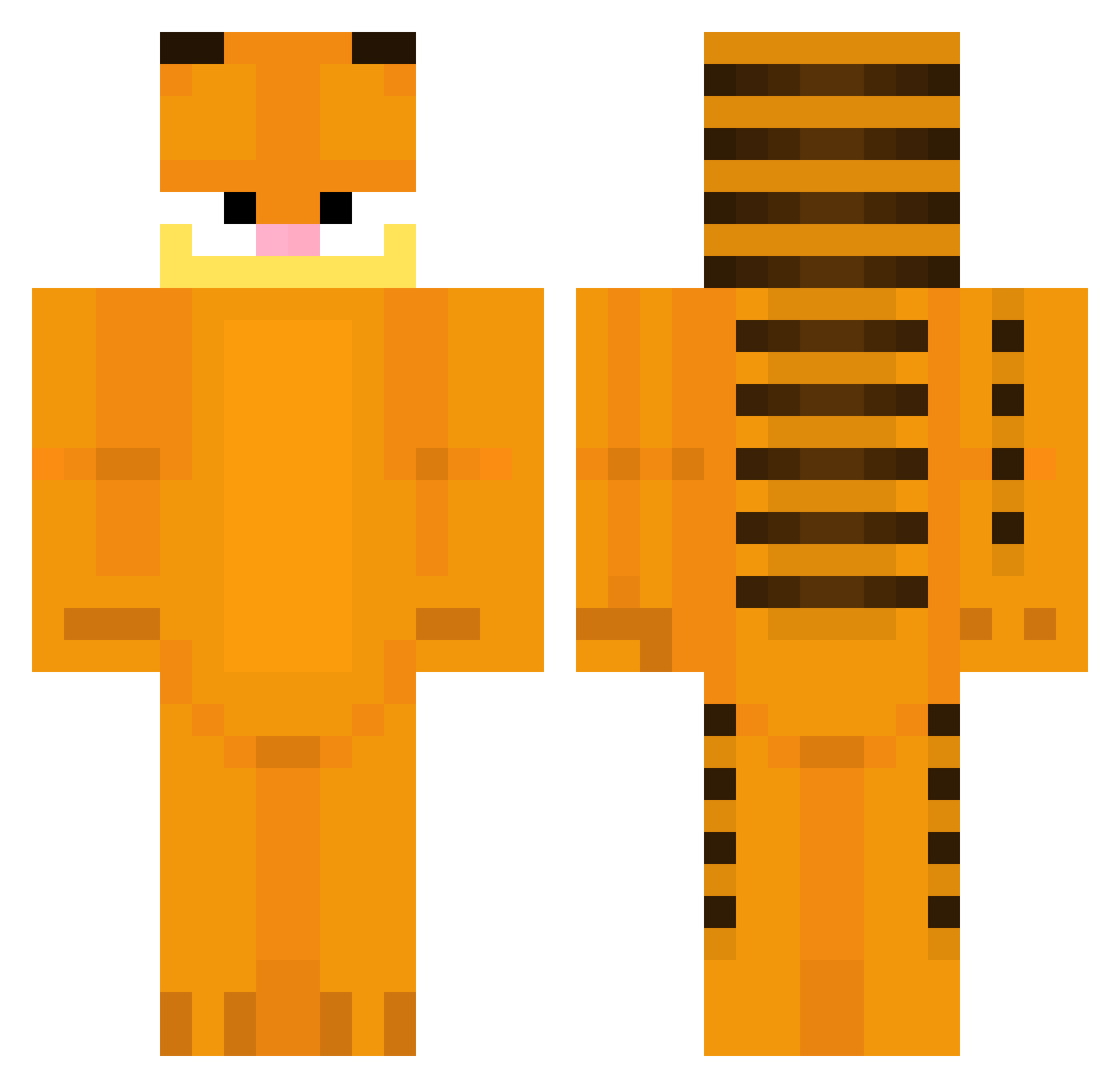
Current Minecraft skin of the player Crozzant, loaded from the official Mojang API. Rotate the 3D model with your mouse or finger, then download the skin as a PNG file and use it in Minecraft: Bedrock Edition or Java Edition for free. When Crozzant changes their skin, this page updates automatically and the old skin stays in the history below.
Other players with this skin (308)
Crozzant was the 249th player we have seen with this skin, first spotted on 14.10.2026. The same skin was seen on these players. Open a nickname to see their current skin and skin history.
 Lameriaaa The_Wubster JJuullnn hecc14 zzzenako Femkeyl kris_chan69 wearpants teddy1247 Ranjaaaaa lgzin2212 Leux00 LeoLeoLew aketiko MrBlockBoii Cherry1 OIiver1862 Dewdullz ZennDaChud CreeperDanX Pice1 User_Brutus KillerChicken52 Kama_131 LoonsAlt Braayaangs11_ schmonnsen Gildeilson Katheleenn Lionlord1926 NLCaple lilytyler KinGGamerGG biggertobacco ZiaZie MrZigomar KievfChief SoyRafico ColaSprite486 PikminGarfield jonghyo_2 FaithlessTemplar olo_koszykarz Osmanthium JZM_0v0 gocaprisun MS_BL0CH cotyisback BobaMochi123 zBero 6dosunin Chudbob1 SXXYQUEEN 2nd_JUN xWroniax papaj908 Malloyaa dtd0420 DexKD Isabel0nkrr
More Garfield Minecraft skins
How to install the Crozzant skin
- Press the Download button above to save the skin as a PNG file.
- Minecraft: Bedrock Edition (PE): open the Dressing Room from the main menu (or tap your character → Edit Character), go to Classic Skins → Owned, press the + (new skin) button, choose the downloaded PNG and pick the Classic (Steve) model. Works on PC and mobile; consoles cannot import custom skins.
- Minecraft: Java Edition: open the Minecraft Launcher, go to the Skins tab, click New Skin, load the PNG, pick the Classic (Steve) model and press Save & Use. You can also upload it at minecraft.net → Profile → Change Skin.
The skin does not show up after import - what should I do?
Restart Minecraft and open the Dressing Room again - imported skins sometimes appear only after a restart. Also make sure you selected the imported skin and picked the Classic (Steve) model.
Which model should I choose, Classic or Slim?
This skin is designed for the Classic (Steve) model. If you pick the wrong model, the arms of the skin will look stretched or squeezed.
Is the skin of Crozzant free to download?
Yes. Press Download, save the PNG file and use it in Minecraft: Bedrock Edition or Java Edition - no payment or registration needed. The skin also works on multiplayer servers and Realms.
More skins
Looking for more? Go back to all Minecraft skins and check the top skins of the week, month and all time, or find any player's skin by nickname.