
Crownjade - Minecraft Skins & Skin History
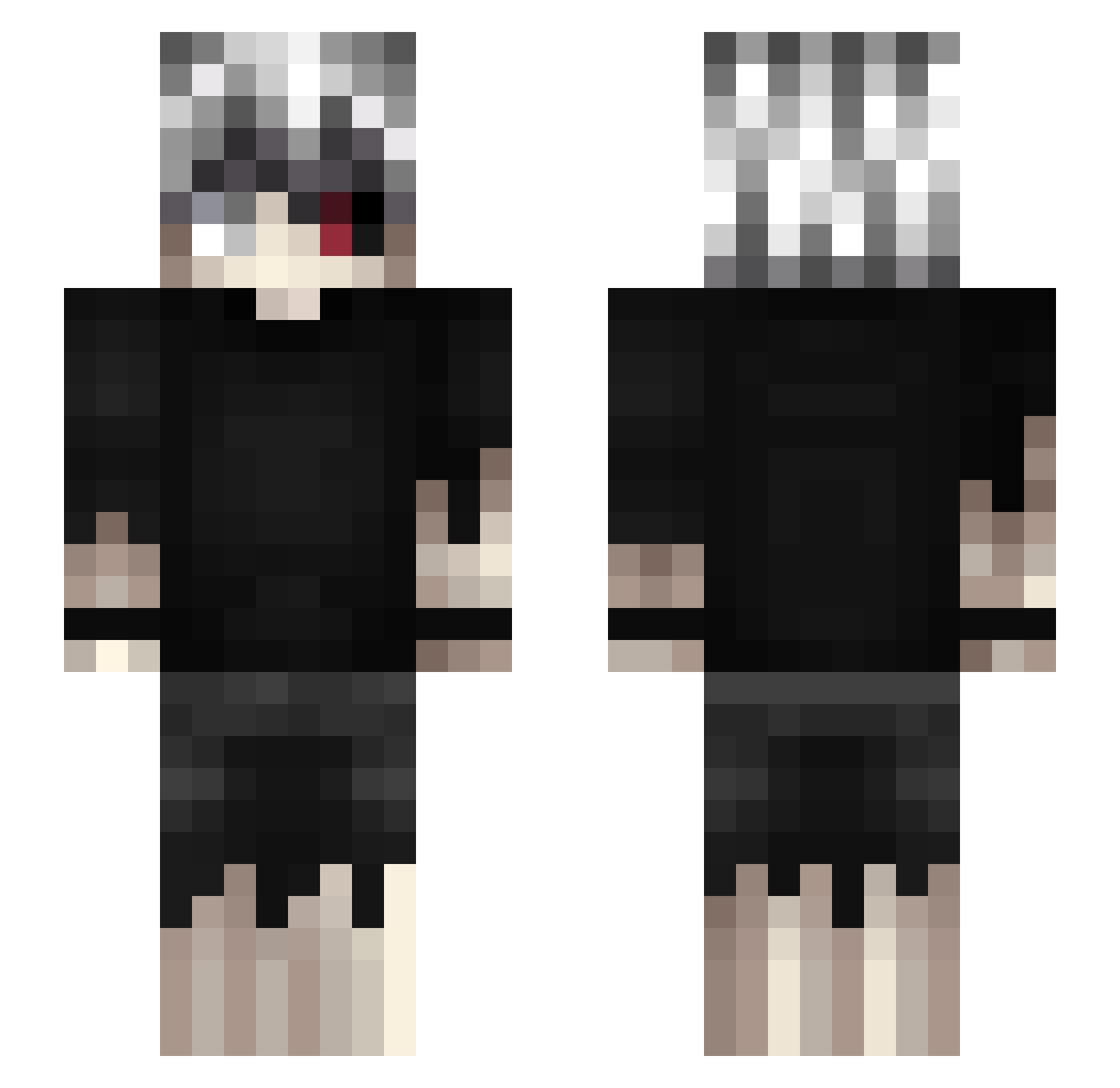
Current Minecraft skin of the player Crownjade, loaded from the official Mojang API. Rotate the 3D model with your mouse or finger, then download the skin as a PNG file and use it in Minecraft: Bedrock Edition or Java Edition for free. When Crownjade changes their skin, this page updates automatically and the old skin stays in the history below.
Other players with this skin (462)
Crownjade was the 27th player we have seen with this skin, first spotted on 29.07.2026. The same skin was seen on these players. Open a nickname to see their current skin and skin history.
 Kikistruktor fraan191714 LizardMna cafexpres XJackfrostX littlebigshin ruindLe svznn kevinhsboy
 seizer__ eihsa Osamadb Solacee1
 _OneEyedGhoul_ Illu Shadowz_R LeuEGay Shocyopath _Ken_Kaneki__ DrunkNikolai_ catosbtw1
 shxmn tnzin7 frxoy Lukalb0 Frizz7 dentski BeamerBoy210 Naolex4790 buoya Luisriky1
 codegeas1
 Kaagee_ safee11 Romanizer Proxx016 Kajzerkaa76 undercoverllama7 Musluman Synn1208 N0TVL0NE xetora Tawanchai22 Lequiitt Elvenenodetuex Suvanevil Leozeraa Zagg38 Lord_Voidemort akirary Heans3
 Sigmafella78 YI0810 broembroemm soso_99 Dressoregon9350 Rossy2333 XxErr0rKxX Q1ngJ1u karzeu_
More Kaneki Ken Minecraft skins
How to install the Crownjade skin
- Press the Download button above to save the skin as a PNG file.
- Minecraft: Bedrock Edition (PE): open the Dressing Room from the main menu (or tap your character → Edit Character), go to Classic Skins → Owned, press the + (new skin) button, choose the downloaded PNG and pick the Slim (Alex) model. Works on PC and mobile; consoles cannot import custom skins.
- Minecraft: Java Edition: open the Minecraft Launcher, go to the Skins tab, click New Skin, load the PNG, pick the Slim (Alex) model and press Save & Use. You can also upload it at minecraft.net → Profile → Change Skin.
The skin does not show up after import - what should I do?
Restart Minecraft and open the Dressing Room again - imported skins sometimes appear only after a restart. Also make sure you selected the imported skin and picked the Slim (Alex) model.
Which model should I choose, Classic or Slim?
This skin is designed for the Slim (Alex) model. If you pick the wrong model, the arms of the skin will look stretched or squeezed.
Is the skin of Crownjade free to download?
Yes. Press Download, save the PNG file and use it in Minecraft: Bedrock Edition or Java Edition - no payment or registration needed. The skin also works on multiplayer servers and Realms.
More skins
Looking for more? Go back to all Minecraft skins and check the top skins of the week, month and all time, or find any player's skin by nickname.