
Crofoso - Minecraft Skins & Skin History
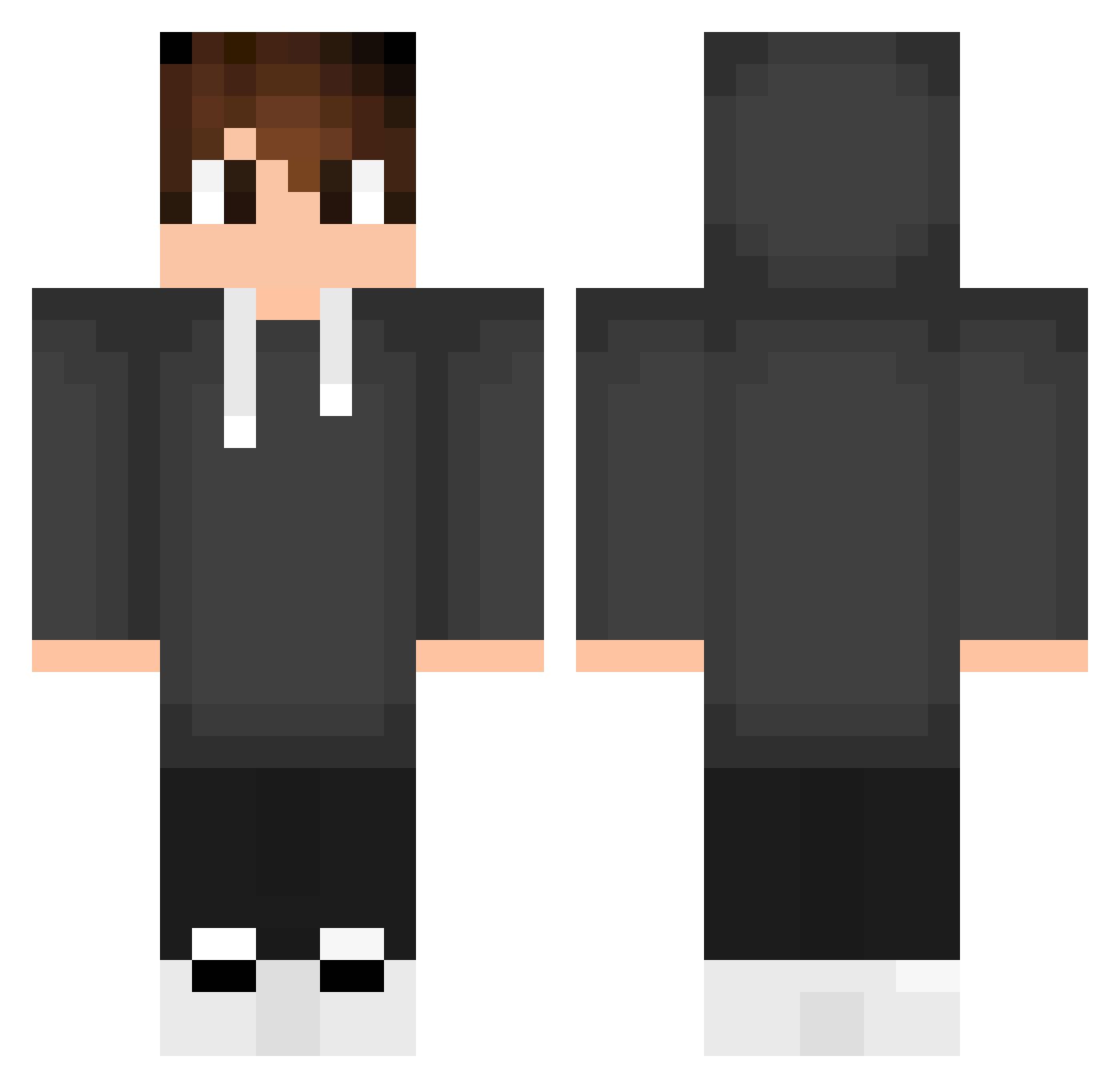
Current Minecraft skin of the player Crofoso, loaded from the official Mojang API. Rotate the 3D model with your mouse or finger, then download the skin as a PNG file and use it in Minecraft: Bedrock Edition or Java Edition for free. When Crofoso changes their skin, this page updates automatically and the old skin stays in the history below.
Other players with this skin (554)
Crofoso was the 324th player we have seen with this skin, first spotted on 30.09.2026. The same skin was seen on these players. Open a nickname to see their current skin and skin history.
 Anyways_once Roback_gm Shade_TWW Yawningnewt46 RogerSchunck tino202234 Caiox__ rarri0723 Wipsy_46 YanisFPV AlexBrub TaldoViny ViLKa167 Bins2lman Richi_Edo10 NoKzt2121 ELIMAXS MrWodzuk Noel2707 HoodiePocketsGuy YanzinGameplay LeO_16_ Lupa026 DawidMatak TaurusLok3001 MichRu333 Branko07 SilvioFK_ Chubiruba007 Elliottleplushot ZDZord AdiexTV GLUGLUH Vitek_Win Schnibbes Bruninbuo Raffagames Sandrinhoo_ NoNSensee_ FanzyStore Alveragon zLordPvPz ramolot1 IleraMars Pro_Mannan KingOfLuiz Schnabule _Nemesis_1 Dafko21 iryh BILLDOZERGAMING Prahi_Gaming Seisi104 AndsonSS Mojiw98 JOAOCAMISA SanWe12 gaiposo dSaant Suxfian
How to install the Crofoso skin
- Press the Download button above to save the skin as a PNG file.
- Minecraft: Bedrock Edition (PE): open the Dressing Room from the main menu (or tap your character → Edit Character), go to Classic Skins → Owned, press the + (new skin) button, choose the downloaded PNG and pick the Classic (Steve) model. Works on PC and mobile; consoles cannot import custom skins.
- Minecraft: Java Edition: open the Minecraft Launcher, go to the Skins tab, click New Skin, load the PNG, pick the Classic (Steve) model and press Save & Use. You can also upload it at minecraft.net → Profile → Change Skin.
The skin does not show up after import - what should I do?
Restart Minecraft and open the Dressing Room again - imported skins sometimes appear only after a restart. Also make sure you selected the imported skin and picked the Classic (Steve) model.
Which model should I choose, Classic or Slim?
This skin is designed for the Classic (Steve) model. If you pick the wrong model, the arms of the skin will look stretched or squeezed.
Is the skin of Crofoso free to download?
Yes. Press Download, save the PNG file and use it in Minecraft: Bedrock Edition or Java Edition - no payment or registration needed. The skin also works on multiplayer servers and Realms.
More skins
Looking for more? Go back to all Minecraft skins and check the top skins of the week, month and all time, or find any player's skin by nickname.