
CrispyPinaple - Minecraft Skins & Skin History
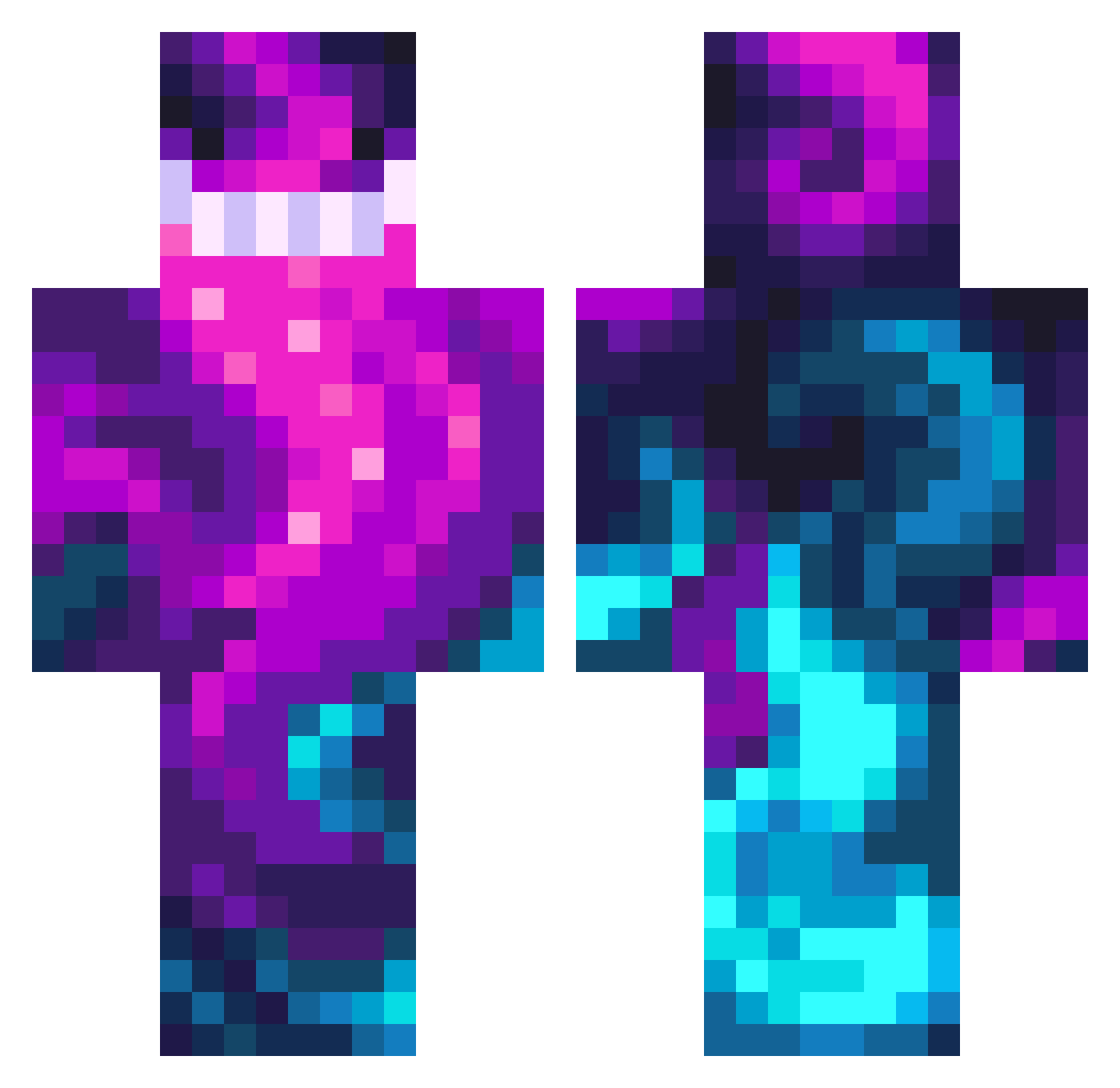
Current Minecraft skin of the player CrispyPinaple, loaded from the official Mojang API. Rotate the 3D model with your mouse or finger, then download the skin as a PNG file and use it in Minecraft: Bedrock Edition or Java Edition for free. When CrispyPinaple changes their skin, this page updates automatically and the old skin stays in the history below.
Other players with this skin (476)
CrispyPinaple was the 18th player we have seen with this skin, first spotted on 29.07.2026. The same skin was seen on these players. Open a nickname to see their current skin and skin history.
 ChungusVader jonniebebe Nebulachor 20zentimeter Fl00fyDergen popek12ham krissu93 aviater11 Phaqqz KotenEdit WarierOwl257333 matichhh xBigChin Sjend18 TheWarrens TheBlue2729 El_Heku Shadowbones107 Speed1337 SoccerJacob0328 Steam828 Emilzock Cosmic596 lonesomee EliteShadow01 CarlosZure xTaleE StatedWall ASTROXD2468 DMADNN Asviriol _OnlyK_ Imala_07 jetamtavroh Pambiz pointer087 AleeUwUr _li3ny_ NolanKunz DennisLovesDoors SnuggleStrugglee Symex7 L0UiY __TIGA Yan_vv VictorDlc2 call_me_luca Johnnyp123434 Babycakes1019 BigPapiBean55 zi0nix TuckTheTruck Cinis1511 Shadowwa1ker07 Alpin212 roguiesaurus NukaPork YANGJINLONG520 BobbyBango SimplifyTv
How to install the CrispyPinaple skin
- Press the Download button above to save the skin as a PNG file.
- Minecraft: Bedrock Edition (PE): open the Dressing Room from the main menu (or tap your character → Edit Character), go to Classic Skins → Owned, press the + (new skin) button, choose the downloaded PNG and pick the Classic (Steve) model. Works on PC and mobile; consoles cannot import custom skins.
- Minecraft: Java Edition: open the Minecraft Launcher, go to the Skins tab, click New Skin, load the PNG, pick the Classic (Steve) model and press Save & Use. You can also upload it at minecraft.net → Profile → Change Skin.
The skin does not show up after import - what should I do?
Restart Minecraft and open the Dressing Room again - imported skins sometimes appear only after a restart. Also make sure you selected the imported skin and picked the Classic (Steve) model.
Which model should I choose, Classic or Slim?
This skin is designed for the Classic (Steve) model. If you pick the wrong model, the arms of the skin will look stretched or squeezed.
Is the skin of CrispyPinaple free to download?
Yes. Press Download, save the PNG file and use it in Minecraft: Bedrock Edition or Java Edition - no payment or registration needed. The skin also works on multiplayer servers and Realms.
More skins
Looking for more? Go back to all Minecraft skins and check the top skins of the week, month and all time, or find any player's skin by nickname.