
Criimsia - Minecraft Skins & Skin History
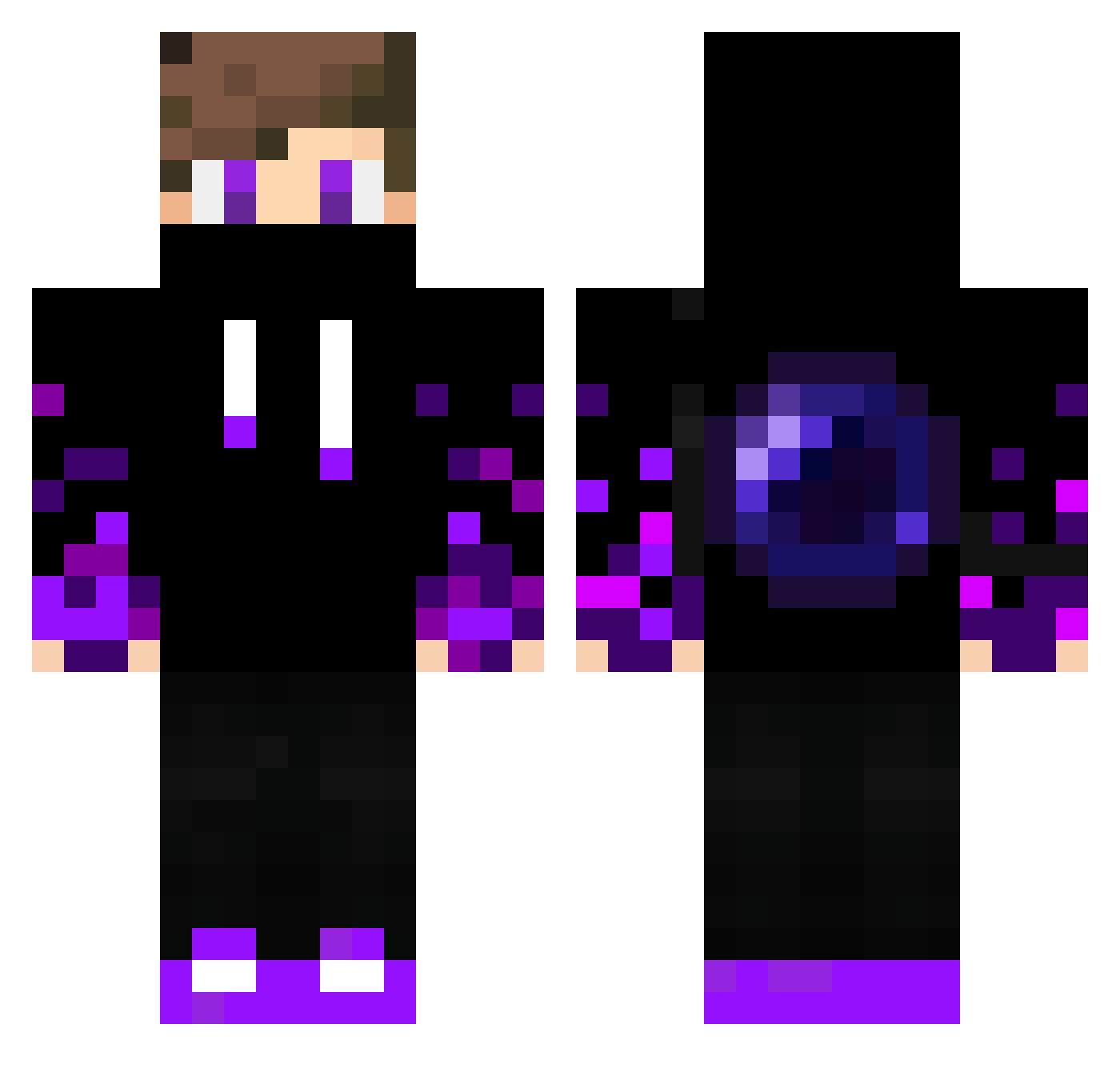
Current Minecraft skin of the player Criimsia, loaded from the official Mojang API. Rotate the 3D model with your mouse or finger, then download the skin as a PNG file and use it in Minecraft: Bedrock Edition or Java Edition for free. When Criimsia changes their skin, this page updates automatically and the old skin stays in the history below.
Other players with this skin (330)
Criimsia was the 223rd player we have seen with this skin, first spotted on 03.10.2026. The same skin was seen on these players. Open a nickname to see their current skin and skin history.
 pmhh SeiRai0604 Umtaudelucas nefrty56 truck91 Slendercraft05 Krissoo none_fire PumaFelix Riverfain CanonBleu Frecciaazzurra07 EddyILMagnifico The_Anni_Gamer _Yitrox_ cseyz Zayapo ZmanLUL Tiaguin665 borrdness Flyxnow EZRyder17 AlejoRM WriterDK antoine4428 Breek600 Marki2015 Katchopp kittyray eojini2008 Alisson1224 SoulOfFire Bachira09 xdphillipxxd DeenXD XxBLEEDxX Towkan S0ftcream kevinxiehk a1_musti Cark1c asataasata12345 I_tacos SimWexx Matthias1048 Delta0422 ZghostTMS Rimray AyyBoob Bertil_ JoJoN12 Stegi2012 Ecake Liestay0 Puma57911 nawaf200111 dark_GamesYT DaangSon260 mizuki085 Alex3967
More Ender Pearl Minecraft skins
How to install the Criimsia skin
- Press the Download button above to save the skin as a PNG file.
- Minecraft: Bedrock Edition (PE): open the Dressing Room from the main menu (or tap your character → Edit Character), go to Classic Skins → Owned, press the + (new skin) button, choose the downloaded PNG and pick the Classic (Steve) model. Works on PC and mobile; consoles cannot import custom skins.
- Minecraft: Java Edition: open the Minecraft Launcher, go to the Skins tab, click New Skin, load the PNG, pick the Classic (Steve) model and press Save & Use. You can also upload it at minecraft.net → Profile → Change Skin.
The skin does not show up after import - what should I do?
Restart Minecraft and open the Dressing Room again - imported skins sometimes appear only after a restart. Also make sure you selected the imported skin and picked the Classic (Steve) model.
Which model should I choose, Classic or Slim?
This skin is designed for the Classic (Steve) model. If you pick the wrong model, the arms of the skin will look stretched or squeezed.
Is the skin of Criimsia free to download?
Yes. Press Download, save the PNG file and use it in Minecraft: Bedrock Edition or Java Edition - no payment or registration needed. The skin also works on multiplayer servers and Realms.
More skins
Looking for more? Go back to all Minecraft skins and check the top skins of the week, month and all time, or find any player's skin by nickname.