
Crazypenguin890 - Minecraft Skins & Skin History
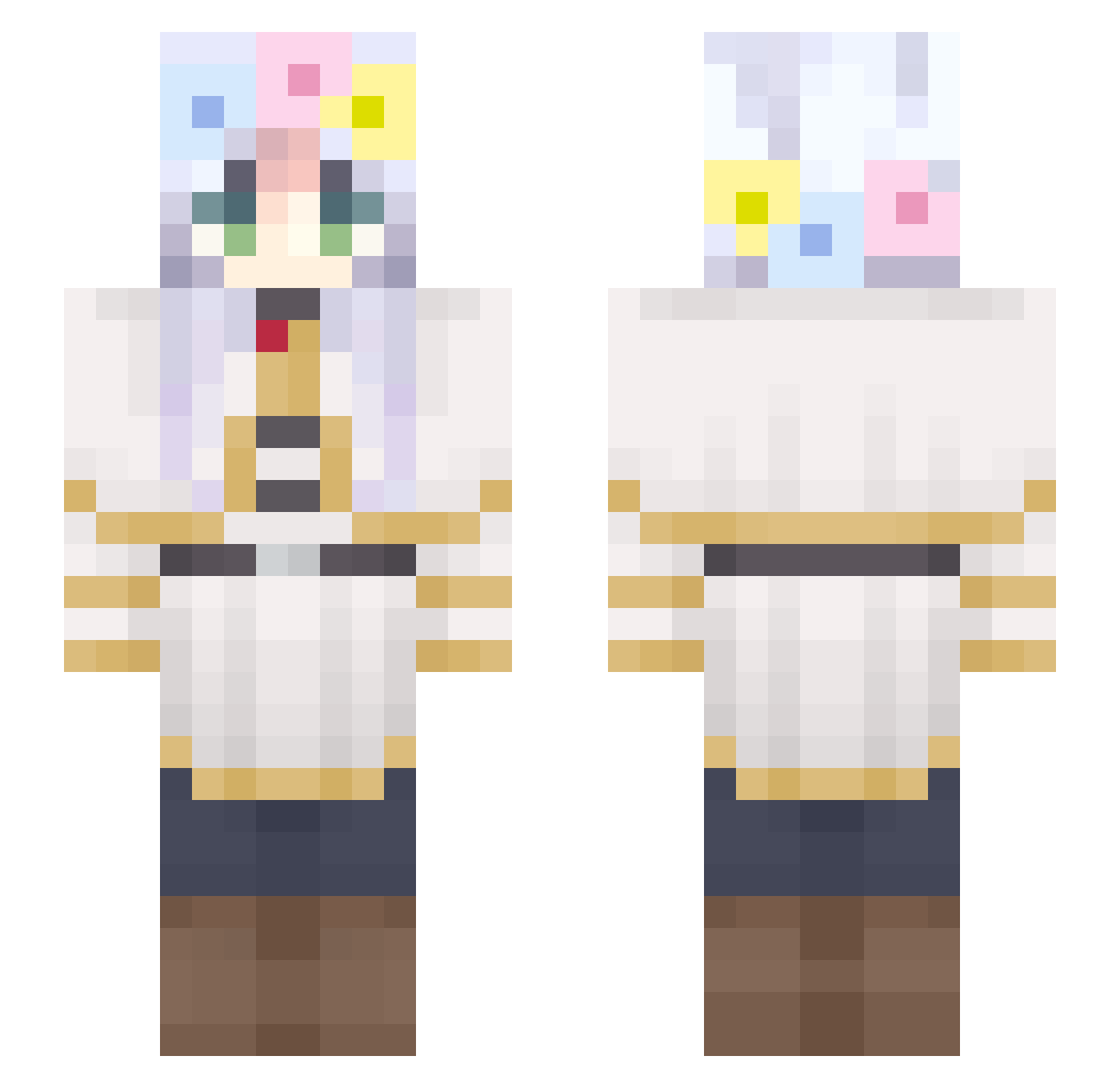
Current Minecraft skin of the player Crazypenguin890, loaded from the official Mojang API. Rotate the 3D model with your mouse or finger, then download the skin as a PNG file and use it in Minecraft: Bedrock Edition or Java Edition for free. When Crazypenguin890 changes their skin, this page updates automatically and the old skin stays in the history below.
Other players with this skin (267)
Crazypenguin890 was the 195th player we have seen with this skin, first spotted on 28.09.2026. The same skin was seen on these players. Open a nickname to see their current skin and skin history.
 DecafMatchaLatte Pixel_Geist BANTORI ZergVeron EsperQQ MaylineUwU Arielism Mega_winter LameJames5 ramarist Its_Ayanokoji nightamdsun Yanlin666 raiiweii studiousmexican liliesss mihuandie nessako FunnyFizz senseireal CelticNight01 ldcot poromaru Mindcrafy101 pfticy x3w2 luaxv matchii_melody Livka_06 SatoshiKitsune manafairy ooo654 wadp Alwaysalone2903 Mckst06 NEREVAR117 Ozazaaa _SuperSnake_ Hyeonugi02 zTck MrVanika JellyBin815 ssgblw ennx12 0715kosuke Hoangsito Eluziate the_comer vishmha wnso3o LevieMelonowe Mich0828 reginix9 shishishi87 Comtemplate Chu_rieren otmy Juninz Binnyang rnaple8672
More Flower Crown Minecraft skins
See all 3094 Flower Crown skins
How to install the Crazypenguin890 skin
- Press the Download button above to save the skin as a PNG file.
- Minecraft: Bedrock Edition (PE): open the Dressing Room from the main menu (or tap your character → Edit Character), go to Classic Skins → Owned, press the + (new skin) button, choose the downloaded PNG and pick the Slim (Alex) model. Works on PC and mobile; consoles cannot import custom skins.
- Minecraft: Java Edition: open the Minecraft Launcher, go to the Skins tab, click New Skin, load the PNG, pick the Slim (Alex) model and press Save & Use. You can also upload it at minecraft.net → Profile → Change Skin.
The skin does not show up after import - what should I do?
Restart Minecraft and open the Dressing Room again - imported skins sometimes appear only after a restart. Also make sure you selected the imported skin and picked the Slim (Alex) model.
Which model should I choose, Classic or Slim?
This skin is designed for the Slim (Alex) model. If you pick the wrong model, the arms of the skin will look stretched or squeezed.
Is the skin of Crazypenguin890 free to download?
Yes. Press Download, save the PNG file and use it in Minecraft: Bedrock Edition or Java Edition - no payment or registration needed. The skin also works on multiplayer servers and Realms.
More skins
Looking for more? Go back to all Minecraft skins and check the top skins of the week, month and all time, or find any player's skin by nickname.