
CrazyPenguin32 - Minecraft Skins & Skin History
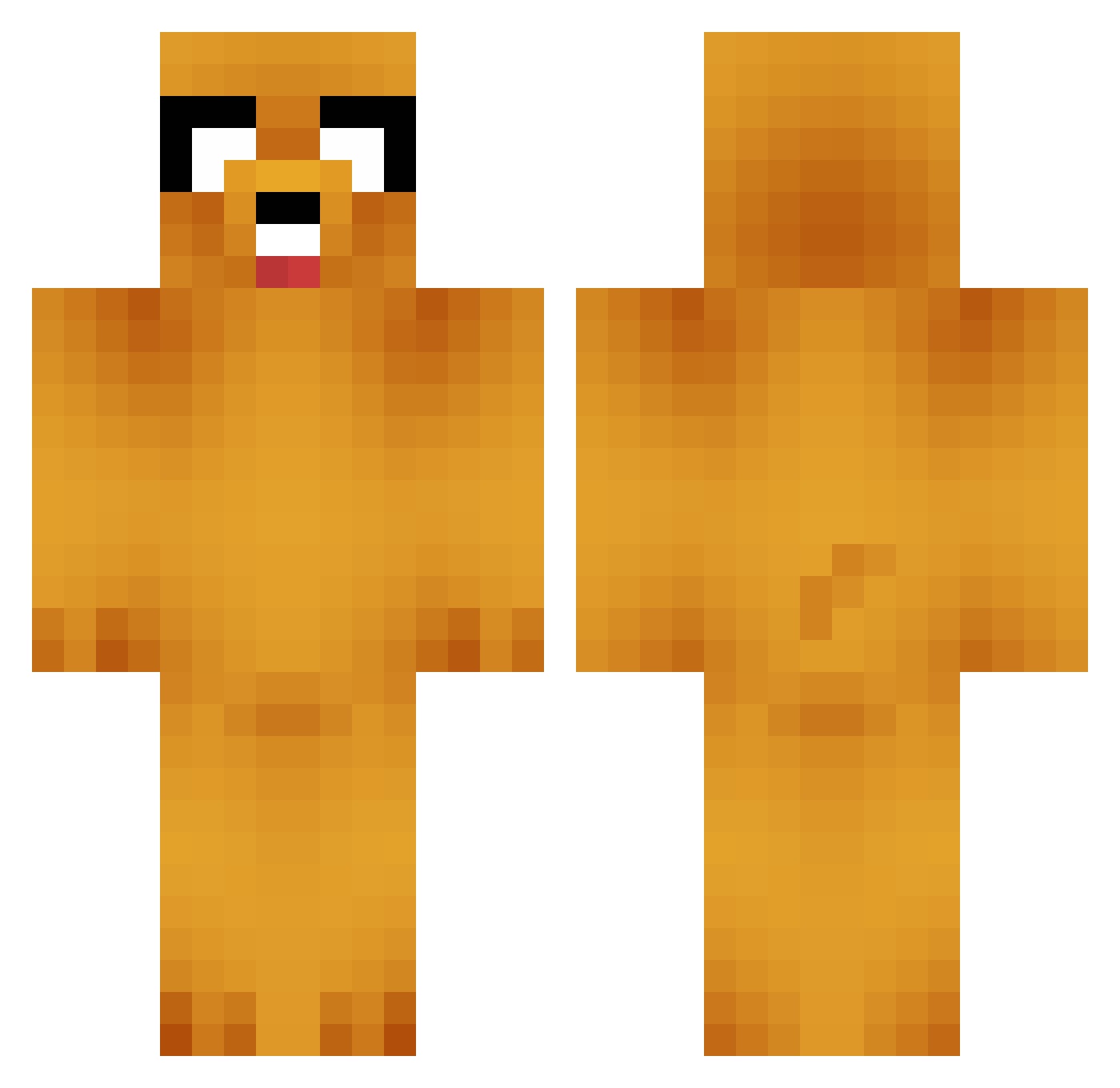
Current Minecraft skin of the player CrazyPenguin32, loaded from the official Mojang API. Rotate the 3D model with your mouse or finger, then download the skin as a PNG file and use it in Minecraft: Bedrock Edition or Java Edition for free. When CrazyPenguin32 changes their skin, this page updates automatically and the old skin stays in the history below.
Other players with this skin (664)
CrazyPenguin32 was the 80th player we have seen with this skin, first spotted on 04.08.2026. The same skin was seen on these players. Open a nickname to see their current skin and skin history.
 TheKizzo pazuzas clinbox Klusterish Jaydog8408 Walijay PapITone Logan_92 Sxrty Honey8323 bumsyndrome Jakef07 moon9021 _Davidof_ kamasupraXD h_hymin Ldwnmsl7414 danipg20 Specer SamGeers Daddo_ AntZilla111 3KM_XiaoChen_L ggeorgge MatiasVocos scoopwoop woo_0813 RainbowRiser Homing_03 phirixus Chad824 secyGuy 0TES0 GodpraysforMe Jartone Dirthra jongha511 madziaa121 osoa0606 Gomnasha sokita16 sorrymygood zome321 Missoin Spoiingus MineKev13 gunhee8902 Sir_Saucelord LostWay Diego97f Christina0407 xcamcor Bulgyo Guid04 datboisrael Senseipablo camina_peene SungHH00 LeJiKeum PAPA_Silence
More Jake Minecraft skins
How to install the CrazyPenguin32 skin
- Press the Download button above to save the skin as a PNG file.
- Minecraft: Bedrock Edition (PE): open the Dressing Room from the main menu (or tap your character → Edit Character), go to Classic Skins → Owned, press the + (new skin) button, choose the downloaded PNG and pick the Classic (Steve) model. Works on PC and mobile; consoles cannot import custom skins.
- Minecraft: Java Edition: open the Minecraft Launcher, go to the Skins tab, click New Skin, load the PNG, pick the Classic (Steve) model and press Save & Use. You can also upload it at minecraft.net → Profile → Change Skin.
The skin does not show up after import - what should I do?
Restart Minecraft and open the Dressing Room again - imported skins sometimes appear only after a restart. Also make sure you selected the imported skin and picked the Classic (Steve) model.
Which model should I choose, Classic or Slim?
This skin is designed for the Classic (Steve) model. If you pick the wrong model, the arms of the skin will look stretched or squeezed.
Is the skin of CrazyPenguin32 free to download?
Yes. Press Download, save the PNG file and use it in Minecraft: Bedrock Edition or Java Edition - no payment or registration needed. The skin also works on multiplayer servers and Realms.
More skins
Looking for more? Go back to all Minecraft skins and check the top skins of the week, month and all time, or find any player's skin by nickname.