
CrazyClownKing - Minecraft Skins & Skin History
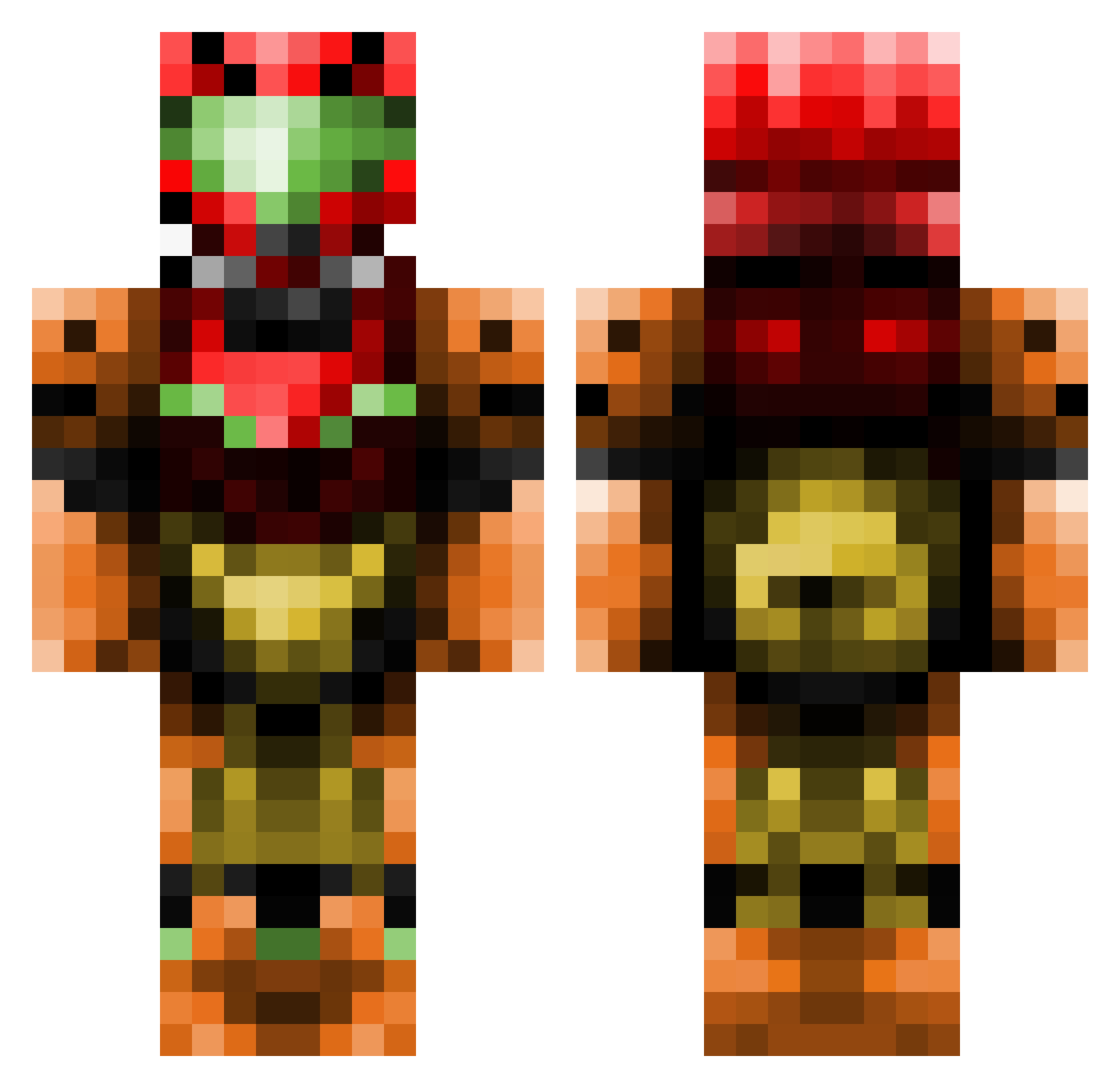
Current Minecraft skin of the player CrazyClownKing, loaded from the official Mojang API. Rotate the 3D model with your mouse or finger, then download the skin as a PNG file and use it in Minecraft: Bedrock Edition or Java Edition for free. When CrazyClownKing changes their skin, this page updates automatically and the old skin stays in the history below.
Other players with this skin (437)
CrazyClownKing was the 395th player we have seen with this skin, first spotted on 24.10.2026. The same skin was seen on these players. Open a nickname to see their current skin and skin history.
 DEEP_X ExplodingCandy tomjam12 hydromage DECO485 ParagonMercenary Xaeriv Napalmnuke25 Ph1l1pMine GuyFromPetsmart SIXminWHISTLE wicked_ender ch0msky__ DaveRuth iSleeezy patrilium DillyDog2 SalvagersCode StakOverflow cumsicle69 MPThreeee Manubiwan wheldrake2 RunescapeXD thesnomonster Mirage22 julienylp oea777 x9BoltAction6x sh4dow2801 kachupyn KuuchieNutz Rihksis SensualBagel sirretnuh IDC32 HandStar HazyBrilliance mindovermatter1 El_Diablo793 Xaero252 sthendel deftghost28 gogo05 FightingReality Mirucai destructo285 Thudd224 Mysterias42 UncleCollo triple_nipple1 Sergy951 ZuMb1E mustard100 Kazzorak DrtyMikeNBoyz Rennaku MAD_HAMMISH mytrademark Finntheher0
More Samus Aran Minecraft skins
How to install the CrazyClownKing skin
- Press the Download button above to save the skin as a PNG file.
- Minecraft: Bedrock Edition (PE): open the Dressing Room from the main menu (or tap your character → Edit Character), go to Classic Skins → Owned, press the + (new skin) button, choose the downloaded PNG and pick the Classic (Steve) model. Works on PC and mobile; consoles cannot import custom skins.
- Minecraft: Java Edition: open the Minecraft Launcher, go to the Skins tab, click New Skin, load the PNG, pick the Classic (Steve) model and press Save & Use. You can also upload it at minecraft.net → Profile → Change Skin.
The skin does not show up after import - what should I do?
Restart Minecraft and open the Dressing Room again - imported skins sometimes appear only after a restart. Also make sure you selected the imported skin and picked the Classic (Steve) model.
Which model should I choose, Classic or Slim?
This skin is designed for the Classic (Steve) model. If you pick the wrong model, the arms of the skin will look stretched or squeezed.
Is the skin of CrazyClownKing free to download?
Yes. Press Download, save the PNG file and use it in Minecraft: Bedrock Edition or Java Edition - no payment or registration needed. The skin also works on multiplayer servers and Realms.
More skins
Looking for more? Go back to all Minecraft skins and check the top skins of the week, month and all time, or find any player's skin by nickname.