
Crayshield01 - Minecraft Skins & Skin History
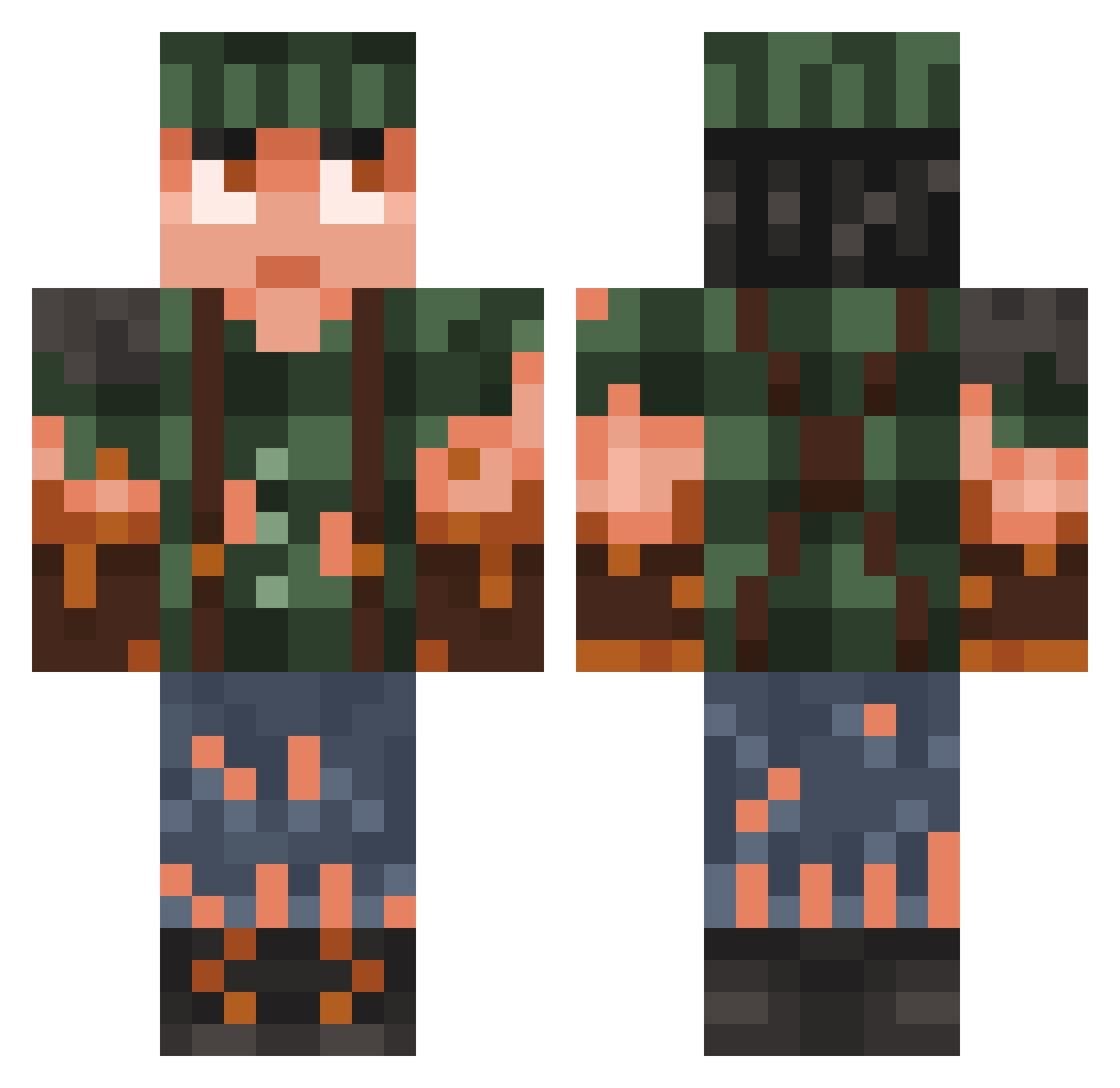
Current Minecraft skin of the player Crayshield01, loaded from the official Mojang API. Rotate the 3D model with your mouse or finger, then download the skin as a PNG file and use it in Minecraft: Bedrock Edition or Java Edition for free. When Crayshield01 changes their skin, this page updates automatically and the old skin stays in the history below.
Other players with this skin (781)
Crayshield01 was the 738th player we have seen with this skin, first spotted on 18.10.2026. The same skin was seen on these players. Open a nickname to see their current skin and skin history.
 DaniBanani1234 SeaFlounder1782 ThEbEan1552 WillMo2014 NicoZz737 Voinic CowardlyP1mp fsdfasdf GNAAAR Geargrinder97 MSkywalker gael7777 staigerd mintivy KenKWS Tomas999 Tommatic GAMISG SleiFever JakeTheSsnake9 LuckyLuis16 DAVID_DURO Whiteowl801 0tz1 Lemylol123 Bails_4 Lucasllj44 Floppy_911 Tchoupi974 uxxz ussopa barryblop Xerji SaedDayo mythicalbowman JackPlaysMC02 Jvasquez01 kurt73d MightyMax01 wh1t3b0y5 AmandaBureca RosarioZZ TyphlOwO Phantastix jblack23 Rytmind maxvertappen 1Daviskidsgaming DaedricDT femmboy4ik22 GamerBoy172012 Deha7e SaltyMan007 Guscuto Jarvey__ Headgrinder677 Lancelan TheDailyAux LZ_Flashy Lsh25
More Survivor Minecraft skins
How to install the Crayshield01 skin
- Press the Download button above to save the skin as a PNG file.
- Minecraft: Bedrock Edition (PE): open the Dressing Room from the main menu (or tap your character → Edit Character), go to Classic Skins → Owned, press the + (new skin) button, choose the downloaded PNG and pick the Classic (Steve) model. Works on PC and mobile; consoles cannot import custom skins.
- Minecraft: Java Edition: open the Minecraft Launcher, go to the Skins tab, click New Skin, load the PNG, pick the Classic (Steve) model and press Save & Use. You can also upload it at minecraft.net → Profile → Change Skin.
The skin does not show up after import - what should I do?
Restart Minecraft and open the Dressing Room again - imported skins sometimes appear only after a restart. Also make sure you selected the imported skin and picked the Classic (Steve) model.
Which model should I choose, Classic or Slim?
This skin is designed for the Classic (Steve) model. If you pick the wrong model, the arms of the skin will look stretched or squeezed.
Is the skin of Crayshield01 free to download?
Yes. Press Download, save the PNG file and use it in Minecraft: Bedrock Edition or Java Edition - no payment or registration needed. The skin also works on multiplayer servers and Realms.
More skins
Looking for more? Go back to all Minecraft skins and check the top skins of the week, month and all time, or find any player's skin by nickname.