
Craxxz - Minecraft Skins & Skin History
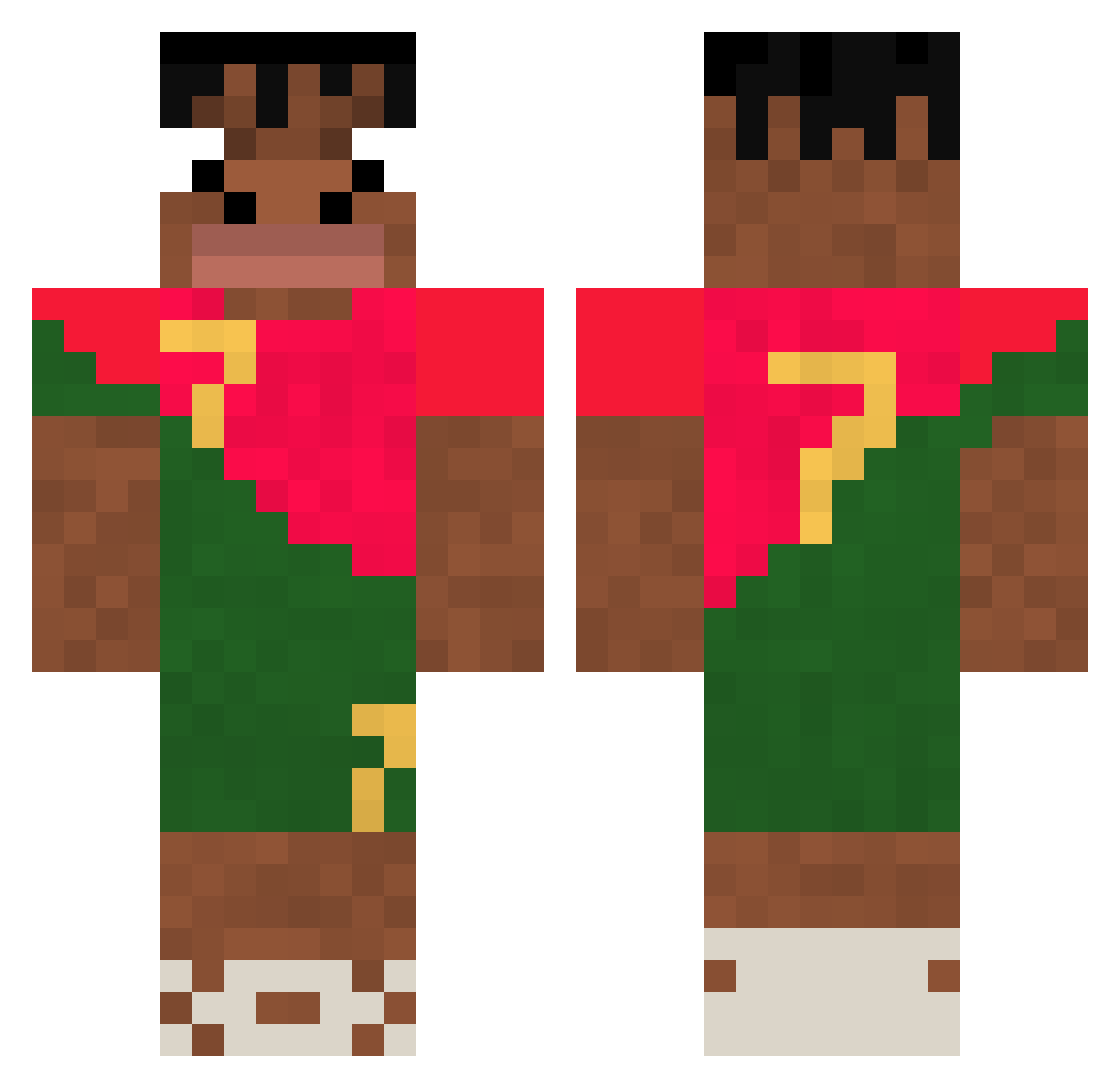
Current Minecraft skin of the player Craxxz, loaded from the official Mojang API. Rotate the 3D model with your mouse or finger, then download the skin as a PNG file and use it in Minecraft: Bedrock Edition or Java Edition for free. When Craxxz changes their skin, this page updates automatically and the old skin stays in the history below.
Other players with this skin (307)
Craxxz was the 250th player we have seen with this skin, first spotted on 17.10.2026. The same skin was seen on these players. Open a nickname to see their current skin and skin history.
 SkibidiSebo TheSixEyes Dreambigboy Tkooecho Auraii_joestar Thomi31 123wx cha_der dohyeon0722 snoozuhh marega27 Aizanke Ohahahah PEPIN7 missednebula YoWutDaCatDoin vjetz Isfover BaconFlex11 joaco2790 hm772 bvcket ULTIMATEJETRAY2 xAirSoldier Gasparweo Savdeck Jonathanjuul dardulau10 jjtaylor393 Digel24 ericc08 BenBen5 MFlexing duncan_yau bigawesomeapples j4siupl BrutalSigma rtdawg Zsiraf Matinur Allancartoon Uzii95 carcagoat il2008 juneee0716 TAMCO08 CostaBanana08 LynthisLeGlouton Connor_h17 Pathco SHEDINJALT Alexus10 tonguelash DeyZikz BaggyPluto34328 montagal gabrie_59 BG_PlatanoPito Korda99 whghdwns
More Portugal Minecraft skins
How to install the Craxxz skin
- Press the Download button above to save the skin as a PNG file.
- Minecraft: Bedrock Edition (PE): open the Dressing Room from the main menu (or tap your character → Edit Character), go to Classic Skins → Owned, press the + (new skin) button, choose the downloaded PNG and pick the Classic (Steve) model. Works on PC and mobile; consoles cannot import custom skins.
- Minecraft: Java Edition: open the Minecraft Launcher, go to the Skins tab, click New Skin, load the PNG, pick the Classic (Steve) model and press Save & Use. You can also upload it at minecraft.net → Profile → Change Skin.
The skin does not show up after import - what should I do?
Restart Minecraft and open the Dressing Room again - imported skins sometimes appear only after a restart. Also make sure you selected the imported skin and picked the Classic (Steve) model.
Which model should I choose, Classic or Slim?
This skin is designed for the Classic (Steve) model. If you pick the wrong model, the arms of the skin will look stretched or squeezed.
Is the skin of Craxxz free to download?
Yes. Press Download, save the PNG file and use it in Minecraft: Bedrock Edition or Java Edition - no payment or registration needed. The skin also works on multiplayer servers and Realms.
More skins
Looking for more? Go back to all Minecraft skins and check the top skins of the week, month and all time, or find any player's skin by nickname.