
CraftMiine - Minecraft Skins & Skin History
Current Minecraft skin of the player CraftMiine, loaded from the official Mojang API. Rotate the 3D model with your mouse or finger, then download the skin as a PNG file and use it in Minecraft: Bedrock Edition or Java Edition for free. When CraftMiine changes their skin, this page updates automatically and the old skin stays in the history below.

Other players with this skin (11571)
CraftMiine was the 2808th player we have seen with this skin, first spotted on 18.08.2026. The same skin was seen on these players. Open a nickname to see their current skin and skin history.
 mars282lucky WalterWhiteIRL
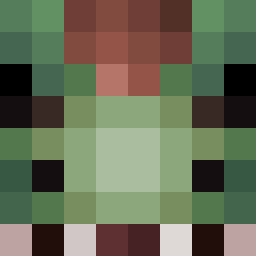 ShovelKnight566 Abou_7med JuanD4rk
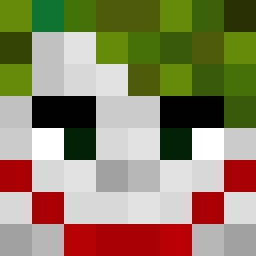 FiveTap Mralex69 FRND_ tacoeater5679 ohlqw CieniuGame kolezka
 Bat_Nat NOI_CPVP Joe_B_29 six0g13 sakepoke
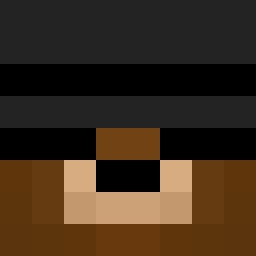 Gamer_Miko15 9nta dvzaazai Cryal Temperufka_ EwMaaan FortnitePro2006 Garfieldbeguette nikosdk arda26pro BeoVogel yuseong_ th3r0achy
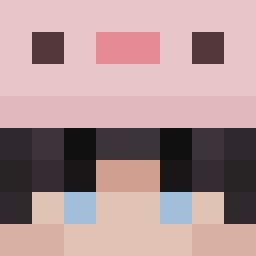 Nuckiko Dynalight
 GiulyCorno Avsia4 MrJewlio InesLe Nelaxx xMaUrOx xabonano
 marpompa italiano20
 StuckBaton4536 tortillachips00 shapelessleaf Senamii OKJonnie zhargmc Niconstruct AngryKitten1876 Metalkk Notwantedbyfbi MrJotaJota shykimchi clemeeee17 LaeYoung09 denismihai15 _mayonez_ SneezeMagazine Kostyanchek
 ZebYT
ZebYTHow to install the CraftMiine skin
- Press the Download button above to save the skin as a PNG file.
- Minecraft: Bedrock Edition (PE): open the Dressing Room from the main menu (or tap your character → Edit Character), go to Classic Skins → Owned, press the + (new skin) button, choose the downloaded PNG and pick the Classic (Steve) model. Works on PC and mobile; consoles cannot import custom skins.
- Minecraft: Java Edition: open the Minecraft Launcher, go to the Skins tab, click New Skin, load the PNG, pick the Classic (Steve) model and press Save & Use. You can also upload it at minecraft.net → Profile → Change Skin.
The skin does not show up after import - what should I do?
Restart Minecraft and open the Dressing Room again - imported skins sometimes appear only after a restart. Also make sure you selected the imported skin and picked the Classic (Steve) model.
Which model should I choose, Classic or Slim?
This skin is designed for the Classic (Steve) model. If you pick the wrong model, the arms of the skin will look stretched or squeezed.
Is the skin of CraftMiine free to download?
Yes. Press Download, save the PNG file and use it in Minecraft: Bedrock Edition or Java Edition - no payment or registration needed. The skin also works on multiplayer servers and Realms.
More skins
Looking for more? Go back to all Minecraft skins and check the top skins of the week, month and all time, or find any player's skin by nickname.