
Countslime - Minecraft Skins & Skin History
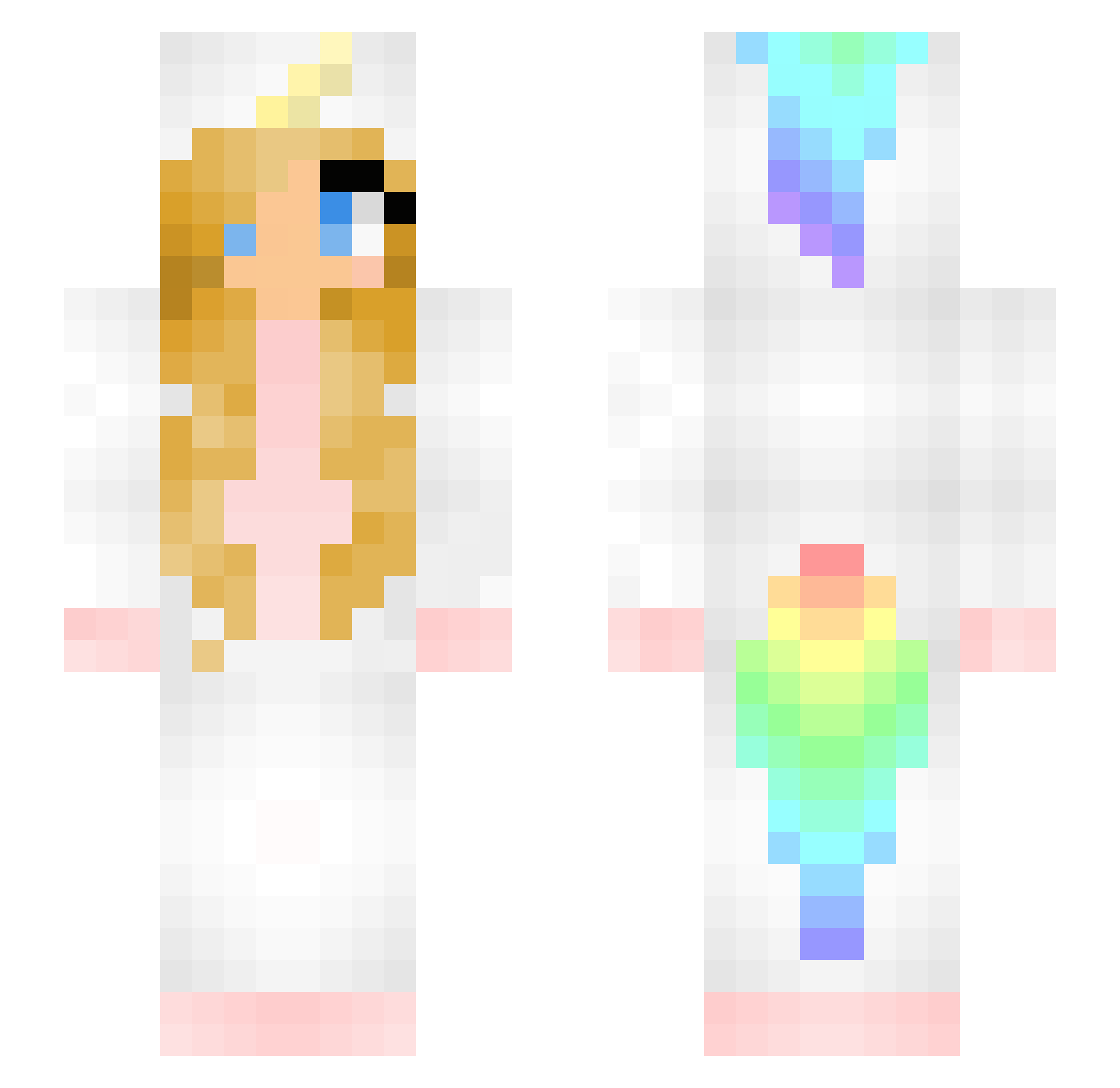
Current Minecraft skin of the player Countslime, loaded from the official Mojang API. Rotate the 3D model with your mouse or finger, then download the skin as a PNG file and use it in Minecraft: Bedrock Edition or Java Edition for free. When Countslime changes their skin, this page updates automatically and the old skin stays in the history below.
Other players with this skin (165)
Countslime was the 106th player we have seen with this skin, first spotted on 30.09.2026. The same skin was seen on these players. Open a nickname to see their current skin and skin history.
 J64579 Mushuu01 Lotte1720 UniOnEarth EuanAP L3pardi prizill91 Danni_CK Unicornkid9 SharkJoJo BaphyIsLove Crane_Lawliet HiroSan404 Qinlen Antisocialcat09 Pridefulgolf34 TeenageDirtbag13 darkangel5506 ESY2003 GabenElite Aluuucia RatchetRat walsh2043 MeLiponax3 Tindris55 mc_luoye520 rabbittstew SuperAve10 hanneuhh MaoChengCheng UnicornsAreGreat IzNaw Glow_Worm01 AluoSweet Loveli1224 Cyria1989 Bad_Bunny_girl shonalba9 HappyKidsFO Lucky_funny 1amM0nke3 Phantom_Ghosts Quan_Cifang _EmilyPlayz_ greeN_Burst SweetBite91 NellieBelly Silvertyed iiiilllliiiill Nelemaus maikmantis Pure_Love_God LemonTurtle Leonis_zZ maigoko linabrant LazoRlta jari5524 LingGuu Monicorn11
More Unicorn Minecraft skins
How to install the Countslime skin
- Press the Download button above to save the skin as a PNG file.
- Minecraft: Bedrock Edition (PE): open the Dressing Room from the main menu (or tap your character → Edit Character), go to Classic Skins → Owned, press the + (new skin) button, choose the downloaded PNG and pick the Slim (Alex) model. Works on PC and mobile; consoles cannot import custom skins.
- Minecraft: Java Edition: open the Minecraft Launcher, go to the Skins tab, click New Skin, load the PNG, pick the Slim (Alex) model and press Save & Use. You can also upload it at minecraft.net → Profile → Change Skin.
The skin does not show up after import - what should I do?
Restart Minecraft and open the Dressing Room again - imported skins sometimes appear only after a restart. Also make sure you selected the imported skin and picked the Slim (Alex) model.
Which model should I choose, Classic or Slim?
This skin is designed for the Slim (Alex) model. If you pick the wrong model, the arms of the skin will look stretched or squeezed.
Is the skin of Countslime free to download?
Yes. Press Download, save the PNG file and use it in Minecraft: Bedrock Edition or Java Edition - no payment or registration needed. The skin also works on multiplayer servers and Realms.
More skins
Looking for more? Go back to all Minecraft skins and check the top skins of the week, month and all time, or find any player's skin by nickname.