
Count_Califax - Minecraft Skins & Skin History
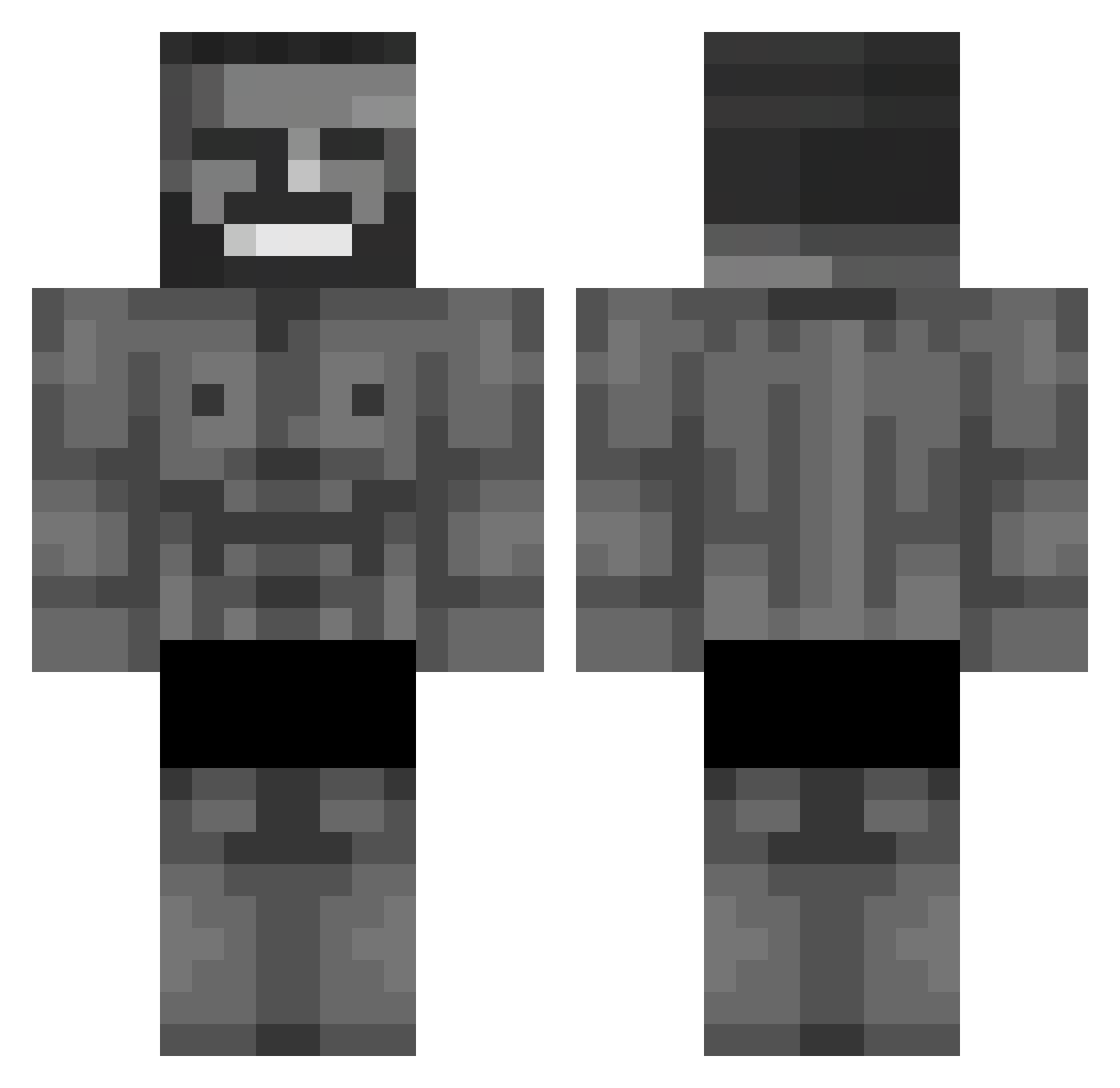
Current Minecraft skin of the player Count_Califax, loaded from the official Mojang API. Rotate the 3D model with your mouse or finger, then download the skin as a PNG file and use it in Minecraft: Bedrock Edition or Java Edition for free. When Count_Califax changes their skin, this page updates automatically and the old skin stays in the history below.
Other players with this skin (652)
Count_Califax was the 172nd player we have seen with this skin, first spotted on 21.08.2026. The same skin was seen on these players. Open a nickname to see their current skin and skin history.
 Tristeza92 Xydra71 B0nf4s npmRUSH s0mthing 1gnacy_777 m3g80competition Shinesort MEMMATIBAS SCP_NeKroZz RevenHate P4NZ3RR Korte22monsta LeBoom92 bigchingling DerEwld eddysike Benzamator alire1s1 woresito Kaany24 racantarakan benSelim diamondpe catnip2851 Dartbrainy filip_kf Elijah1234567891 P0ssibility13 IvanTsm biftas blacksupermangay Skubers Negajoso ricnaut PimbaMaster BigCoconut5680 Jpteuuc Livering LushDread794559 CreeperIL2015 __KaWaII666__ sturxz PortalPath34651 yankesici31 ElderWaffles MechGamingYT bieldosreis27 MiloszBIKE DOLP11 maru_25_25 toprakcem Sakalis muptalipcxn Itz_Steve_good Goos45 Promango1 Ali_Chamenei Kotaario TheHad3s
More Gigachad Minecraft skins
How to install the Count_Califax skin
- Press the Download button above to save the skin as a PNG file.
- Minecraft: Bedrock Edition (PE): open the Dressing Room from the main menu (or tap your character → Edit Character), go to Classic Skins → Owned, press the + (new skin) button, choose the downloaded PNG and pick the Classic (Steve) model. Works on PC and mobile; consoles cannot import custom skins.
- Minecraft: Java Edition: open the Minecraft Launcher, go to the Skins tab, click New Skin, load the PNG, pick the Classic (Steve) model and press Save & Use. You can also upload it at minecraft.net → Profile → Change Skin.
The skin does not show up after import - what should I do?
Restart Minecraft and open the Dressing Room again - imported skins sometimes appear only after a restart. Also make sure you selected the imported skin and picked the Classic (Steve) model.
Which model should I choose, Classic or Slim?
This skin is designed for the Classic (Steve) model. If you pick the wrong model, the arms of the skin will look stretched or squeezed.
Is the skin of Count_Califax free to download?
Yes. Press Download, save the PNG file and use it in Minecraft: Bedrock Edition or Java Edition - no payment or registration needed. The skin also works on multiplayer servers and Realms.
More skins
Looking for more? Go back to all Minecraft skins and check the top skins of the week, month and all time, or find any player's skin by nickname.