
Corrailove - Minecraft Skins & Skin History
Current Minecraft skin of the player Corrailove, loaded from the official Mojang API. Rotate the 3D model with your mouse or finger, then download the skin as a PNG file and use it in Minecraft: Bedrock Edition or Java Edition for free. When Corrailove changes their skin, this page updates automatically and the old skin stays in the history below.
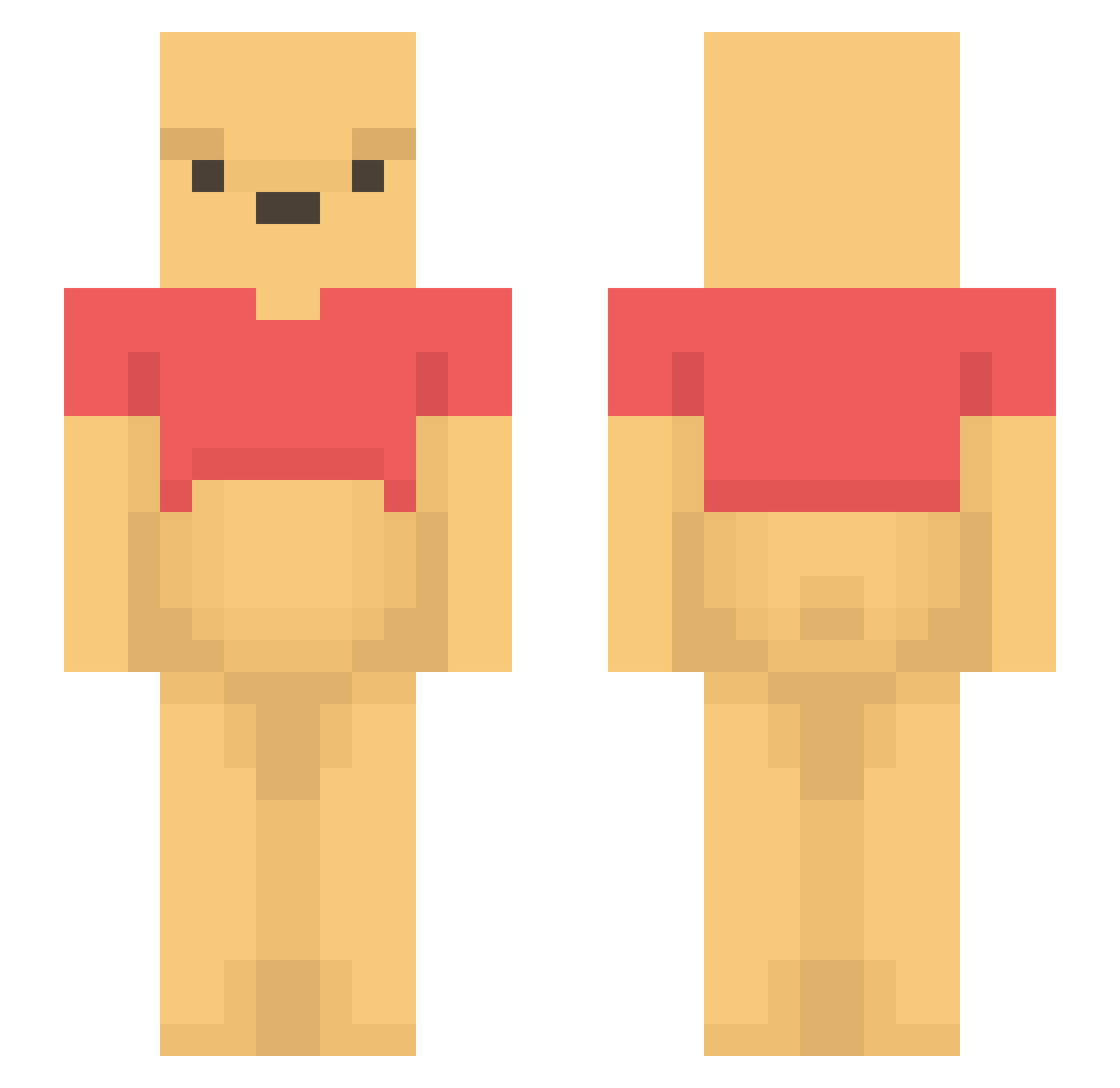
Other players with this skin (1190)
Corrailove was the 353rd player we have seen with this skin, first spotted on 21.08.2026. The same skin was seen on these players. Open a nickname to see their current skin and skin history.
 Korneriukko Remy230v muyou12 TIRASBOII bentbk mohawk97 siweini BobyUzi Player78950 Joestackers ddinchae fabicho0 soosookkan YERIN0618
 QISHIYI9 IMOKO_JPN mix_ice VexRorD Lememt courtneyleighh MissFrise 0017_gusdn DaddyWinnie flexoffender007 GaiaJanus UnPeu2Gazouz OddPooh Yuhena Momhunter1 Cervide Fischio6000 marsnabov StonyMalony013 BL00D8ORN56 DiabeFive Veru221 kennady1400 wolfkiller5132 lilydoggy04 AbdullahXII ninini1210
 Brqkes 0MARR noel_t7 iModes KungFuGanja303 TheDoctorWat jaskps Colipin Bubibjarne 5Taro_ awsomepuh vhutch1218 3Nate3 ShanMuLan SaitoLily J11009 TWCB1000RA wafelwaffel Mi1kis
Previous skins of Corrailove
Skins that Corrailove wore before, newest first. Click a skin to open its page and download it.
More Winnie The Pooh Minecraft skins
See all 305 Winnie The Pooh skins
How to install the Corrailove skin
- Press the Download button above to save the skin as a PNG file.
- Minecraft: Bedrock Edition (PE): open the Dressing Room from the main menu (or tap your character → Edit Character), go to Classic Skins → Owned, press the + (new skin) button, choose the downloaded PNG and pick the Slim (Alex) model. Works on PC and mobile; consoles cannot import custom skins.
- Minecraft: Java Edition: open the Minecraft Launcher, go to the Skins tab, click New Skin, load the PNG, pick the Slim (Alex) model and press Save & Use. You can also upload it at minecraft.net → Profile → Change Skin.
The skin does not show up after import - what should I do?
Restart Minecraft and open the Dressing Room again - imported skins sometimes appear only after a restart. Also make sure you selected the imported skin and picked the Slim (Alex) model.
Which model should I choose, Classic or Slim?
This skin is designed for the Slim (Alex) model. If you pick the wrong model, the arms of the skin will look stretched or squeezed.
Is the skin of Corrailove free to download?
Yes. Press Download, save the PNG file and use it in Minecraft: Bedrock Edition or Java Edition - no payment or registration needed. The skin also works on multiplayer servers and Realms.
More skins
Looking for more? Go back to all Minecraft skins and check the top skins of the week, month and all time, or find any player's skin by nickname.