
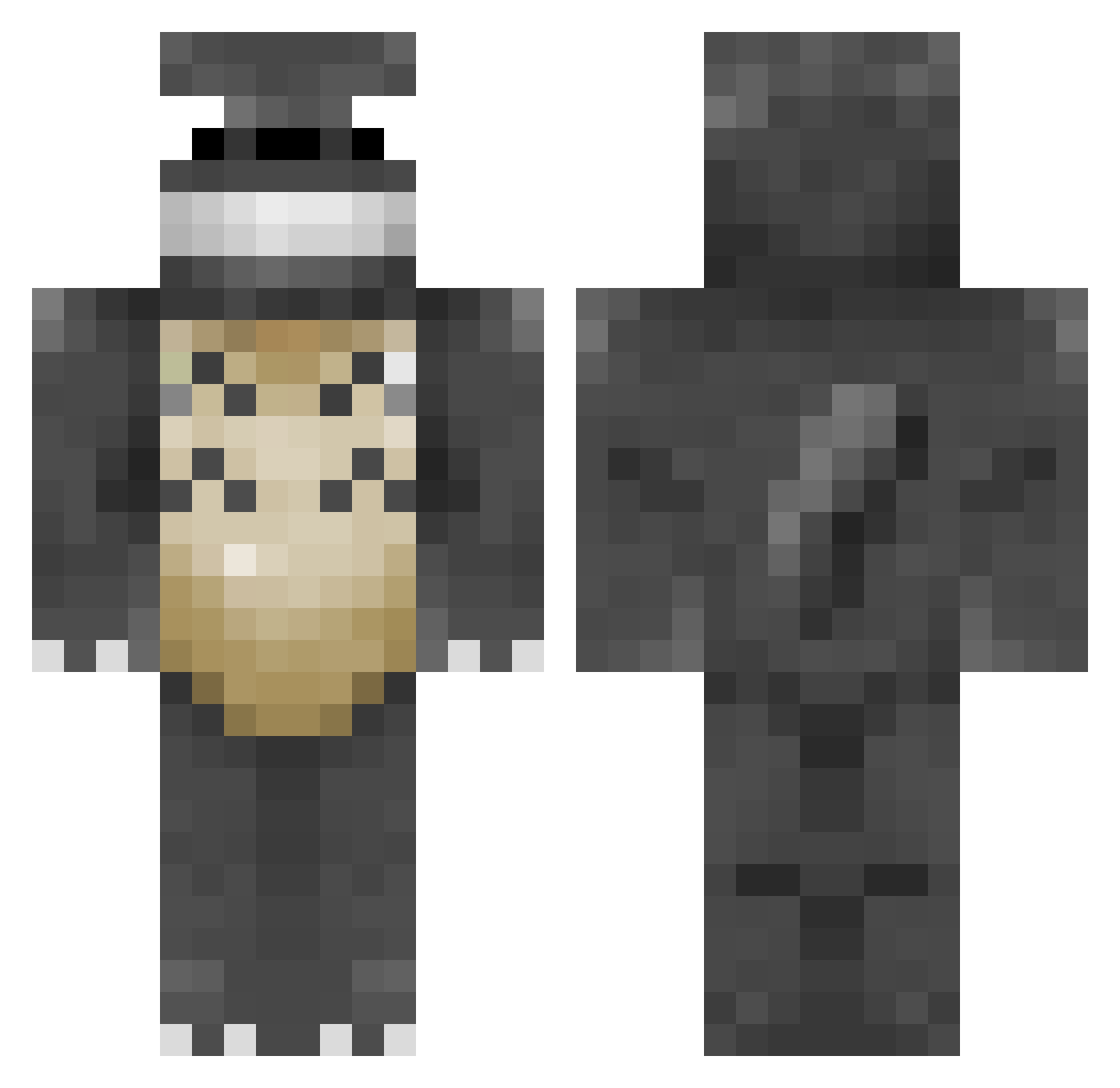
Current Minecraft skin of the player CorpsieMcGibb, loaded from the official Mojang API. Rotate the 3D model with your mouse or finger, then download the skin as a PNG file and use it in Minecraft: Bedrock Edition or Java Edition for free. When CorpsieMcGibb changes their skin, this page updates automatically and the old skin stays in the history below.
Other players with this skin (203)
CorpsieMcGibb was the 49th player we have seen with this skin, first spotted on 15.08.2026. The same skin was seen on these players. Open a nickname to see their current skin and skin history.
 Fiddleninja matmatmoomoo WizzEarth Pleurotus BinkleJuice louwbeaster Atoo SuperBellV racergirl23 trashprincess_ Noirea83 BadWerd Henkiey DankMemeLord911 BlackjackS92 lex6ki ksu0007 Moosems KH_Toasty Orquedan retrainor mael2911 sarunosiri Hugegoat Mimichan2002 Razrankov Gugli N3D Shintax_ haakuturi Makistaart LaFoudre_ The_Carmander HomereckrHugo dangerousrabidog Everlar Gbrap90 adrivroom Matt_LordBritish GoldenPenny Integra2k King_Manchild CaptinHammer nichlas12333 OGGanstaT Tonari_no_Totoro jorento nebulawanderer bodach919 xAsuradAx CritterHeather Ariawel catie_cat juke123fgh MaryYuan Swiip2 Thanhou Vader_bunny23 innouthule Heather_S
More My Neighbor Totoro Minecraft skins
See all 17 My Neighbor Totoro skins
How to install the CorpsieMcGibb skin
- Press the Download button above to save the skin as a PNG file.
- Minecraft: Bedrock Edition (PE): open the Dressing Room from the main menu (or tap your character → Edit Character), go to Classic Skins → Owned, press the + (new skin) button, choose the downloaded PNG and pick the Classic (Steve) model. Works on PC and mobile; consoles cannot import custom skins.
- Minecraft: Java Edition: open the Minecraft Launcher, go to the Skins tab, click New Skin, load the PNG, pick the Classic (Steve) model and press Save & Use. You can also upload it at minecraft.net → Profile → Change Skin.
The skin does not show up after import - what should I do?
Restart Minecraft and open the Dressing Room again - imported skins sometimes appear only after a restart. Also make sure you selected the imported skin and picked the Classic (Steve) model.
Which model should I choose, Classic or Slim?
This skin is designed for the Classic (Steve) model. If you pick the wrong model, the arms of the skin will look stretched or squeezed.
Is the skin of CorpsieMcGibb free to download?
Yes. Press Download, save the PNG file and use it in Minecraft: Bedrock Edition or Java Edition - no payment or registration needed. The skin also works on multiplayer servers and Realms.
More skins
Looking for more? Go back to all Minecraft skins and check the top skins of the week, month and all time, or find any player's skin by nickname.