
CornyMeran - Minecraft Skins & Skin History
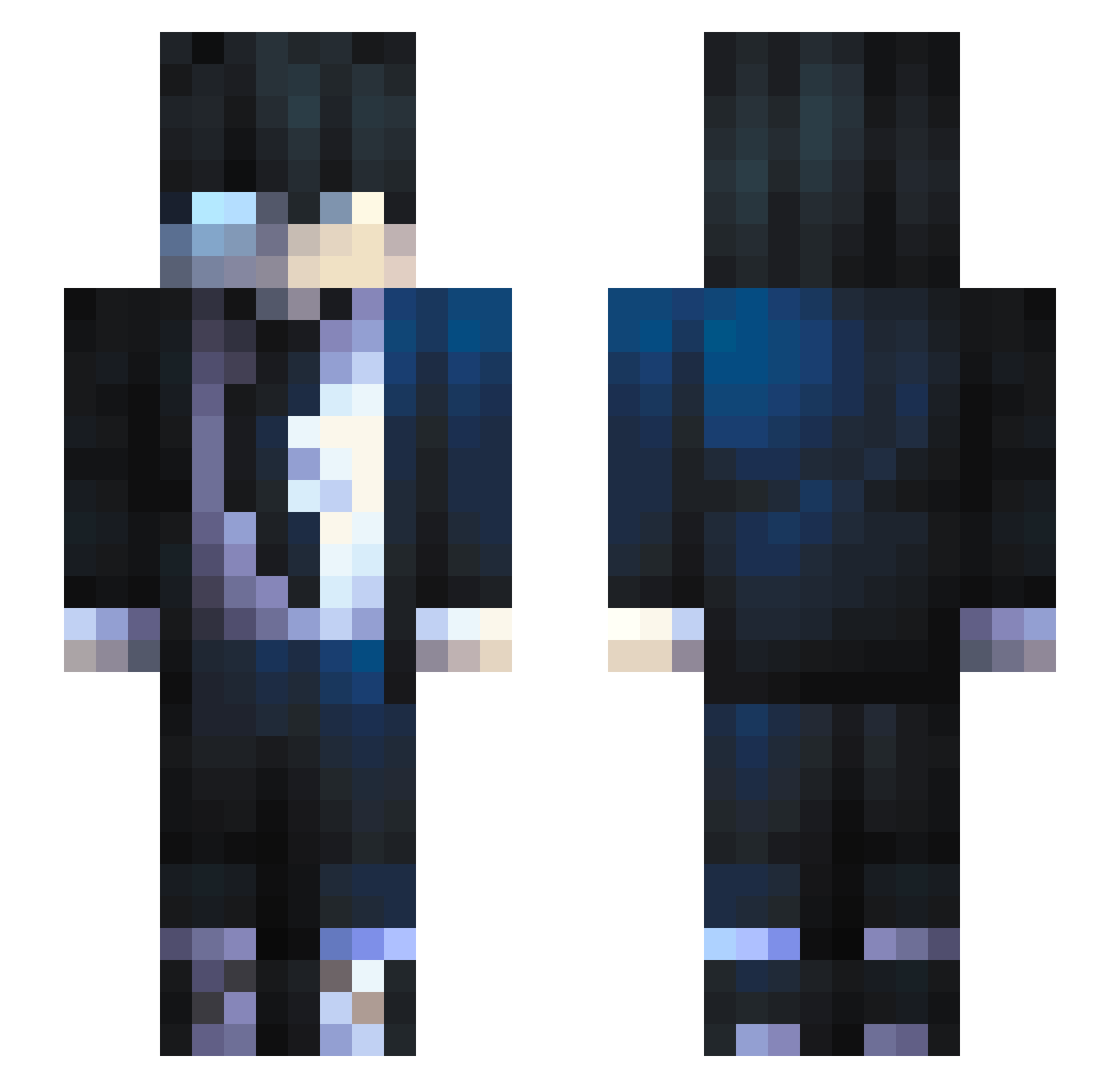
Current Minecraft skin of the player CornyMeran, loaded from the official Mojang API. Rotate the 3D model with your mouse or finger, then download the skin as a PNG file and use it in Minecraft: Bedrock Edition or Java Edition for free. When CornyMeran changes their skin, this page updates automatically and the old skin stays in the history below.
Other players with this skin (685)
CornyMeran was the 372nd player we have seen with this skin, first spotted on 26.09.2026. The same skin was seen on these players. Open a nickname to see their current skin and skin history.
 Liammm00 BigBoyMac576 UnknownisMID Haidox archivedceline SlayShadow_ zAndreq_ nulleinss Gustav0zz elhackerabuelto BCallaway Prios JiyuuVtube kimdohwi101212 DustHeavy YOUTBMAT Deckard_Shaw Jogabonyto PurifyGM CarlAshborn tmetz1of2 Demon_Slayer0307 THGCesar LattM Dragon_Prodigy_ sorkom TooBossTomas karlosvt Mag_sf_meta89 GuinhoZxd xparid stupratartarughe Kuroo12 yomi1436 jisierra99 frikettino Elix_MC Janiosh jako9625 Akidofou57 Hyamesh Lumear Ru6iix clvlod Nolann2002 vecije SirRubberus Phoenix_Wisp affetr0nic Yubruno NetHul2 Hamodiii Etheeer kauaengenharias Wlaxter DizzyBlock ShiestyMeister howard_0524 tanuj2607 AsianVapeur
How to install the CornyMeran skin
- Press the Download button above to save the skin as a PNG file.
- Minecraft: Bedrock Edition (PE): open the Dressing Room from the main menu (or tap your character → Edit Character), go to Classic Skins → Owned, press the + (new skin) button, choose the downloaded PNG and pick the Slim (Alex) model. Works on PC and mobile; consoles cannot import custom skins.
- Minecraft: Java Edition: open the Minecraft Launcher, go to the Skins tab, click New Skin, load the PNG, pick the Slim (Alex) model and press Save & Use. You can also upload it at minecraft.net → Profile → Change Skin.
The skin does not show up after import - what should I do?
Restart Minecraft and open the Dressing Room again - imported skins sometimes appear only after a restart. Also make sure you selected the imported skin and picked the Slim (Alex) model.
Which model should I choose, Classic or Slim?
This skin is designed for the Slim (Alex) model. If you pick the wrong model, the arms of the skin will look stretched or squeezed.
Is the skin of CornyMeran free to download?
Yes. Press Download, save the PNG file and use it in Minecraft: Bedrock Edition or Java Edition - no payment or registration needed. The skin also works on multiplayer servers and Realms.
More skins
Looking for more? Go back to all Minecraft skins and check the top skins of the week, month and all time, or find any player's skin by nickname.