
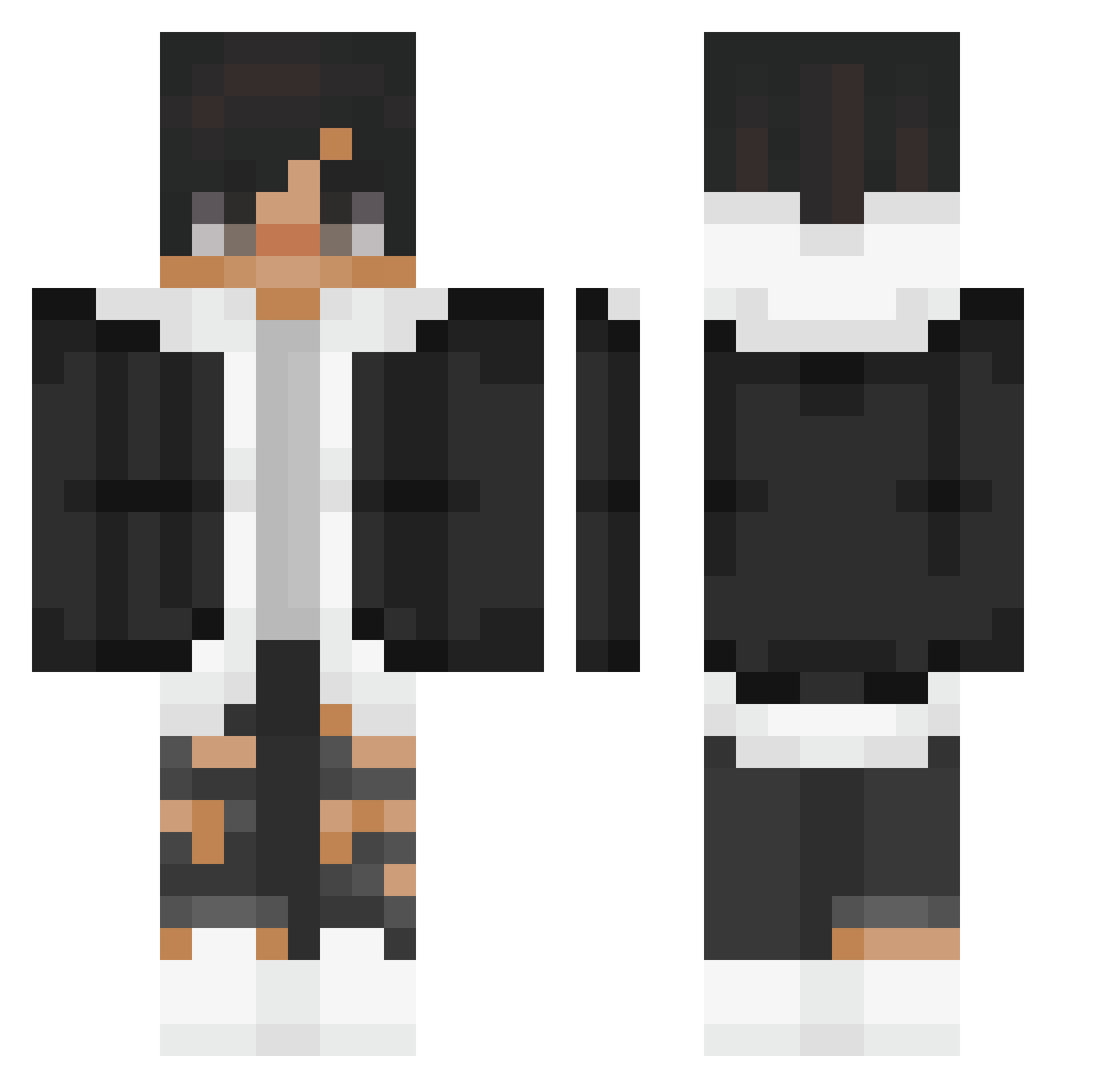
Current Minecraft skin of the player Cornflakes_btw, loaded from the official Mojang API. Rotate the 3D model with your mouse or finger, then download the skin as a PNG file and use it in Minecraft: Bedrock Edition or Java Edition for free. When Cornflakes_btw changes their skin, this page updates automatically and the old skin stays in the history below.
Other players with this skin (133)
Cornflakes_btw was the 19th player we have seen with this skin, first spotted on 07.08.2026. The same skin was seen on these players. Open a nickname to see their current skin and skin history.
 BL617 AlvaroS7
 hidewhite tyui213 DeKoN_CZ vashinaqursthiso TheEvil0 The_Birdman_Sr _IWillR3kYou_ eanm98 xPoyraZ Kemeo Aymen_Dz1 dim22100 danielkls _CH4D_ Daichi_Craft YamiOz Aiden031207 xozozoz cxrballo17 ZeusKrypt Charmandicorn oCaeta Arshleonyt WaterDragon124 Catfish3141 bntkbaran RISSAN_X4 Souhib VINX_VX Gullet Livex56 Young_Dolla M4rTy_Czech Phillyum Harshy_YT banbero caeserlord Francinya
 Darkworlde _Du_cky_ JasperDoc FuMaXx91 heedong3581 InfiniteAmndo TheMrLucky69 AwesomeDuos MecNal Arlkhal EliteYobo Arthas_Z 745ms Heimdall__ DaPigzQ BlackSoxG kurokami792 Christian1605 pnkxcv sstinna
How to install the Cornflakes_btw skin
- Press the Download button above to save the skin as a PNG file.
- Minecraft: Bedrock Edition (PE): open the Dressing Room from the main menu (or tap your character → Edit Character), go to Classic Skins → Owned, press the + (new skin) button, choose the downloaded PNG and pick the Classic (Steve) model. Works on PC and mobile; consoles cannot import custom skins.
- Minecraft: Java Edition: open the Minecraft Launcher, go to the Skins tab, click New Skin, load the PNG, pick the Classic (Steve) model and press Save & Use. You can also upload it at minecraft.net → Profile → Change Skin.
The skin does not show up after import - what should I do?
Restart Minecraft and open the Dressing Room again - imported skins sometimes appear only after a restart. Also make sure you selected the imported skin and picked the Classic (Steve) model.
Which model should I choose, Classic or Slim?
This skin is designed for the Classic (Steve) model. If you pick the wrong model, the arms of the skin will look stretched or squeezed.
Is the skin of Cornflakes_btw free to download?
Yes. Press Download, save the PNG file and use it in Minecraft: Bedrock Edition or Java Edition - no payment or registration needed. The skin also works on multiplayer servers and Realms.
More skins
Looking for more? Go back to all Minecraft skins and check the top skins of the week, month and all time, or find any player's skin by nickname.