
Copyy_ - Minecraft Skins & Skin History
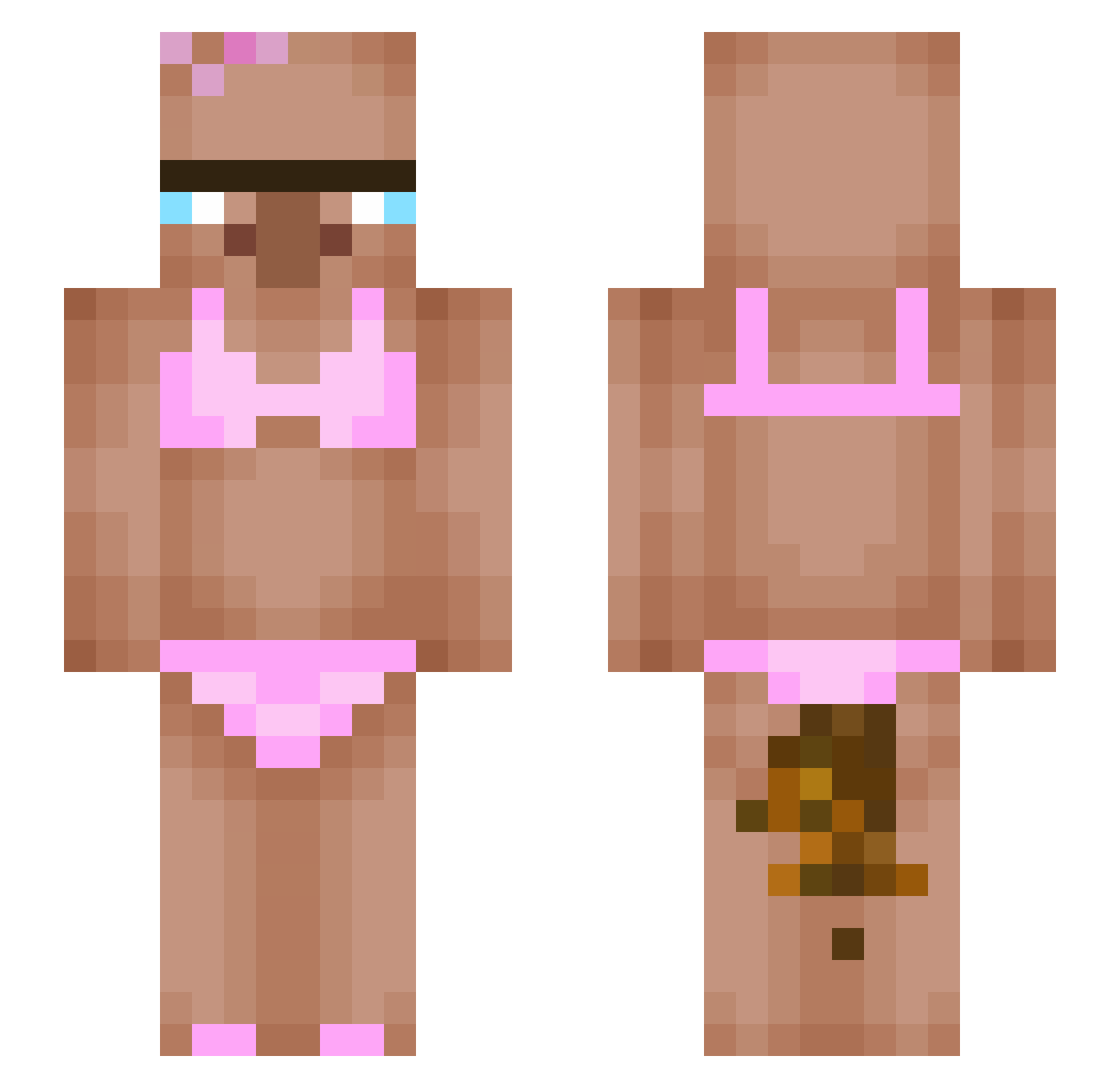
Current Minecraft skin of the player Copyy_, loaded from the official Mojang API. Rotate the 3D model with your mouse or finger, then download the skin as a PNG file and use it in Minecraft: Bedrock Edition or Java Edition for free. When Copyy_ changes their skin, this page updates automatically and the old skin stays in the history below.
Other players with this skin (414)
Copyy_ was the 135th player we have seen with this skin, first spotted on 29.08.2026. The same skin was seen on these players. Open a nickname to see their current skin and skin history.
 LHS8888 bass74 piervg Flashbakk jonas15874 ygram UUUUUK8385 koniecztoba_ MNvoidz Lumonaade sexy_junsoo hoodty LUNNA4310 rsdml dziobak_2 CrashBubbles774 AMO7758 zombie567hunter 7opp yeahyue qingwuuuu walesetunie67 anomalybys JHZ666 ELPEKADOR13 koosyster knightgab Sugarmommmy
 SIgmaTitus980 Potatismannen12 GomezDtap tugtugtug Kkazed Matheodih Applim0 MrAura07 tutuzera1 I_Eat_Dirt_88 Tazome stromek99 Udontcareaboutme justsogrxm xoBr0oke Aram_S BeeeeeeefCurtins olivovyking mercuey QUOICOU16 EliminateByBibek stemylol Pi3terek31 CNLyk Manebit2 woonjiwoon fyllandrea Sketch001 georgi100617 Max50109 HyePowerTV watchrack
More Bikini Minecraft skins
How to install the Copyy_ skin
- Press the Download button above to save the skin as a PNG file.
- Minecraft: Bedrock Edition (PE): open the Dressing Room from the main menu (or tap your character → Edit Character), go to Classic Skins → Owned, press the + (new skin) button, choose the downloaded PNG and pick the Slim (Alex) model. Works on PC and mobile; consoles cannot import custom skins.
- Minecraft: Java Edition: open the Minecraft Launcher, go to the Skins tab, click New Skin, load the PNG, pick the Slim (Alex) model and press Save & Use. You can also upload it at minecraft.net → Profile → Change Skin.
The skin does not show up after import - what should I do?
Restart Minecraft and open the Dressing Room again - imported skins sometimes appear only after a restart. Also make sure you selected the imported skin and picked the Slim (Alex) model.
Which model should I choose, Classic or Slim?
This skin is designed for the Slim (Alex) model. If you pick the wrong model, the arms of the skin will look stretched or squeezed.
Is the skin of Copyy_ free to download?
Yes. Press Download, save the PNG file and use it in Minecraft: Bedrock Edition or Java Edition - no payment or registration needed. The skin also works on multiplayer servers and Realms.
More skins
Looking for more? Go back to all Minecraft skins and check the top skins of the week, month and all time, or find any player's skin by nickname.