
Coolzmen - Minecraft Skins & Skin History
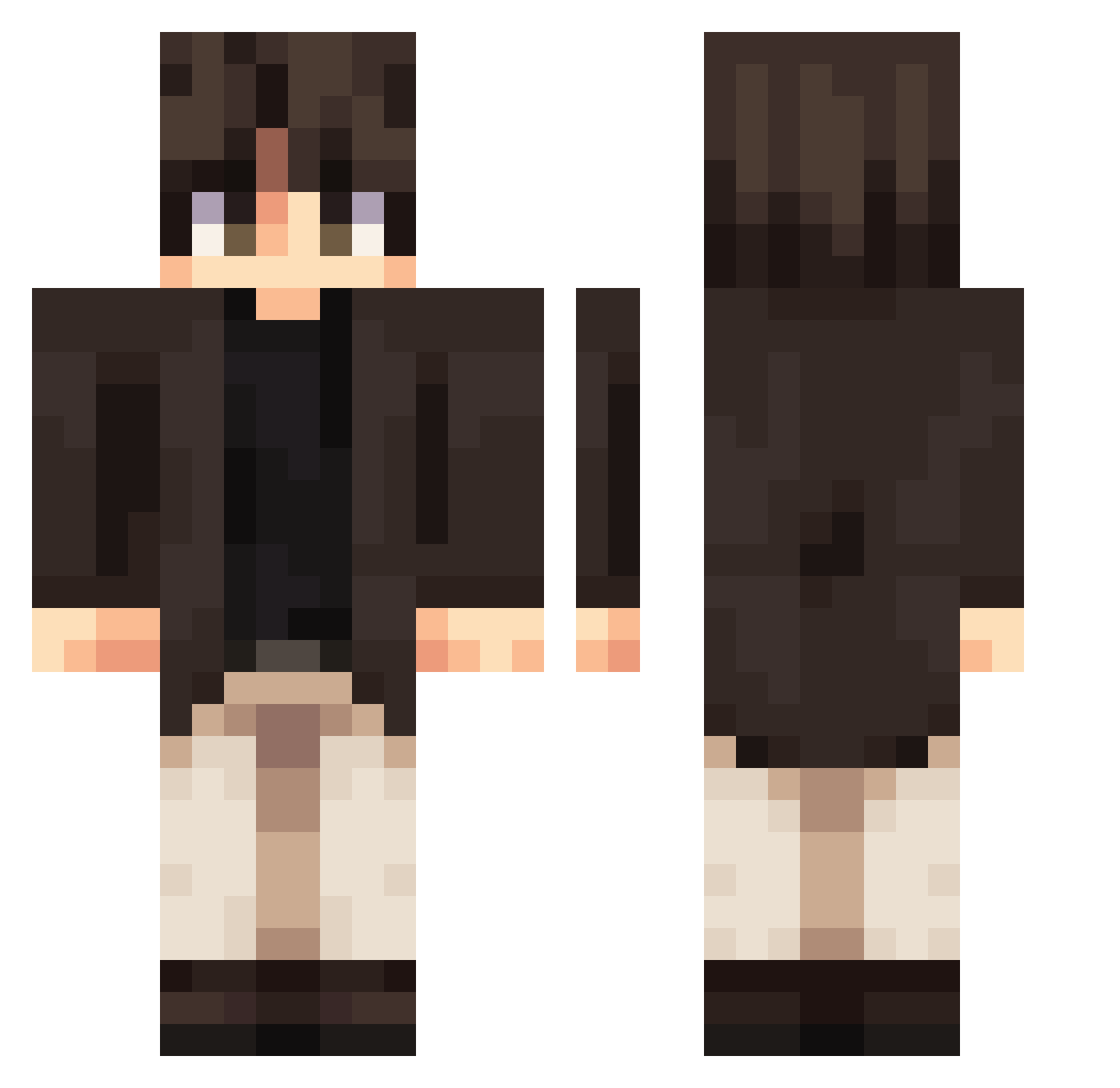
Current Minecraft skin of the player Coolzmen, loaded from the official Mojang API. Rotate the 3D model with your mouse or finger, then download the skin as a PNG file and use it in Minecraft: Bedrock Edition or Java Edition for free. When Coolzmen changes their skin, this page updates automatically and the old skin stays in the history below.
Other players with this skin (338)
Coolzmen was the 59th player we have seen with this skin, first spotted on 09.08.2026. The same skin was seen on these players. Open a nickname to see their current skin and skin history.
 cute_ddangkong SHENQZ HeaTxFreezer soulwei ThisNameIsMyName Lacorey197 HenryYIY MattDrobb Mathval KVRMVv Zomb12 Dkois Saitoth
 TheShinyScouter xSuper777x Chicho2488 LeoBeo2018 beebeeang wmw07 ZKer6 ImagineUgigc66 Shadow_Tobi bigmanluff Azuralos MrBombs EndergrieferHD mmmnh
 TetsushiIsCool Hojun090822 cctvqq chd_godo TwoSchwas Fledderus Olimdk Chr1s1252 Kapibar08 theBasu RIKUTO_PO Eyepob Arda01r6 Flaffyy0 Victtor99 Sullidor somber_1536 BearVery KhantV Dan_Olvr BoranQ7 Shahin_YT Fossilsage6029 Loncat Lunatico971 iGucker TooruV1 JustinT1010 Wolframit Aethelingg TB3_SKV ggwp8778 Montdy
More Casual Minecraft skins
How to install the Coolzmen skin
- Press the Download button above to save the skin as a PNG file.
- Minecraft: Bedrock Edition (PE): open the Dressing Room from the main menu (or tap your character → Edit Character), go to Classic Skins → Owned, press the + (new skin) button, choose the downloaded PNG and pick the Classic (Steve) model. Works on PC and mobile; consoles cannot import custom skins.
- Minecraft: Java Edition: open the Minecraft Launcher, go to the Skins tab, click New Skin, load the PNG, pick the Classic (Steve) model and press Save & Use. You can also upload it at minecraft.net → Profile → Change Skin.
The skin does not show up after import - what should I do?
Restart Minecraft and open the Dressing Room again - imported skins sometimes appear only after a restart. Also make sure you selected the imported skin and picked the Classic (Steve) model.
Which model should I choose, Classic or Slim?
This skin is designed for the Classic (Steve) model. If you pick the wrong model, the arms of the skin will look stretched or squeezed.
Is the skin of Coolzmen free to download?
Yes. Press Download, save the PNG file and use it in Minecraft: Bedrock Edition or Java Edition - no payment or registration needed. The skin also works on multiplayer servers and Realms.
More skins
Looking for more? Go back to all Minecraft skins and check the top skins of the week, month and all time, or find any player's skin by nickname.