
Coolinutor - Minecraft Skins & Skin History
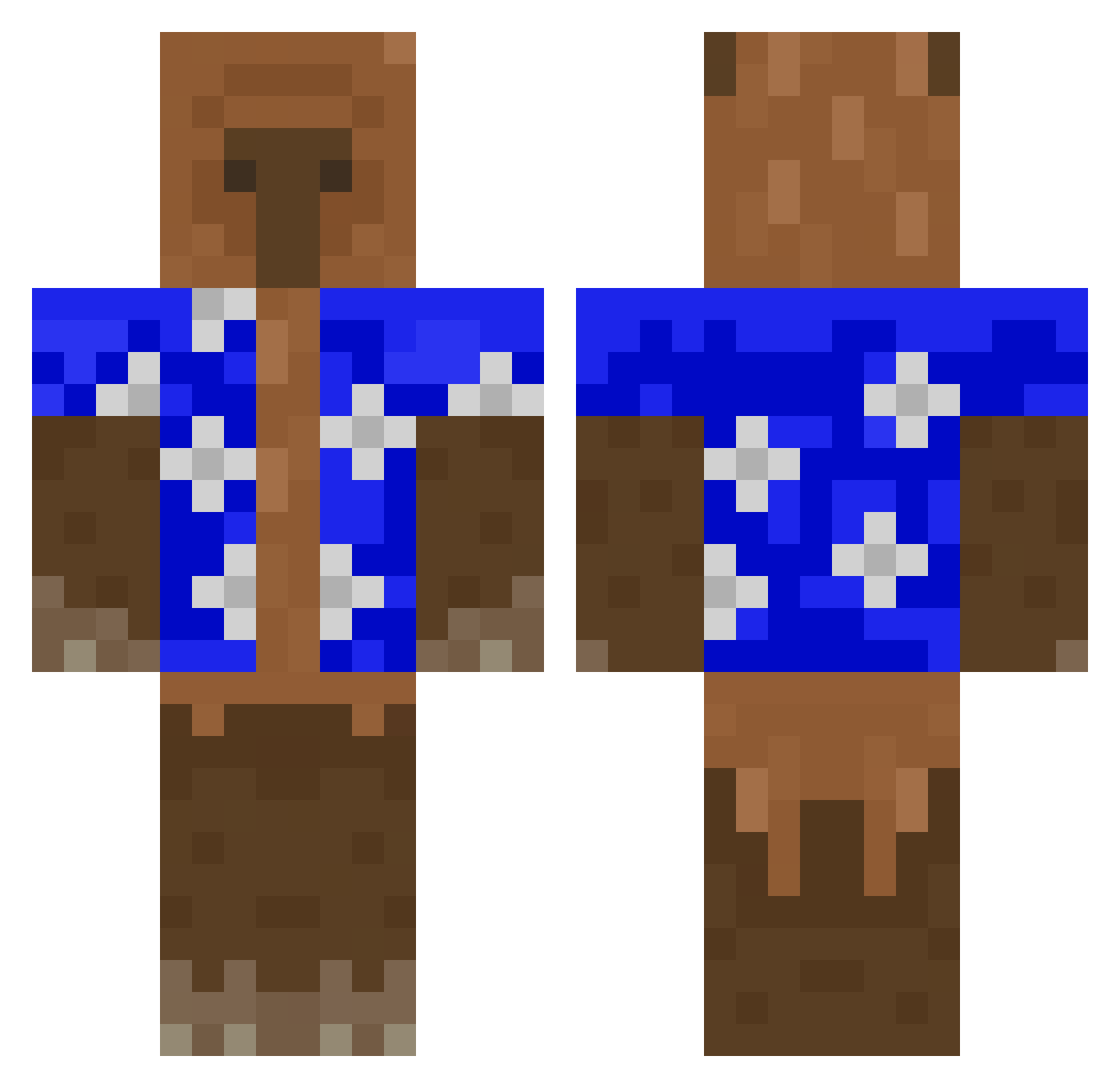
Current Minecraft skin of the player Coolinutor, loaded from the official Mojang API. Rotate the 3D model with your mouse or finger, then download the skin as a PNG file and use it in Minecraft: Bedrock Edition or Java Edition for free. When Coolinutor changes their skin, this page updates automatically and the old skin stays in the history below.
Other players with this skin (426)
Coolinutor was the 28th player we have seen with this skin, first spotted on 31.07.2026. The same skin was seen on these players. Open a nickname to see their current skin and skin history.
 socks_1 AVoyager Zanoveska228 zKlet SombraAlbina Squirrrrrel P1mw utkukmc pablo75 Justin911226 jkrmanux SpaceGear_ WJSONG0223 G2mazi_ CzyzorElRacista Dimastm ElLuiZXD nehuass BennyB0O mirula16 fick1_ aerodynetics ORANGEKASP tomato11sauce qwe1xx pieter516 itsbrtk Cornfarmer444 GAAST3R OozyMalolat ggxd22223 VitasApenas Gletsos pigboro Sedaram baklarzan86 II39II omegabeast1661 JuanDa235 MaffiaBestrijder JJonJJonCham BrittleBomes facuu0 Lambrusco_ ___Ido lord_enrick ntho DeMiwelvl 0xSeichs
 Zzero1 ywoXalaG Viki2203 Tanzbaer5493 KapybaraKING Ricky251107_ DingoBoio elpibe02 Juanmeeta PatasLover _BRITE_
More Bear Minecraft skins
How to install the Coolinutor skin
- Press the Download button above to save the skin as a PNG file.
- Minecraft: Bedrock Edition (PE): open the Dressing Room from the main menu (or tap your character → Edit Character), go to Classic Skins → Owned, press the + (new skin) button, choose the downloaded PNG and pick the Classic (Steve) model. Works on PC and mobile; consoles cannot import custom skins.
- Minecraft: Java Edition: open the Minecraft Launcher, go to the Skins tab, click New Skin, load the PNG, pick the Classic (Steve) model and press Save & Use. You can also upload it at minecraft.net → Profile → Change Skin.
The skin does not show up after import - what should I do?
Restart Minecraft and open the Dressing Room again - imported skins sometimes appear only after a restart. Also make sure you selected the imported skin and picked the Classic (Steve) model.
Which model should I choose, Classic or Slim?
This skin is designed for the Classic (Steve) model. If you pick the wrong model, the arms of the skin will look stretched or squeezed.
Is the skin of Coolinutor free to download?
Yes. Press Download, save the PNG file and use it in Minecraft: Bedrock Edition or Java Edition - no payment or registration needed. The skin also works on multiplayer servers and Realms.
More skins
Looking for more? Go back to all Minecraft skins and check the top skins of the week, month and all time, or find any player's skin by nickname.