
CoolingPlayz - Minecraft Skins & Skin History
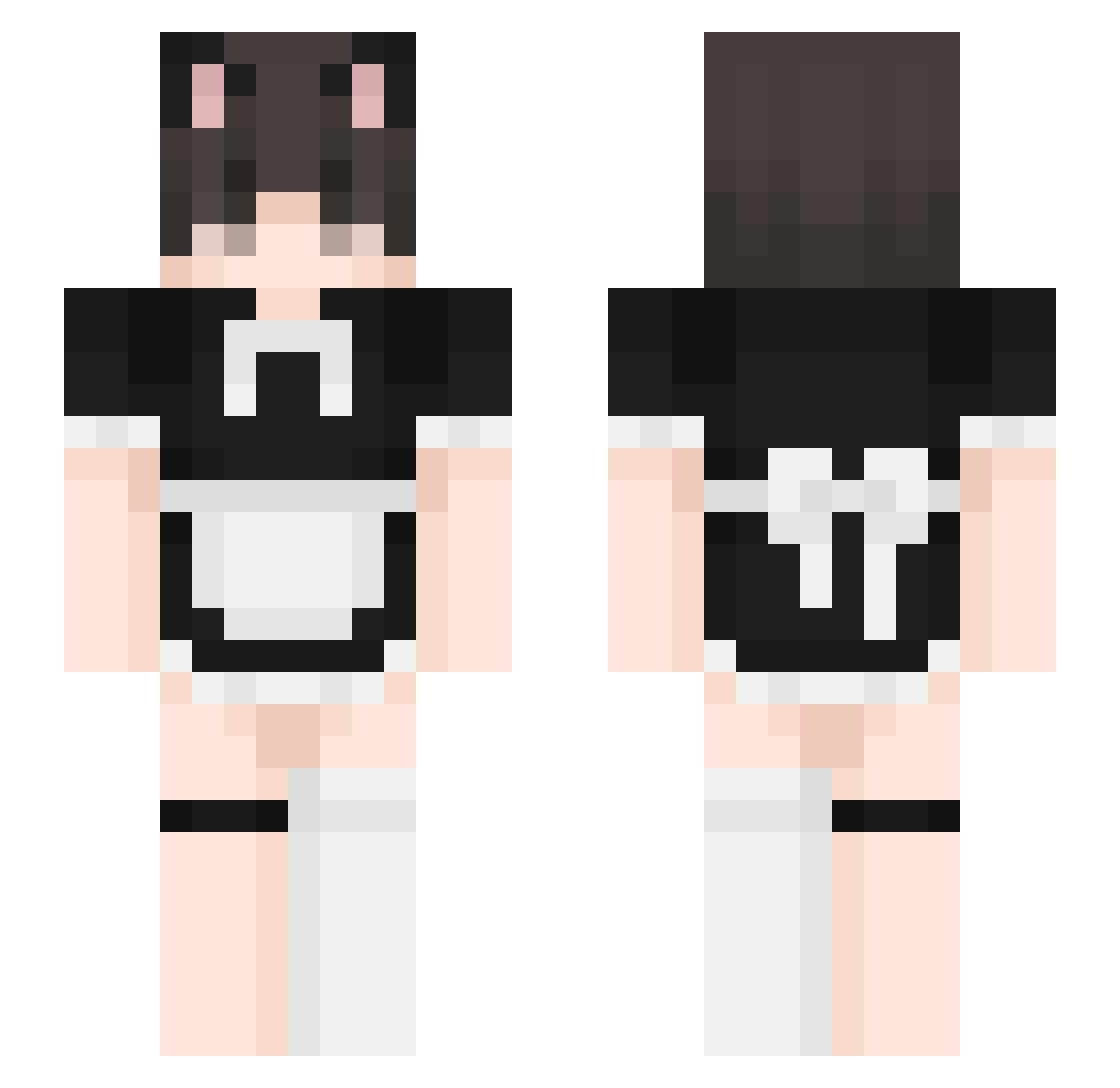
Current Minecraft skin of the player CoolingPlayz, loaded from the official Mojang API. Rotate the 3D model with your mouse or finger, then download the skin as a PNG file and use it in Minecraft: Bedrock Edition or Java Edition for free. When CoolingPlayz changes their skin, this page updates automatically and the old skin stays in the history below.
Other players with this skin (394)
CoolingPlayz was the 171st player we have seen with this skin, first spotted on 11.09.2026. The same skin was seen on these players. Open a nickname to see their current skin and skin history.
 Kokiruss Volvexi YaritoTV ChickenMakflury shlatticus Albedomywaifu
 Jaozinkkjkk OioiNate UnhingedPvP Zer0xthrash XChristBR Dreamy_____ jak_ee zTzLEGEND Noahisbaked Bakteria123 AnomalyGMD flexxintheair SperHayk VtheWriter Kroyer_UwU MrDino6 pigeonholeguy B1NN13X 3toilEs beinejaik Numnumcat htqj Tvixo282 Gracjan13 Niallmcpat vofereek YuzSuZy kaileb1 Malfer TurdBirdd cocomerotondo F1Assistant Ozanius zcon18 HSamdong oof1116
 LucasTheForce TicuniMikuro UmbraNatt JamesV1298 JJG626 vindiigo whitepencil13 NVP_Devil WeebTrashsuo
 MisxxlMC dizzieboi drpnoxd lolokbuddy T555 zfkhan6789 KITsunpp CRAZZYGAMER4647 FlixyPoohhh
More Maid Minecraft skins
How to install the CoolingPlayz skin
- Press the Download button above to save the skin as a PNG file.
- Minecraft: Bedrock Edition (PE): open the Dressing Room from the main menu (or tap your character → Edit Character), go to Classic Skins → Owned, press the + (new skin) button, choose the downloaded PNG and pick the Slim (Alex) model. Works on PC and mobile; consoles cannot import custom skins.
- Minecraft: Java Edition: open the Minecraft Launcher, go to the Skins tab, click New Skin, load the PNG, pick the Slim (Alex) model and press Save & Use. You can also upload it at minecraft.net → Profile → Change Skin.
The skin does not show up after import - what should I do?
Restart Minecraft and open the Dressing Room again - imported skins sometimes appear only after a restart. Also make sure you selected the imported skin and picked the Slim (Alex) model.
Which model should I choose, Classic or Slim?
This skin is designed for the Slim (Alex) model. If you pick the wrong model, the arms of the skin will look stretched or squeezed.
Is the skin of CoolingPlayz free to download?
Yes. Press Download, save the PNG file and use it in Minecraft: Bedrock Edition or Java Edition - no payment or registration needed. The skin also works on multiplayer servers and Realms.
More skins
Looking for more? Go back to all Minecraft skins and check the top skins of the week, month and all time, or find any player's skin by nickname.