
Cookiegood - Minecraft Skins & Skin History
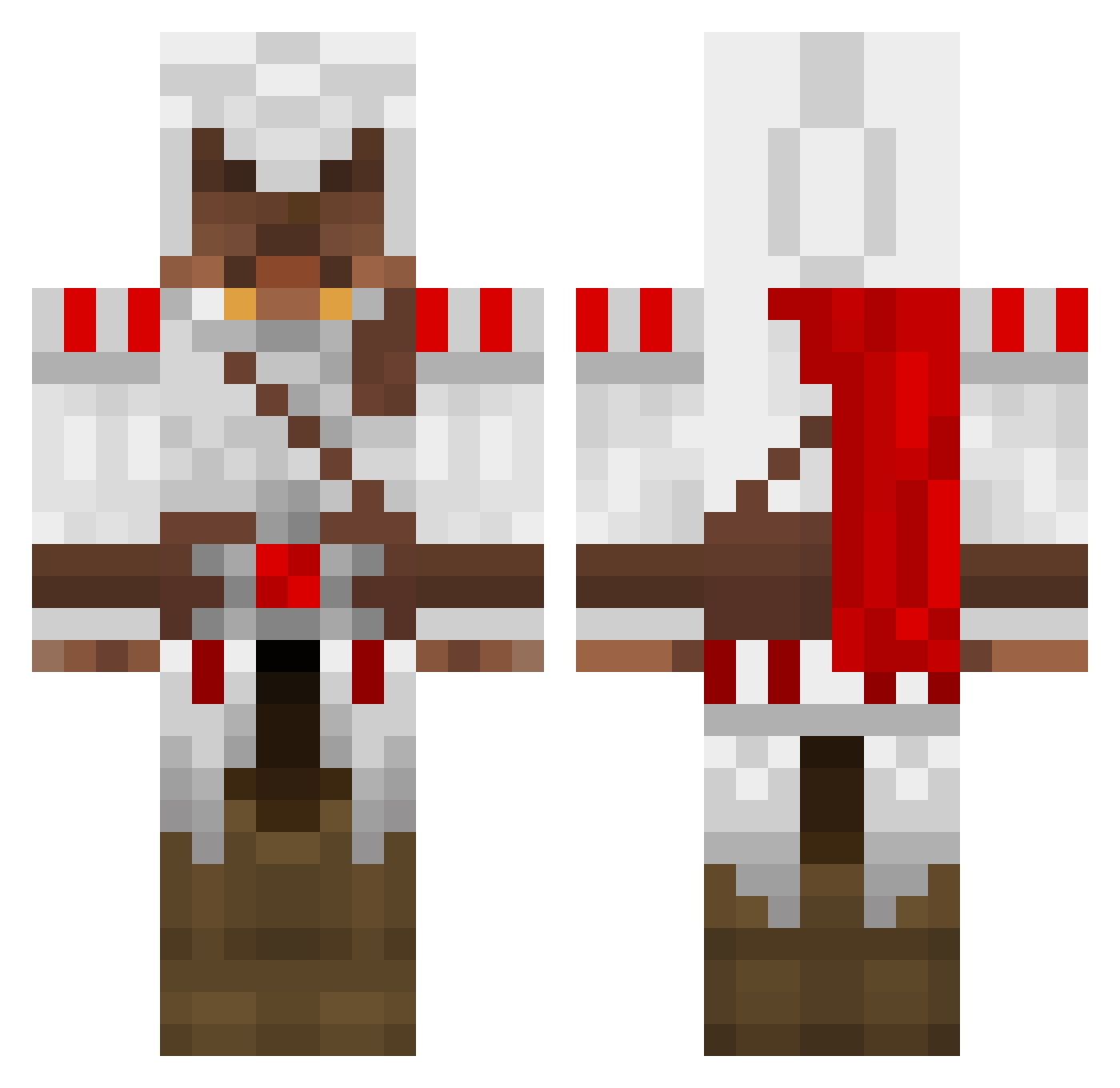
Current Minecraft skin of the player Cookiegood, loaded from the official Mojang API. Rotate the 3D model with your mouse or finger, then download the skin as a PNG file and use it in Minecraft: Bedrock Edition or Java Edition for free. When Cookiegood changes their skin, this page updates automatically and the old skin stays in the history below.
Other players with this skin (1389)
Cookiegood was the 84th player we have seen with this skin, first spotted on 30.07.2026. The same skin was seen on these players. Open a nickname to see their current skin and skin history.
 shadow4358 Killerdragon87 Joerkuh jasonr14 UnluckySoldier Hadowski spyque57 GeoGott taggart2020 JackZterBlaster8 Jacob90505 monkeydlucas HotKoopAid99 CBenn23 AdmiralFraz EeGeCe DaClaris DasBloodbane carebare12345 Wakk0 descroke3 Athendra220 Anks329 Johnny4blood nibuton Manuelsin ajbwell vanpersie987 bennybobbyboo MysticLiquid gamer0742 DrHurtz Pachuco 214ASsassiN McMuffinlovin combatwombat777 manicmog ghostslider13 cachou11 firemamma Burzul allianzjaeger tob5i Tronkat Crokyz tjepsi SoNear TheChapi troubledwall1 Kabaheld unic0rnwarrior bount3hunter donreaper fluffymcgee Jakethesnake108 eagle_still 4allya llandas Shironiki Gabgri
More Altair Ibn La Ahad Minecraft skins
See all 196 Altair Ibn La Ahad skins
How to install the Cookiegood skin
- Press the Download button above to save the skin as a PNG file.
- Minecraft: Bedrock Edition (PE): open the Dressing Room from the main menu (or tap your character → Edit Character), go to Classic Skins → Owned, press the + (new skin) button, choose the downloaded PNG and pick the Classic (Steve) model. Works on PC and mobile; consoles cannot import custom skins.
- Minecraft: Java Edition: open the Minecraft Launcher, go to the Skins tab, click New Skin, load the PNG, pick the Classic (Steve) model and press Save & Use. You can also upload it at minecraft.net → Profile → Change Skin.
The skin does not show up after import - what should I do?
Restart Minecraft and open the Dressing Room again - imported skins sometimes appear only after a restart. Also make sure you selected the imported skin and picked the Classic (Steve) model.
Which model should I choose, Classic or Slim?
This skin is designed for the Classic (Steve) model. If you pick the wrong model, the arms of the skin will look stretched or squeezed.
Is the skin of Cookiegood free to download?
Yes. Press Download, save the PNG file and use it in Minecraft: Bedrock Edition or Java Edition - no payment or registration needed. The skin also works on multiplayer servers and Realms.
More skins
Looking for more? Go back to all Minecraft skins and check the top skins of the week, month and all time, or find any player's skin by nickname.