
CookieJeffe - Minecraft Skins & Skin History
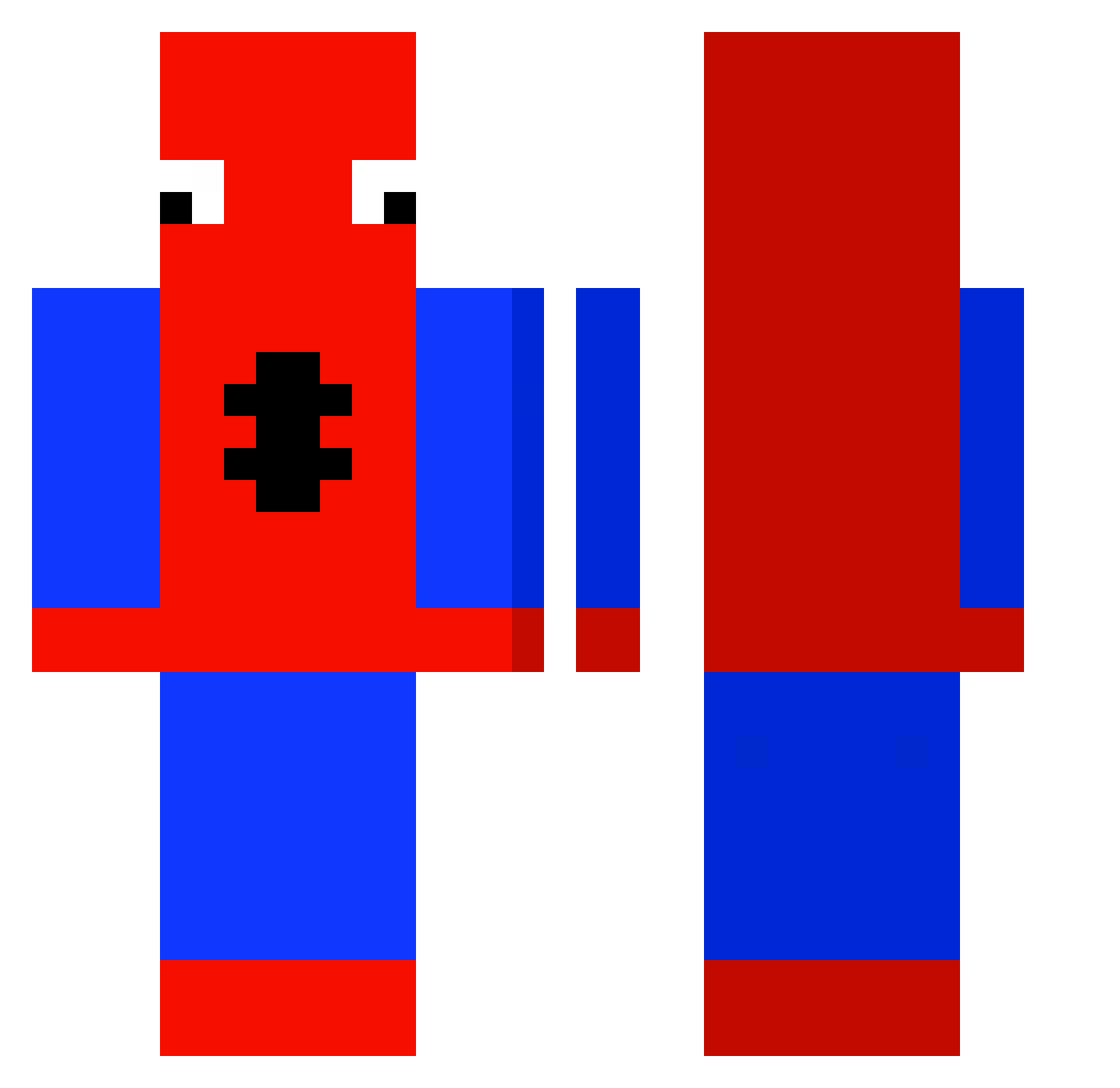
Current Minecraft skin of the player CookieJeffe, loaded from the official Mojang API. Rotate the 3D model with your mouse or finger, then download the skin as a PNG file and use it in Minecraft: Bedrock Edition or Java Edition for free. When CookieJeffe changes their skin, this page updates automatically and the old skin stays in the history below.
Other players with this skin (430)
CookieJeffe was the 170th player we have seen with this skin, first spotted on 03.09.2026. The same skin was seen on these players. Open a nickname to see their current skin and skin history.
 Tidez__ erKusTiK KingJakePlayz SiwanVEVO angelcg98 Tahbz Oste_Toast AdamCNA RimiruTensei Spoeder JeniseGoteri gfearr Tobbe00 Matthew102 davidchv01 rubenleite05 davidlikesfood Tommy_Meng HK_MTRpro Roy_iv1d Kasimir1300 Deychi BubatzFreund CHliebSMaslom IvanByr1337 dantas_PVP Shaety Nazurka FriedEth mikk0145_ xElwen Smurfen31 galivuddd itskinnyp mivs1 Mr_Chambers Flikyy Supernover12 vpad renaur MrKilua ruasofreman JUNseokhoon Sorotubby ManoTomioka ShadeBae ElMinecraftin231 Fortnite_Gremlin liklinebox1 SnazzyShaz InkBreak 20h04 jaxmcd08 jamie_ob3 mythgraven97 greenapples1 KingOfTheJokers FowlerGerman FNOVENOM Icesmurf
More Spider-Man Minecraft skins
How to install the CookieJeffe skin
- Press the Download button above to save the skin as a PNG file.
- Minecraft: Bedrock Edition (PE): open the Dressing Room from the main menu (or tap your character → Edit Character), go to Classic Skins → Owned, press the + (new skin) button, choose the downloaded PNG and pick the Classic (Steve) model. Works on PC and mobile; consoles cannot import custom skins.
- Minecraft: Java Edition: open the Minecraft Launcher, go to the Skins tab, click New Skin, load the PNG, pick the Classic (Steve) model and press Save & Use. You can also upload it at minecraft.net → Profile → Change Skin.
The skin does not show up after import - what should I do?
Restart Minecraft and open the Dressing Room again - imported skins sometimes appear only after a restart. Also make sure you selected the imported skin and picked the Classic (Steve) model.
Which model should I choose, Classic or Slim?
This skin is designed for the Classic (Steve) model. If you pick the wrong model, the arms of the skin will look stretched or squeezed.
Is the skin of CookieJeffe free to download?
Yes. Press Download, save the PNG file and use it in Minecraft: Bedrock Edition or Java Edition - no payment or registration needed. The skin also works on multiplayer servers and Realms.
More skins
Looking for more? Go back to all Minecraft skins and check the top skins of the week, month and all time, or find any player's skin by nickname.