
CookieGamingXX - Minecraft Skins & Skin History
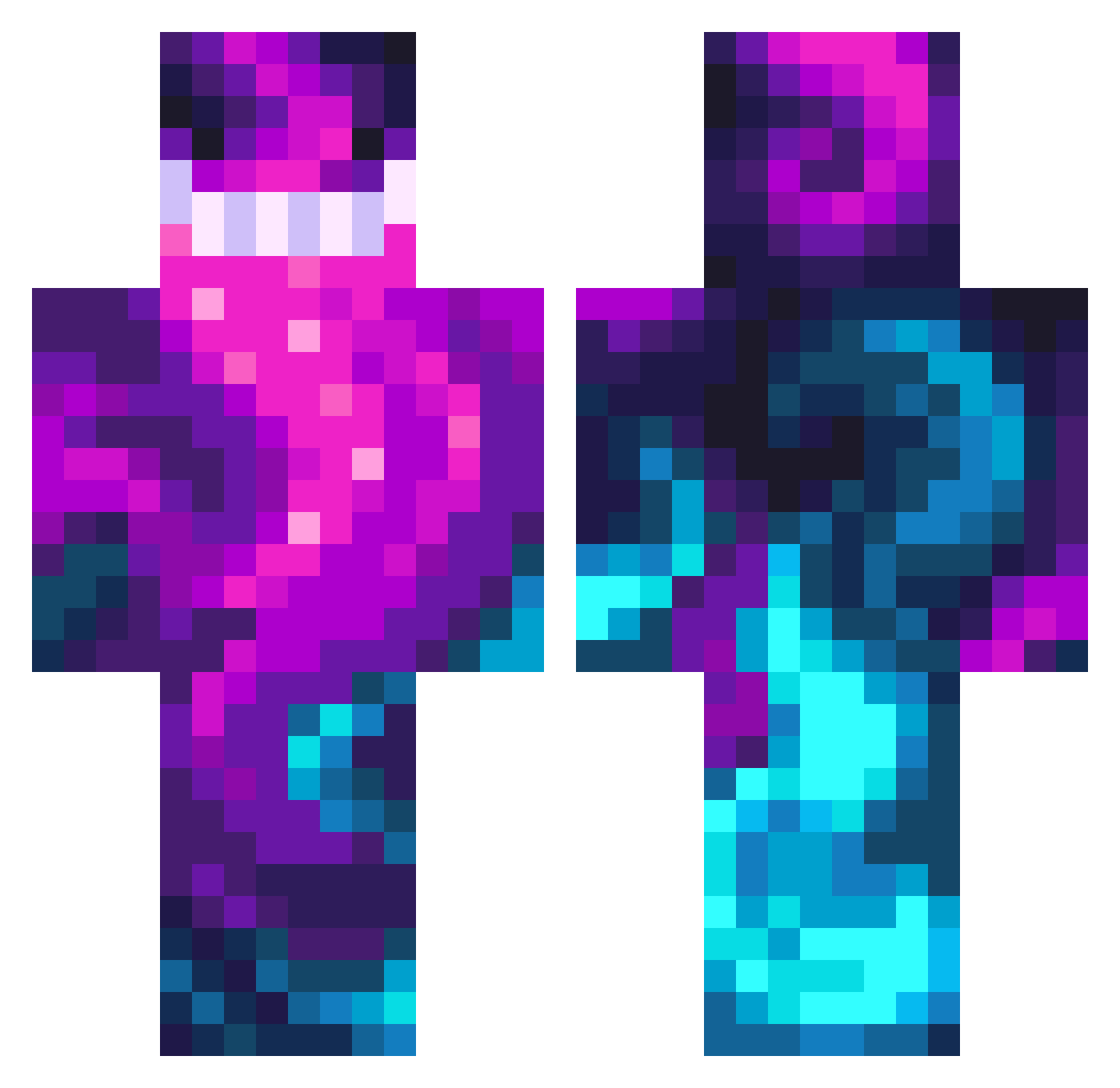
Current Minecraft skin of the player CookieGamingXX, loaded from the official Mojang API. Rotate the 3D model with your mouse or finger, then download the skin as a PNG file and use it in Minecraft: Bedrock Edition or Java Edition for free. When CookieGamingXX changes their skin, this page updates automatically and the old skin stays in the history below.
Other players with this skin (476)
CookieGamingXX was the 266th player we have seen with this skin, first spotted on 28.09.2026. The same skin was seen on these players. Open a nickname to see their current skin and skin history.
 WhoseLime Angryforever BROsifstallon do_ingo ViperishVerock ArKheey Docmk6 Danicarriv Realseptic Kwoooop zanty84 lunatyc69 bmwXlover HET0PT DracolandPRO LowlandMirror11 SwagLikeOhio2 nathhern Finn_1117 the_player_360 ch_nkyyy SugarBailey Julol939 GODOL07 Jonathan2021583 GonZza1 Naalisss KITTYLICK_PART2 CynOmen wdnmd_zca SuaveFromHR cocoball8699 torhne matixgamer440 BQJK WantedSpartan99 GrosserKaktus16 Underz Fafarid Qimport01 uribexX UnchartedCube888 Gm1500IDK Avenger_333 Braddlessss magic_dare OurBrok3nGod Maquinico AlironheaD Tcrps92 erik_388 Izanpros VonVinny RomanGAMEY aLavenderLilac Kkaonashi BENUTZER1233 spak951 FiiireZ cactusjack69328
How to install the CookieGamingXX skin
- Press the Download button above to save the skin as a PNG file.
- Minecraft: Bedrock Edition (PE): open the Dressing Room from the main menu (or tap your character → Edit Character), go to Classic Skins → Owned, press the + (new skin) button, choose the downloaded PNG and pick the Classic (Steve) model. Works on PC and mobile; consoles cannot import custom skins.
- Minecraft: Java Edition: open the Minecraft Launcher, go to the Skins tab, click New Skin, load the PNG, pick the Classic (Steve) model and press Save & Use. You can also upload it at minecraft.net → Profile → Change Skin.
The skin does not show up after import - what should I do?
Restart Minecraft and open the Dressing Room again - imported skins sometimes appear only after a restart. Also make sure you selected the imported skin and picked the Classic (Steve) model.
Which model should I choose, Classic or Slim?
This skin is designed for the Classic (Steve) model. If you pick the wrong model, the arms of the skin will look stretched or squeezed.
Is the skin of CookieGamingXX free to download?
Yes. Press Download, save the PNG file and use it in Minecraft: Bedrock Edition or Java Edition - no payment or registration needed. The skin also works on multiplayer servers and Realms.
More skins
Looking for more? Go back to all Minecraft skins and check the top skins of the week, month and all time, or find any player's skin by nickname.