
ConnorU23 - Minecraft Skins & Skin History
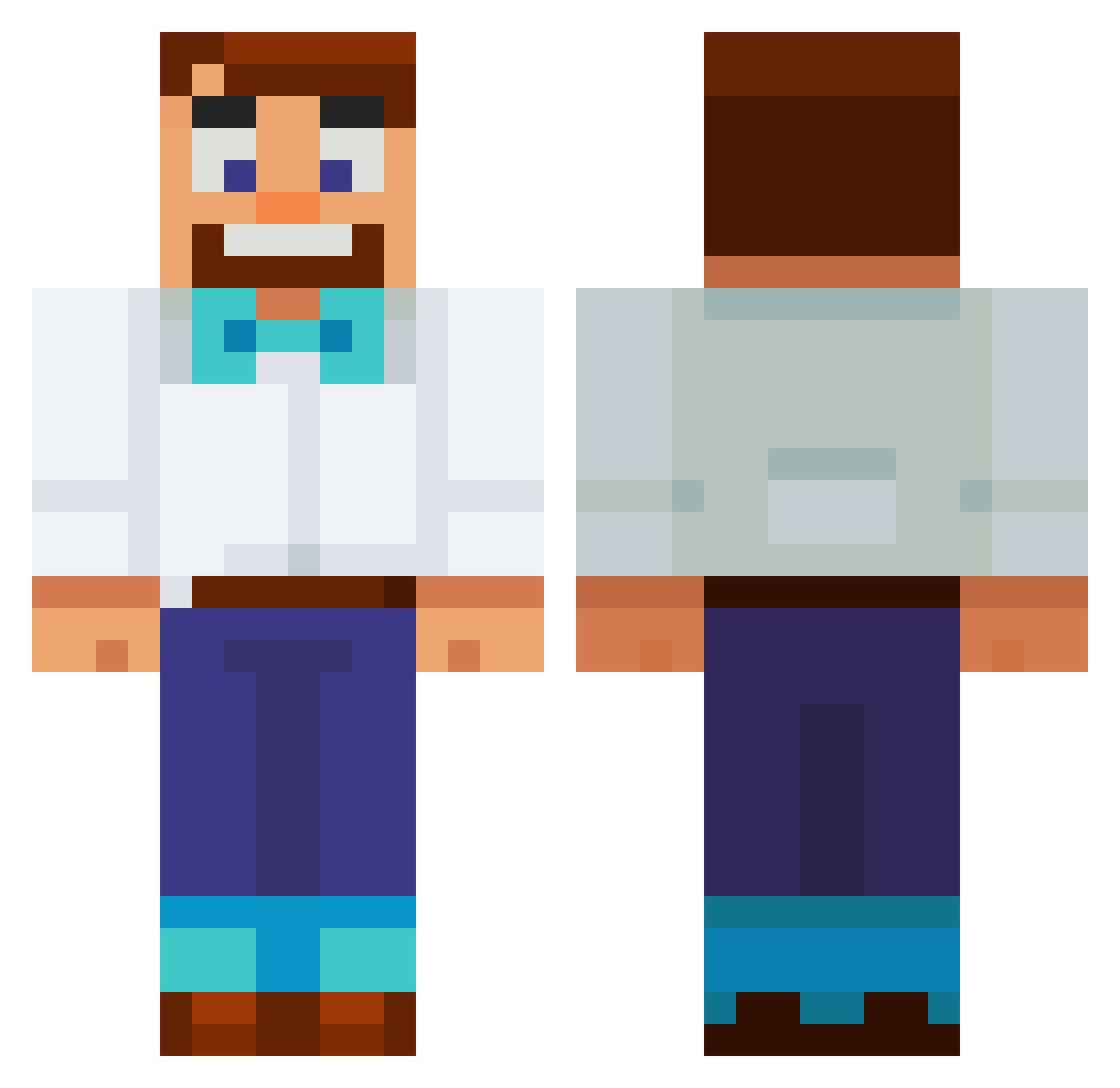
Current Minecraft skin of the player ConnorU23, loaded from the official Mojang API. Rotate the 3D model with your mouse or finger, then download the skin as a PNG file and use it in Minecraft: Bedrock Edition or Java Edition for free. When ConnorU23 changes their skin, this page updates automatically and the old skin stays in the history below.
Other players with this skin (553)
ConnorU23 was the 129th player we have seen with this skin, first spotted on 15.08.2026. The same skin was seen on these players. Open a nickname to see their current skin and skin history.
 bbangbbanges Minafredblah AtomEgg IagoSemItem JagsGaming TillieTheTurtle kriss231 LeXD2025 lipaul777 blitzenzren Benyloy alfa531 carfork taarvold KuyHeeKai Korigom ImjustUtku alphapro37 Gattman01 lightstrike616 Teddy1995 Farm7353 JeagerSad Lymbo2001 defenestrate_u 176ms JaviQuaresma21 BroddaNZ pablusa Ice03Berg ivylzz ltsDivine BumpMaster123 moneymirut BoTruongHoang knilkx
 Atu_se apolmat JuantioTheSpank GerbilHeed onestop67 sajtovich SolarArcher BlueKiwi14 MaxKong QGCH bymonster69 Ryme228 Cirran1 Ninjano14 Boomifye qozify303 Pigata iYeLats
 junyi02 Nitish_101
 TheEpero gabbighb lkckyle Linneo
More Bowtie Minecraft skins
How to install the ConnorU23 skin
- Press the Download button above to save the skin as a PNG file.
- Minecraft: Bedrock Edition (PE): open the Dressing Room from the main menu (or tap your character → Edit Character), go to Classic Skins → Owned, press the + (new skin) button, choose the downloaded PNG and pick the Classic (Steve) model. Works on PC and mobile; consoles cannot import custom skins.
- Minecraft: Java Edition: open the Minecraft Launcher, go to the Skins tab, click New Skin, load the PNG, pick the Classic (Steve) model and press Save & Use. You can also upload it at minecraft.net → Profile → Change Skin.
The skin does not show up after import - what should I do?
Restart Minecraft and open the Dressing Room again - imported skins sometimes appear only after a restart. Also make sure you selected the imported skin and picked the Classic (Steve) model.
Which model should I choose, Classic or Slim?
This skin is designed for the Classic (Steve) model. If you pick the wrong model, the arms of the skin will look stretched or squeezed.
Is the skin of ConnorU23 free to download?
Yes. Press Download, save the PNG file and use it in Minecraft: Bedrock Edition or Java Edition - no payment or registration needed. The skin also works on multiplayer servers and Realms.
More skins
Looking for more? Go back to all Minecraft skins and check the top skins of the week, month and all time, or find any player's skin by nickname.