
ComandantCuckold - Minecraft Skins & Skin History
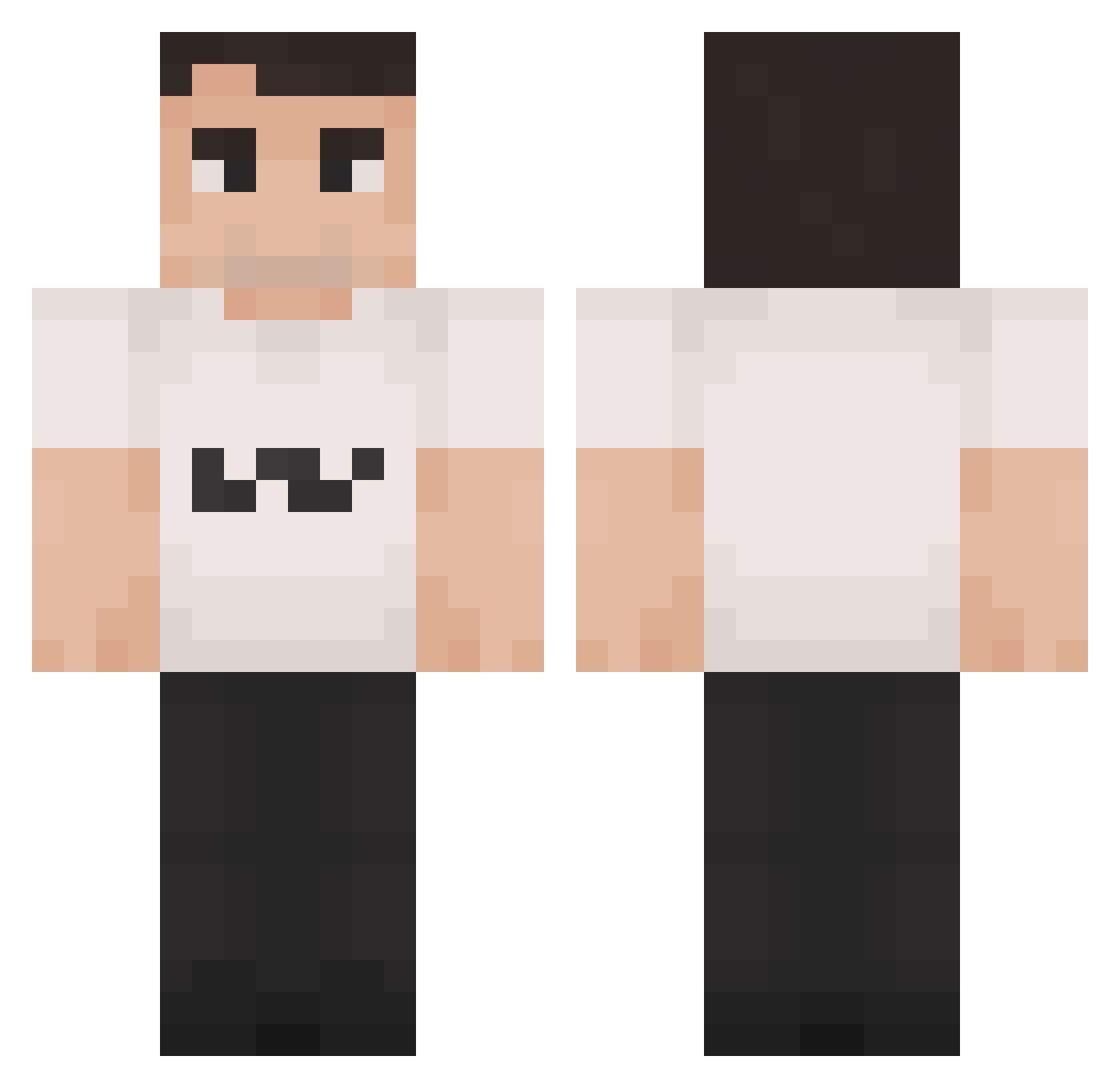
Current Minecraft skin of the player ComandantCuckold, loaded from the official Mojang API. Rotate the 3D model with your mouse or finger, then download the skin as a PNG file and use it in Minecraft: Bedrock Edition or Java Edition for free. When ComandantCuckold changes their skin, this page updates automatically and the old skin stays in the history below.
Other players with this skin (1349)
ComandantCuckold was the 815th player we have seen with this skin, first spotted on 26.09.2026. The same skin was seen on these players. Open a nickname to see their current skin and skin history.
 MiastoTigera Fizacoi HimiJendrixx Zoneyaa El_Potato38 ZdeCielo JangLeBin yun0sx Yellowwmann noemie147 babybeeks CharlieKirknaz AsixHub_ pikablu86 Fodor_05 Yanissssse Jay616 MyDryBones meaurelien Tobias_Skaar TrevlacSze gmac9 Rokow Kiandeman8 EnormesGlied1945 JEJablonski Ukoui xSon1x BeastModeRL MasAgil KiruaLaPatate Ryker_Yt Vwpb I_WANGHAF Lebutt69 swaglord491 PskToho _bigkirk ConguitoAfricano _Charlie_kirk Justihuso TrickyKeys Elder_Millennial Redwing95 RIP_Chalie_KIRK_ murata1506 Cfghub_kwhve SjooFredd MinkyTinky Virgil_Ablxh MirrorPT nanuxi doln_ joseacs06 UnityOdd Neversaydie1978 GwoonSmurf obeserizla Mussol1ni CHAZMQC
More Schlatt Minecraft skins
How to install the ComandantCuckold skin
- Press the Download button above to save the skin as a PNG file.
- Minecraft: Bedrock Edition (PE): open the Dressing Room from the main menu (or tap your character → Edit Character), go to Classic Skins → Owned, press the + (new skin) button, choose the downloaded PNG and pick the Classic (Steve) model. Works on PC and mobile; consoles cannot import custom skins.
- Minecraft: Java Edition: open the Minecraft Launcher, go to the Skins tab, click New Skin, load the PNG, pick the Classic (Steve) model and press Save & Use. You can also upload it at minecraft.net → Profile → Change Skin.
The skin does not show up after import - what should I do?
Restart Minecraft and open the Dressing Room again - imported skins sometimes appear only after a restart. Also make sure you selected the imported skin and picked the Classic (Steve) model.
Which model should I choose, Classic or Slim?
This skin is designed for the Classic (Steve) model. If you pick the wrong model, the arms of the skin will look stretched or squeezed.
Is the skin of ComandantCuckold free to download?
Yes. Press Download, save the PNG file and use it in Minecraft: Bedrock Edition or Java Edition - no payment or registration needed. The skin also works on multiplayer servers and Realms.
More skins
Looking for more? Go back to all Minecraft skins and check the top skins of the week, month and all time, or find any player's skin by nickname.