
Coldsencer - Minecraft Skins & Skin History
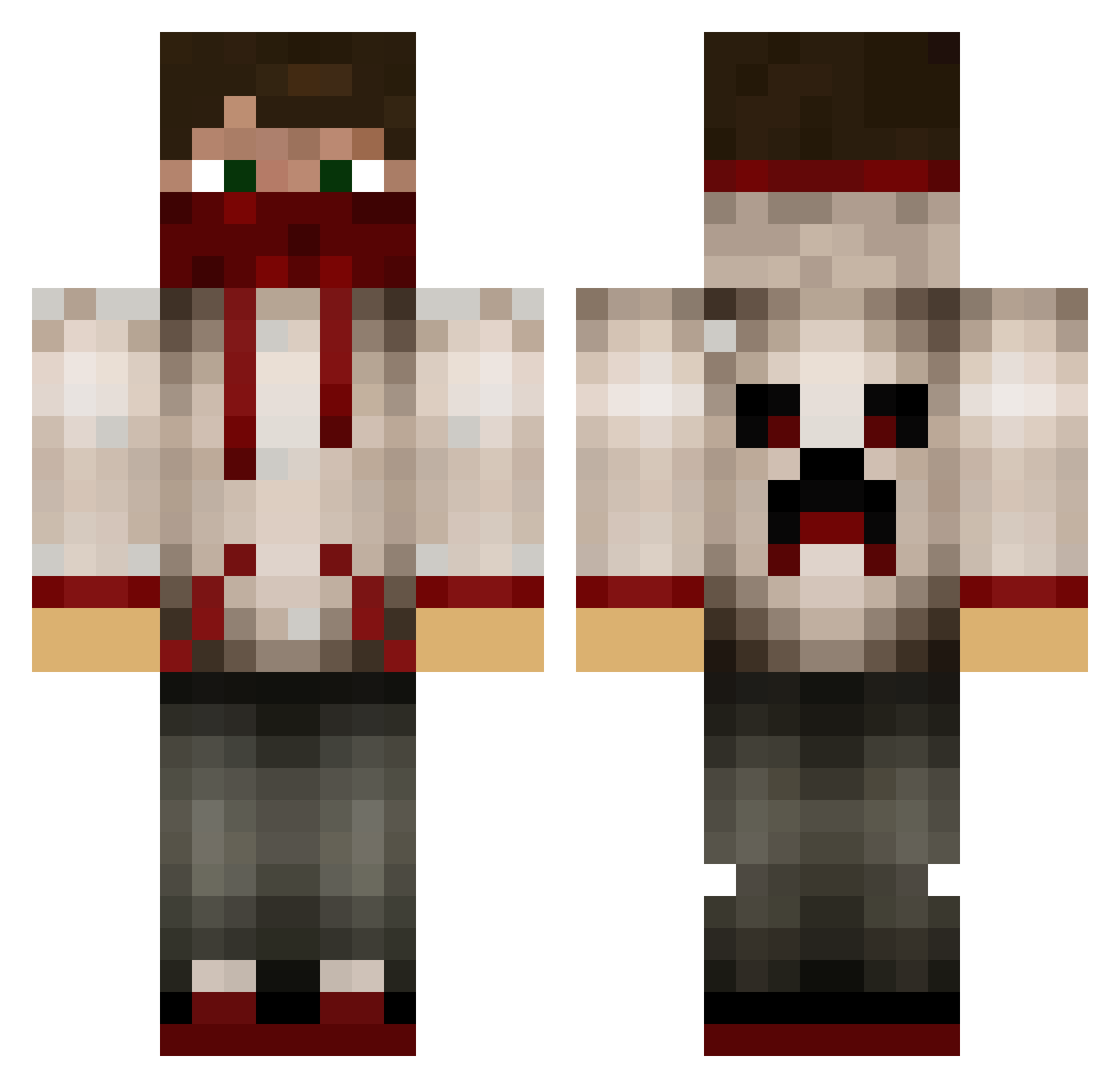
Current Minecraft skin of the player Coldsencer, loaded from the official Mojang API. Rotate the 3D model with your mouse or finger, then download the skin as a PNG file and use it in Minecraft: Bedrock Edition or Java Edition for free. When Coldsencer changes their skin, this page updates automatically and the old skin stays in the history below.
Other players with this skin (629)
Coldsencer was the 79th player we have seen with this skin, first spotted on 06.08.2026. The same skin was seen on these players. Open a nickname to see their current skin and skin history.
 DJvaltsu123 utah321 SpeedyGonz75 jamiesarson lot64 David0612 M4ximili4n_ kekskillerLP DRIFT_KING42148 MAXH1234 ThaUltimateMiner joemarino13 Ryanfire8 Osse33 GOLDMINER9988 rolvsen Brotz410 not_L4rry Fartastic123 _ConfirmFighter_ super_sniper8118 Murdoook JoshThePvper johnstontl floo_ kylejamson123 Schmalpay osamaomar Ethan_5710 BeastyBoy2300 Xm1gamerX blackbals73 Decleater mattiman99 WeetiVe edo_ram CKL75 nickogras swags123 Village1986 CrazyPali AJPlays_MC mk12321 Spenser456 Shadow_Comboz That_Dumb_Kid Joeygamer005 NoPotZone maccam1501 igoreks4321 Zedbogs ImPawelek18 nerd098 IndigenousDude lamatama CaptFluffy07 slowmikachu Systemx86 supppp1 sircatfish
More Bandana Minecraft skins
How to install the Coldsencer skin
- Press the Download button above to save the skin as a PNG file.
- Minecraft: Bedrock Edition (PE): open the Dressing Room from the main menu (or tap your character → Edit Character), go to Classic Skins → Owned, press the + (new skin) button, choose the downloaded PNG and pick the Classic (Steve) model. Works on PC and mobile; consoles cannot import custom skins.
- Minecraft: Java Edition: open the Minecraft Launcher, go to the Skins tab, click New Skin, load the PNG, pick the Classic (Steve) model and press Save & Use. You can also upload it at minecraft.net → Profile → Change Skin.
The skin does not show up after import - what should I do?
Restart Minecraft and open the Dressing Room again - imported skins sometimes appear only after a restart. Also make sure you selected the imported skin and picked the Classic (Steve) model.
Which model should I choose, Classic or Slim?
This skin is designed for the Classic (Steve) model. If you pick the wrong model, the arms of the skin will look stretched or squeezed.
Is the skin of Coldsencer free to download?
Yes. Press Download, save the PNG file and use it in Minecraft: Bedrock Edition or Java Edition - no payment or registration needed. The skin also works on multiplayer servers and Realms.
More skins
Looking for more? Go back to all Minecraft skins and check the top skins of the week, month and all time, or find any player's skin by nickname.